Ithal P R

Node.js and Express are not alternatives. Node.js is the runtime: the program that runs JavaScript on a server instead of in a browser. Express is a small web framework, installed with npm install express, that runs on top of Node.js and gives you routing, middleware and helpers for requests and responses. Every Express app is a Node.js app. You can build a web server with Node.js alone, but most people add Express (or a similar framework) once an app has more than a handful of routes.
Node.js vs Express at a glance
| Node.js | Express | |
|---|---|---|
| What it is | A JavaScript runtime environment | A web framework for Node.js |
| How you get it | Install it on the server (installer, package manager or nvm) | npm install express inside your project |
| What it gives you | The V8 engine, a standard library (files, network, HTTP, crypto) and npm | Routing, middleware, body parsing, static files, error handling |
| Can it run on its own? | Yes | No, it needs Node.js |
| Used for | Web servers, command-line tools, scripts, build tools, workers | Web applications and APIs |
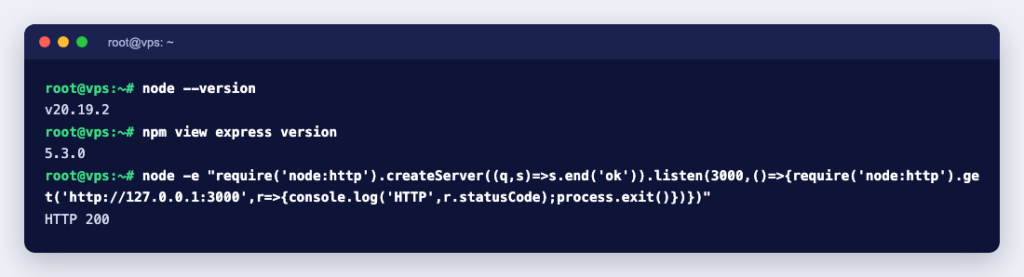
| Version we tested | 24.21.0 (LTS) | 5.2.1 |
The Node.js project describes Node.js as “an open-source and cross-platform JavaScript runtime environment” that runs the V8 engine from Google Chrome outside the browser, in a single process with non-blocking I/O (see Introduction to Node.js). The Express repository describes Express as a “fast, unopinionated, minimalist web framework for Node.js”.
The same small API, with and without Express
The easiest way to see the difference is to build one endpoint twice. We ran both versions in a node:24-alpine Docker container.
Plain Node.js
const http = require('node:http');

const server = http.createServer((req, res) => {
  if (req.method === 'GET' && req.url === '/api/hello') {
    res.writeHead(200, { 'Content-Type': 'application/json' });
    res.end(JSON.stringify({ message: 'Hello from plain Node.js' }));
  } else {
    res.writeHead(404, { 'Content-Type': 'text/plain' });
    res.end('Not found');
  }
});

server.listen(3000, () => console.log('Listening on port 3000'));
It works, and it needs no packages at all. But you check the method and URL yourself, set headers yourself and turn objects into JSON yourself. Add route parameters, form data, file uploads and error pages, and that if block grows quickly.
Express
const express = require('express');
const app = express();
const port = process.env.PORT || 3000;

app.use(express.json());
app.use(express.static('public'));

app.get('/api/hello', (req, res) => {
  res.json({ message: 'Hello from Express' });
});

app.get('/api/users/:id', (req, res) => {
  res.json({ id: req.params.id });
});

app.post('/api/echo', (req, res) => {
  res.status(201).json(req.body);
});

app.get('/api/fail', async (req, res) => {
  throw new Error('Something broke');
});

app.use((err, req, res, next) => {
  console.error(err.message);
  res.status(500).json({ error: 'Internal server error' });
});

app.listen(port, () => console.log(`Listening on port ${port}`));
What we got back:
GET  /api/hello     200  {"message":"Hello from Express"}
GET  /api/users/42  200  {"id":"42"}
POST /api/echo      201  {"name":"test"}
GET  /api/fail      500  {"error":"Internal server error"}
GET  /              200  <h1>Static file</h1>   (public/index.html)
GET  /nothing       404  (Express's default "not found" page)
What Express adds on top of Node.js
- Routing:
app.get(),app.post()and friends match the method and path for you, and:idstyle parameters land inreq.params. - Middleware: functions that run in order before your route, added with
app.use(). Logging, authentication, compression and security headers are all middleware. - Body parsing:
express.json()andexpress.urlencoded()turn request bodies intoreq.body. - Static files:
express.static('public')serves a folder of HTML, CSS and images. - Response helpers:
res.json(),res.status(),res.redirect()andres.sendFile()set the right headers for you. - Error handling: a middleware with four arguments,
(err, req, res, next), catches errors from any route.
Express stays small on purpose. It has no database layer, no user accounts and no admin panel; you pick npm packages for those.
Express 5: what changed from Express 4
Express 5 is now the default: npm view express dist-tags showed latest: '5.2.1', with Express 4 still published under latest-4 (4.22.3). Many tutorials were written for Express 4, so these differences from the official migration guide are worth knowing:
- Node.js 18 or newer is required.
- Async errors are caught. A rejected promise in a handler is passed to your error middleware. We ran the
/api/failroute above on both versions: Express 5 answered with a 500, while Express 4.22.3 let the error escape and the whole Node.js process exited. On Express 4 you must wrap async code intry/catchand callnext(err). - Wildcards need a name.
app.get('*', ...)now stops the app at start-up withPathError [TypeError]: Missing parameter name at index 1: *. Use/*splatinstead; in our test/files/*splatmatched/files/a/b/c.txtand gave["a","b","c.txt"]. - Optional parameters use braces, for example
/:file{.:ext}instead of/:file.:ext?. - Changed defaults:
req.bodyisundefinedwhen no body parser ran,express.urlencoded()defaults toextended: false, andexpress.staticignores dotfiles. - Removed methods:
app.del()is nowapp.delete(),res.sendfile()isres.sendFile(), andres.send(body, status)becomesres.status(status).send(body).
According to the Express team, Express 2.x and 3.x are no longer maintained and should not be used at all.
When to use plain Node.js and when to use Express
| Situation | Good fit |
|---|---|
| A command-line tool, cron script or queue worker with no web interface | Node.js alone |
| A tiny health-check or webhook receiver with one or two routes | Node.js alone, or Express if you prefer the syntax |
| A REST API, a dashboard or a site with forms and logins | Express |
| Learning how HTTP works under the hood | Build it once with node:http, then switch to Express |
Express is not the only web framework for Node.js. Whichever you choose, the server underneath is still Node.js, so the hosting steps below are the same.
Running an Express app on a server
An Express app is a long-running Node.js process, so it needs a server where you can keep processes running: a VPS or a dedicated server, not basic shared hosting. The Express project publishes production advice on its website; the checklist below follows it.
- Use an LTS release of Node.js. The Node.js release page says production applications should only use Active LTS or Maintenance LTS releases. Our tests used 24.21.0. To install it, see How to Install Node.js and NPM on Linux Servers.
- Set
NODE_ENV=production. According to Express, this caches view templates and gives shorter error messages. - Keep it running with systemd. Express recommends your init system for process management, so the app restarts after a crash or a reboot. A minimal unit file is shown after this list.
- Put a reverse proxy in front. Express recommends Nginx or HAProxy for TLS, compression and static files. Have the app listen on the loopback address only, with
app.listen(3000, '127.0.0.1'), so it cannot be reached from outside except through the proxy. How to use Nginx as a reverse proxy with SSL walks through the Nginx side. - Trim what you reveal. Express sends an
X-Powered-By: Expressheader by default (we saw it on every response).app.disable('x-powered-by')removes it, though Express itself notes this only discourages casual attackers; its security guide also suggests the Helmet middleware for security headers.
A minimal systemd unit, based on the example in the Express production guide, saved as /etc/systemd/system/myapp.service:
[Unit]
Description=My Express app

[Service]
Type=simple
ExecStart=/usr/bin/node /srv/myapp/app.js
Environment=NODE_ENV=production
Restart=always

[Install]
WantedBy=multi-user.target
Check where node is installed with which node and adjust ExecStart, then run systemctl daemon-reload and systemctl enable --now myapp.
Common mistakes
- Following an Express 4 tutorial on Express 5. A bare
*route crashes the app at start-up. Checknpm ls expressto see which version you have. - Reading
req.bodywithout a parser. It isundefineduntil you addapp.use(express.json()). - Starting the app with
node app.jsin an SSH session. It stops when you log out. Use systemd. - Opening the app port to the internet. Keep port 3000 on localhost and let the reverse proxy handle ports 80 and 443.
Ready to put a Node.js or Express app online? A KVM VPS gives you full root access to install Node.js, systemd services and Nginx your way. If you would rather have someone set it up, our engineers are available by the hour.