 Vishnu
Monitoring that runs on your server can only tell you what the server sees from the inside. It cannot tell you that the server has gone silent, that visitors cannot reach it, or that their browsers are showing a certificate warning. For that you need a check from somewhere else on the internet, the same way your visitors arrive: a separate monitor that loads your site, tests your ports and alerts you when they fail.
We have run hosting, VPS and dedicated servers for customers since 2013, and the lesson keeps coming back: a server cannot report its own absence. This post explains what internal monitoring misses, then gives a practical checklist for a website, a VPS and a dedicated server.
Internal and external monitoring are different jobs
Internal monitoring runs on the server itself: an agent, a control panel service monitor, a cron script or tools such as Netdata. It is very good at the details: CPU, memory, disk use, which process is slow, whether a service restarted.
External monitoring runs on a different machine, ideally in a different location. It knows nothing about CPU or processes. It only asks the question your visitors ask: can I reach this site, and does it answer correctly? You need both, because each one is blind where the other can see.
What internal monitoring cannot see
The whole server is down
If the server loses power, hangs on a kernel problem or loses its network, the monitoring agent on it stops too. It sends no alert, because it is not running. From your side, silence looks exactly like “all fine”. An external check simply gets no answer and tells you within a minute or two.
Network and routing problems
A server can be healthy and still unreachable: a routing problem upstream, a wrong IP after a migration, a network card that lost its configuration after a reboot. A check from localhost passes every time, because it never leaves the machine.
DNS mistakes and expired domains
Visitors find your site through DNS. If a record is deleted, a nameserver change goes wrong or the domain expires, the server keeps running happily while nobody can find it. An external HTTP check that uses the domain name, plus a DNS record check, catches this. Domain expiry warnings give you time to renew before it happens.
SSL certificate expiry
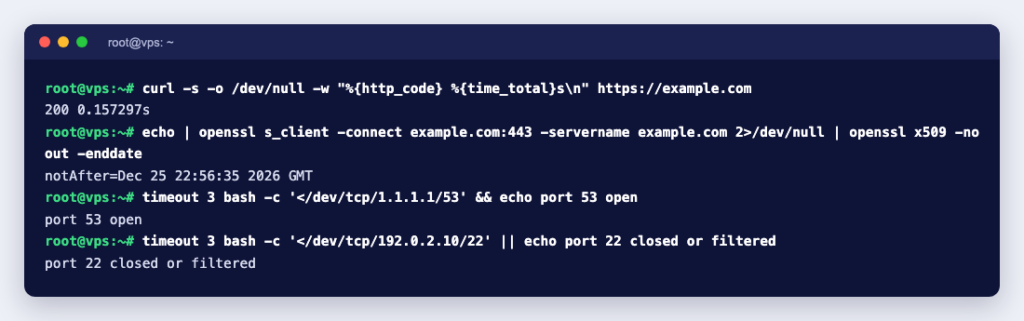
When a certificate expires or an automatic renewal fails, the web server still answers and internal checks often still pass. Visitors, though, get a full-page browser warning, and many will leave rather than click through it. An external HTTPS check fails on an invalid certificate, and certificate expiry alerts warn you days in advance.
Firewall mistakes
A new firewall rule, a security tool that blocks a range of addresses, or a port change for SSH can lock out visitors or you. Local checks keep passing because traffic from the server to itself is usually allowed. Only a check from outside travels through the firewall the way real traffic does.
A full disk that breaks the site quietly
When the disk fills up, the server stays online, but the database cannot write, sessions fail and the site shows errors or a blank page. Some applications even return an error page with a normal 200 status code. An internal disk alert helps if someone set it up. An external keyword check, which looks for a word that should be on the page, catches the broken page whatever the cause.
What to monitor: a practical checklist
Start small and add checks as you learn what matters. This table is a sensible starting point.
| What you run | External checks to add | Suggested interval |
|---|---|---|
| Website (shared hosting or any server) | HTTPS check of the home page; keyword check for a word that only appears when the page works; HTTPS check of the login or checkout page; certificate expiry; domain expiry; DNS record check for the main A record | 1 minute for the home page and checkout, 5 minutes for the rest, expiry checks daily |
| VPS | Everything in the website row, plus ping to the server IP; TCP check of the SSH port; TCP checks of other public services (mail ports 25, 587 and 993, a database only if it is meant to be public); push monitors for backups and cron jobs | 1 minute for ping and web, 5 minutes for mail and SSH, push monitors matched to the job schedule |
| Dedicated server | Everything in the VPS row, plus a check of each public IP if you have several; a check of every important site or service hosted on it; a TCP check of the remote management address only if it is reachable from outside (it usually should not be) | 1 minute for ping and the main services |
Keep the internal side too. On a dedicated server, watch disk health with smartd (see How to Check SMART Status and Monitor Disk Health with smartd), because a failing disk gives warnings long before the server goes offline. External checks tell you that something is wrong; internal tools tell you why.
How often to check, and how to avoid false alarms
- Every minute is a good default for anything that makes money or that customers use: the home page, checkout, login, the main API.
- Every five minutes is enough for secondary pages, mail ports and SSH.
- Once a day is enough for certificate and domain expiry, with warnings two to three weeks ahead.
- Use retries. Let a check fail two or three times in a row before it alerts anyone. A single lost packet on the internet is normal and should not wake someone at night.
- Use maintenance windows. Planned reboots and updates should not trigger alerts or count as downtime.
When a ping check fails and you want to confirm it by hand, the Linux ping command guide covers the options that help, such as a set number of packets and a timeout.
Who should get the alerts
- At least two people. One person is on holiday, asleep or in a meeting when it matters.
- A channel that does not depend on the server. If your alert emails go to a mailbox on the same server that just went down, they never arrive. Use a mailbox elsewhere, or a chat or push channel such as Telegram or Slack.
- The right level for the right alert. Downtime goes to a phone. Certificate warnings three weeks out can go to email.
- Your customers, through a status page. A public status page answers “is it just me?” before customers open a ticket, and shows planned maintenance in advance.
- Your hosting provider, when it is their side. If ping fails for the whole server, open a ticket with the time the check first failed. That makes the investigation much faster.
Where to run your external monitor
The one rule: not on the server it watches, and ideally not in the same data centre. Options include a hosted monitoring service, a small VPS of your own running open-source software such as Uptime Kuma, or a managed instance that someone else keeps running. A self-hosted monitor is a single point of view, so for anything important, have a second check from somewhere else watching the monitor itself. Our knowledge base compares the main tools in Server Monitoring Software for Linux: Tools Compared.
Get started
If you want to run Uptime Kuma yourself with full root access, an Uptime Kuma VPS comes with it installed by our engineers. If you would rather we keep it running, updated and secured, managed Uptime Kuma hosting gives you your own private instance with a status page on your own domain. Either way, set up the first three checks today: the home page, a keyword on the page, and certificate expiry.


