Fully Managed Uptime Kuma Hosting for $12 a Year.
Uptime Kuma as a service: your own private copy of the open-source monitoring tool, fully managed by our engineers. We host it, update it and secure it with SSL. You add the websites and services to watch, choose where alerts go and share a status page on your own domain.
$12 a year, about $1 a month.
- Your own private instance
- Unlimited monitors
- Status page on your domain
 Uptime Kuma
 Open source, MIT licence
Do You Hear About an Outage Before Your Customers Do?
Most owners learn that a site is down from a customer. Uptime Kuma checks for you around the clock and sends the alert to you first.
Your site goes down at night
Without it: A customer finds out before you do, and the sale, or the trust, is gone.
With Uptime Kuma: It checks every 20 seconds, as often as you choose, and alerts you on Telegram, Slack or email.
A certificate or domain expires
Without it: Browsers show a warning page and visitors leave.
With Uptime Kuma: You see every expiry date and get a warning before it arrives.
A backup or cron job quietly stops
Without it: Nothing fails loudly, so you find out when you need the backup.
With Uptime Kuma: A Push monitor alerts you when the job does not report in.
You order in our secure client area. Our team then sets up your instance and sends your login details.
One Price, No Per-Monitor Fees.
Press Get Started to order in our secure client area. Our team then sets up your instance and sends your login details.
Managed Uptime Kuma
Your own private Uptime Kuma instance, hosted and kept up to date by us. Unlimited monitors, every notification channel and a status page on your own domain.
Uptime Kuma VPS
Want root access, checks on a private network or other tools next to Uptime Kuma? A VPS of your own with Uptime Kuma installed by our engineers.
Help with your own Uptime Kuma
Already run Uptime Kuma? Our engineers set up HTTPS and a reverse proxy, alerts, status page domains or the upgrade from version 1 to 2.
Self-Hosted Uptime Kuma, Fully Managed.
Uptime Kuma is free, open-source software, but someone has to run it: a server, Docker or Node.js, updates, a reverse proxy that passes WebSocket traffic and an SSL certificate. As a fully managed service, that part is ours.
| Running it yourself | Less to manage Managed Uptime Kuma $12 a year, about $1 a month | |
|---|---|---|
| The server | You rent, secure and patch a server | None to run: we host your instance |
| Install and updates | You install it and apply each new release | Installed and kept up to date by us |
| HTTPS and domain | You set up a reverse proxy with WebSocket headers and a certificate | Your status page on your own domain, with SSL |
| Monitors | Limited by your server | Unlimited (fair use) |
| Your privacy | Your own instance | Your own private instance, never a shared dashboard |
| Cost | A small VPS from $4 a month, plus your time | $12 a year, about $1 a month |
| Get Started |
Need root access, checks on a private network or more software next to Uptime Kuma? See the Uptime Kuma VPS.
See Uptime Kuma at Work.
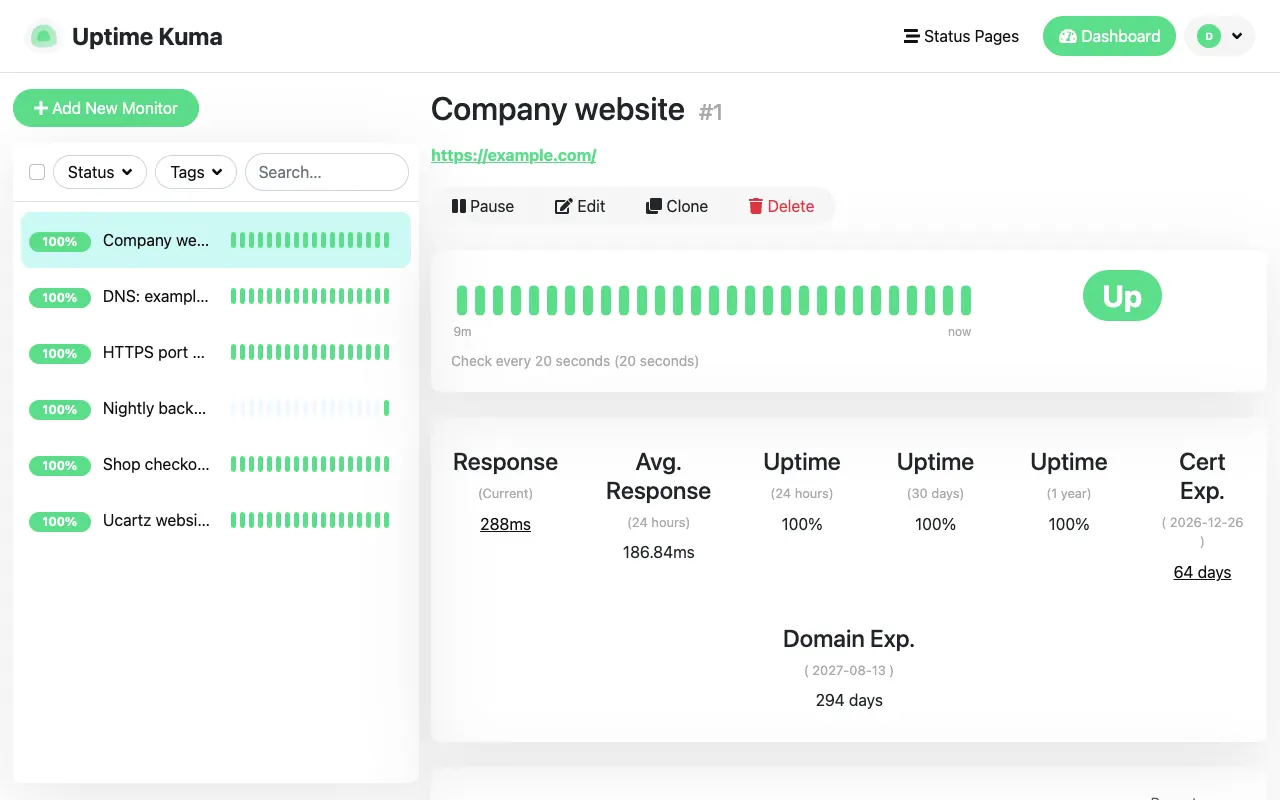
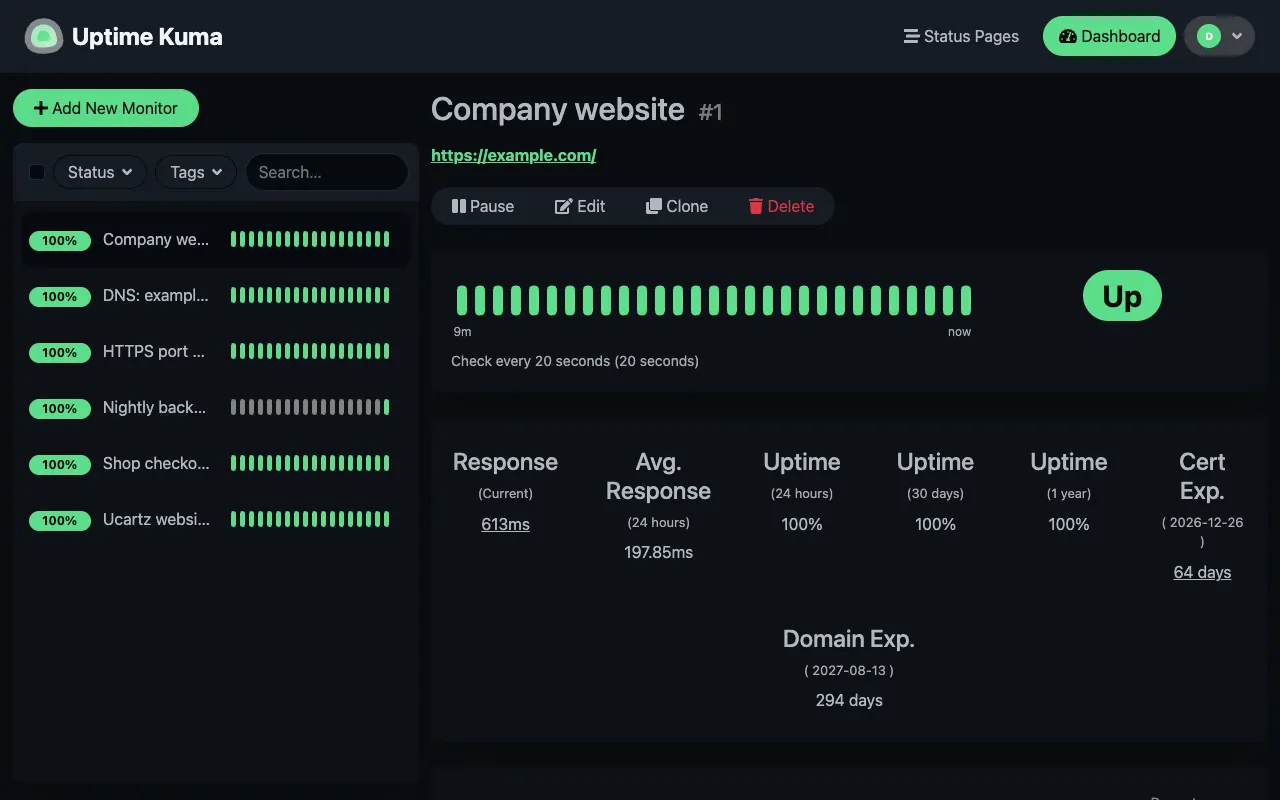
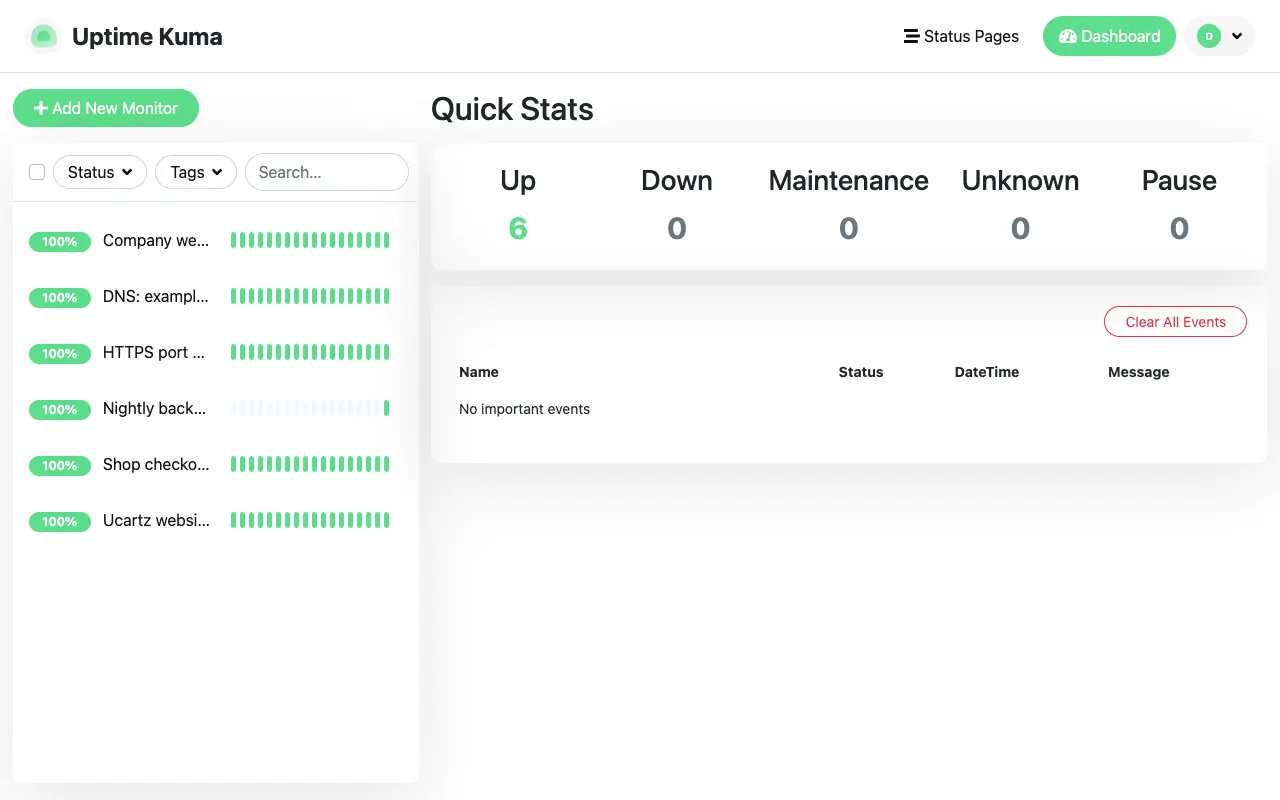
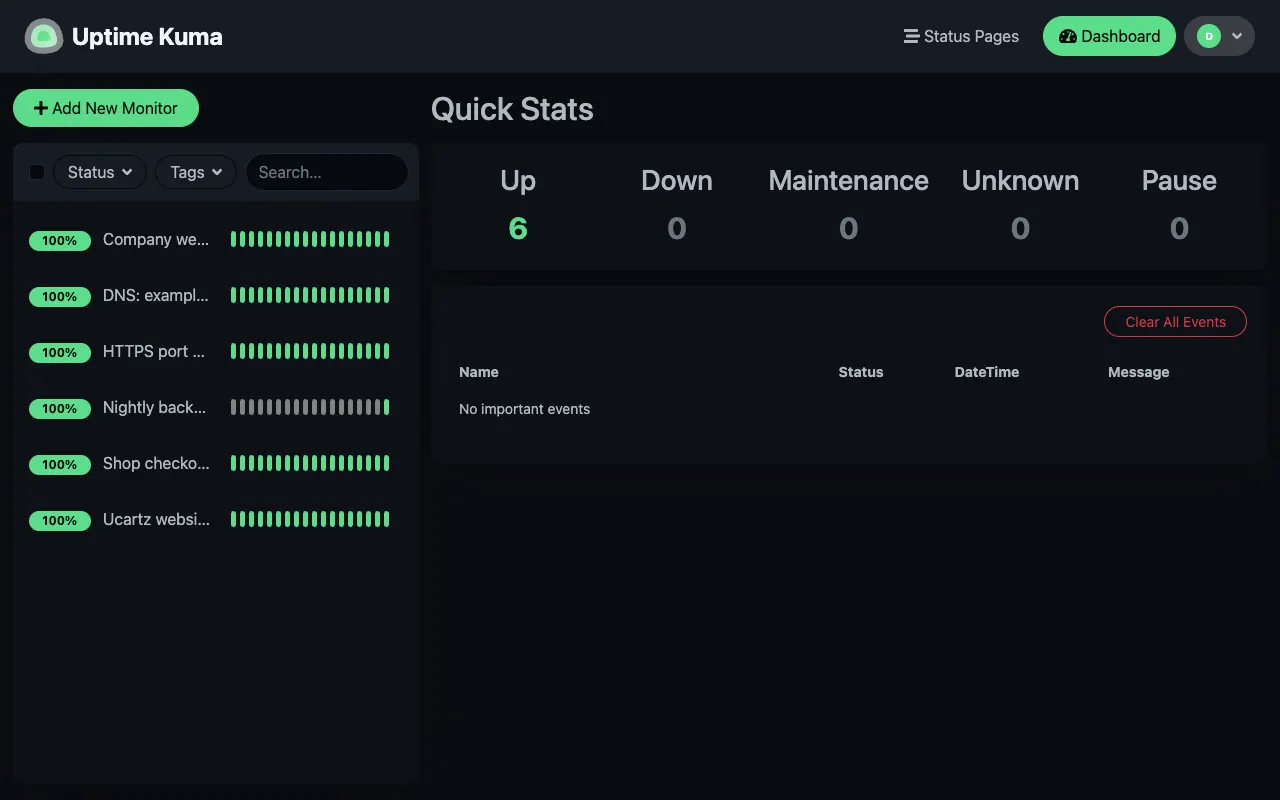
Real screenshots of Uptime Kuma 2.5.6, the current release, which our team set up on a test server with example monitors.
Dashboard
Every monitor on one screen, with the result of each recent check.
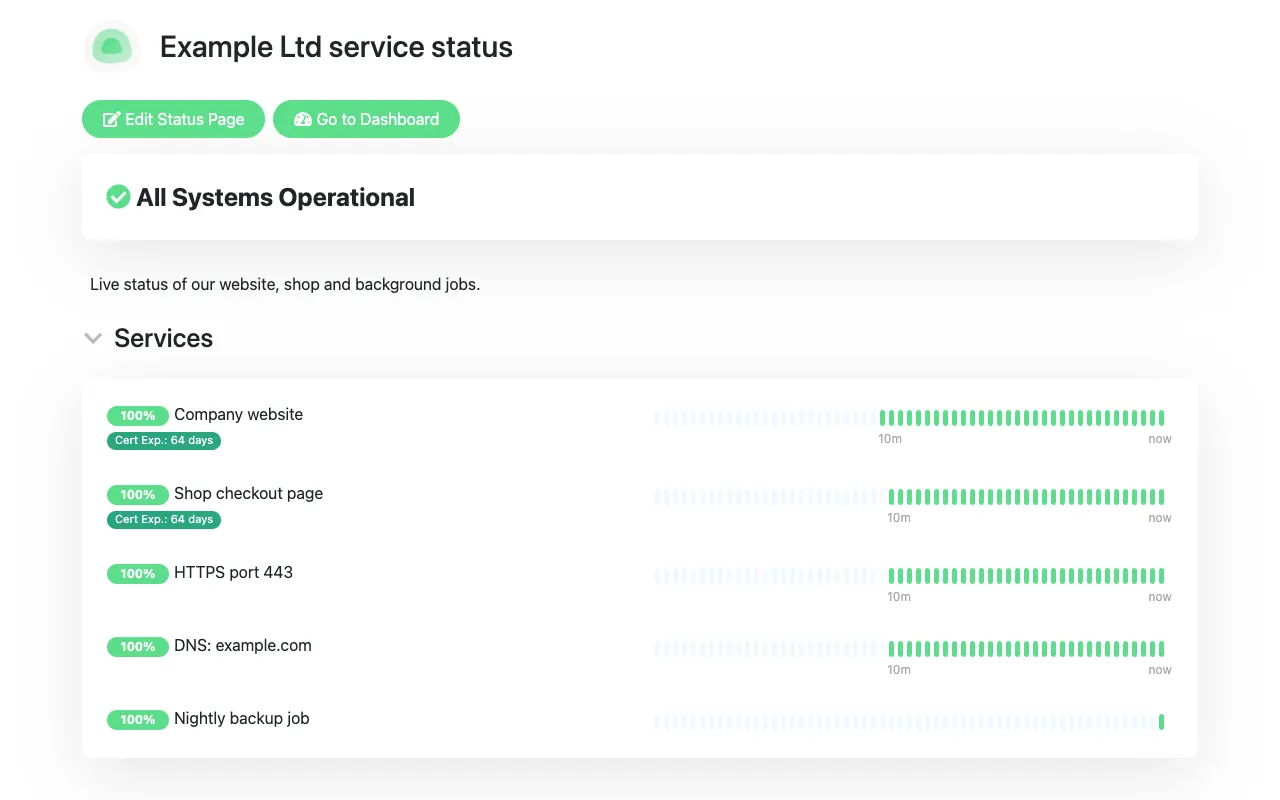
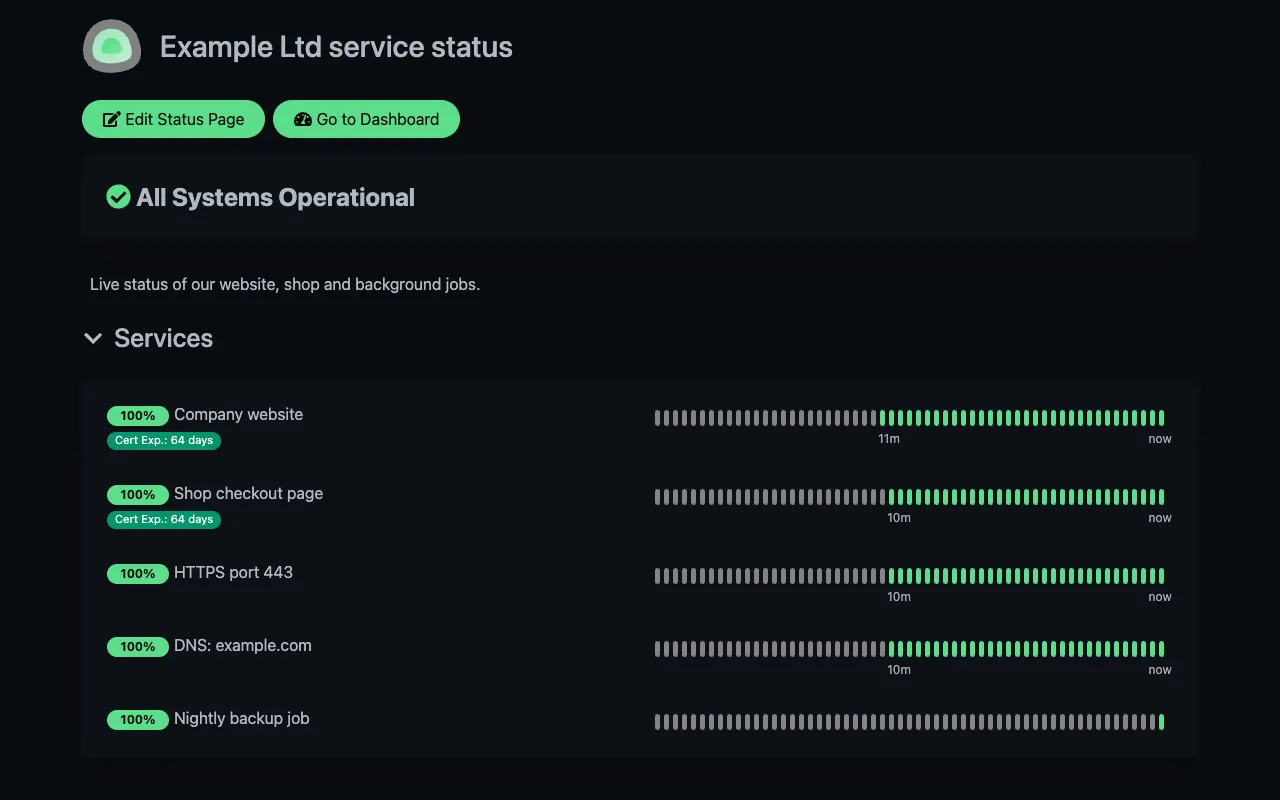
Status page
A public page your customers can check, on your own domain.
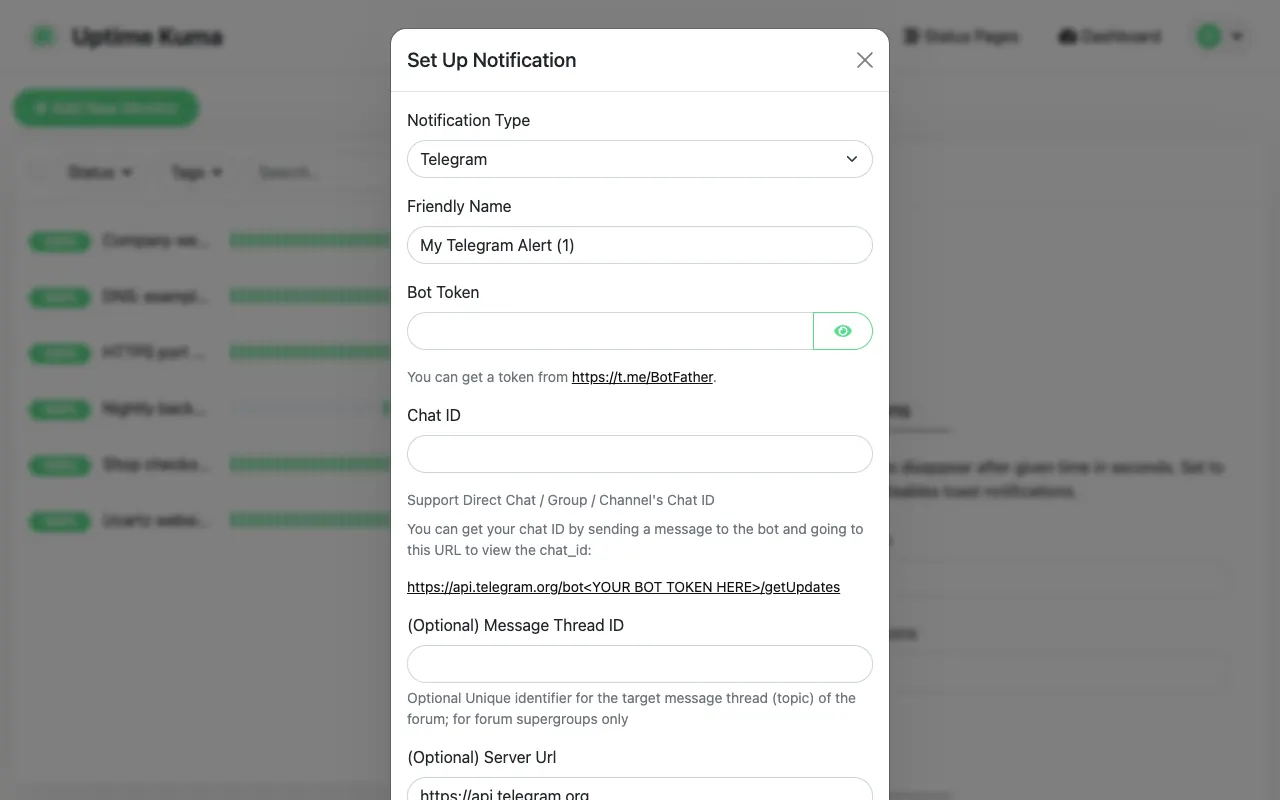
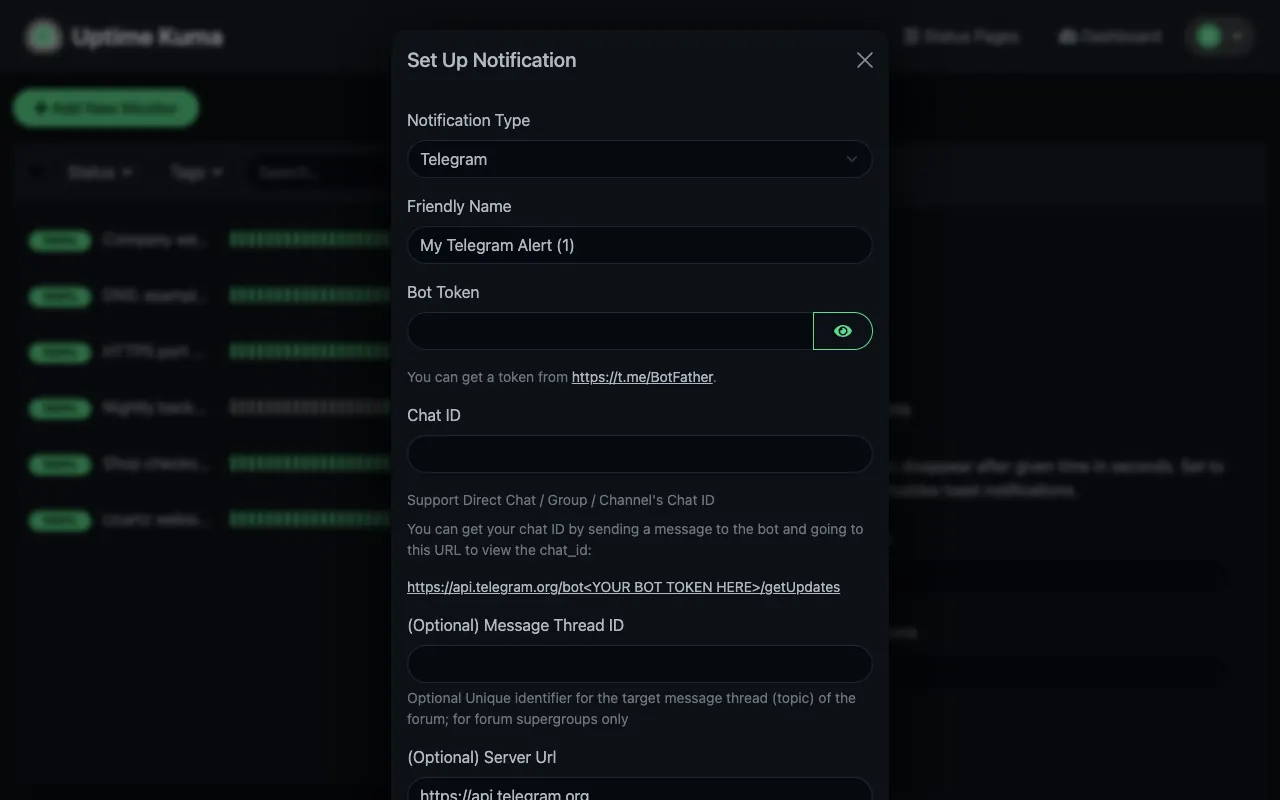
Alerts
Pick one of 90+ notification services, such as Telegram, Slack, email or a webhook.
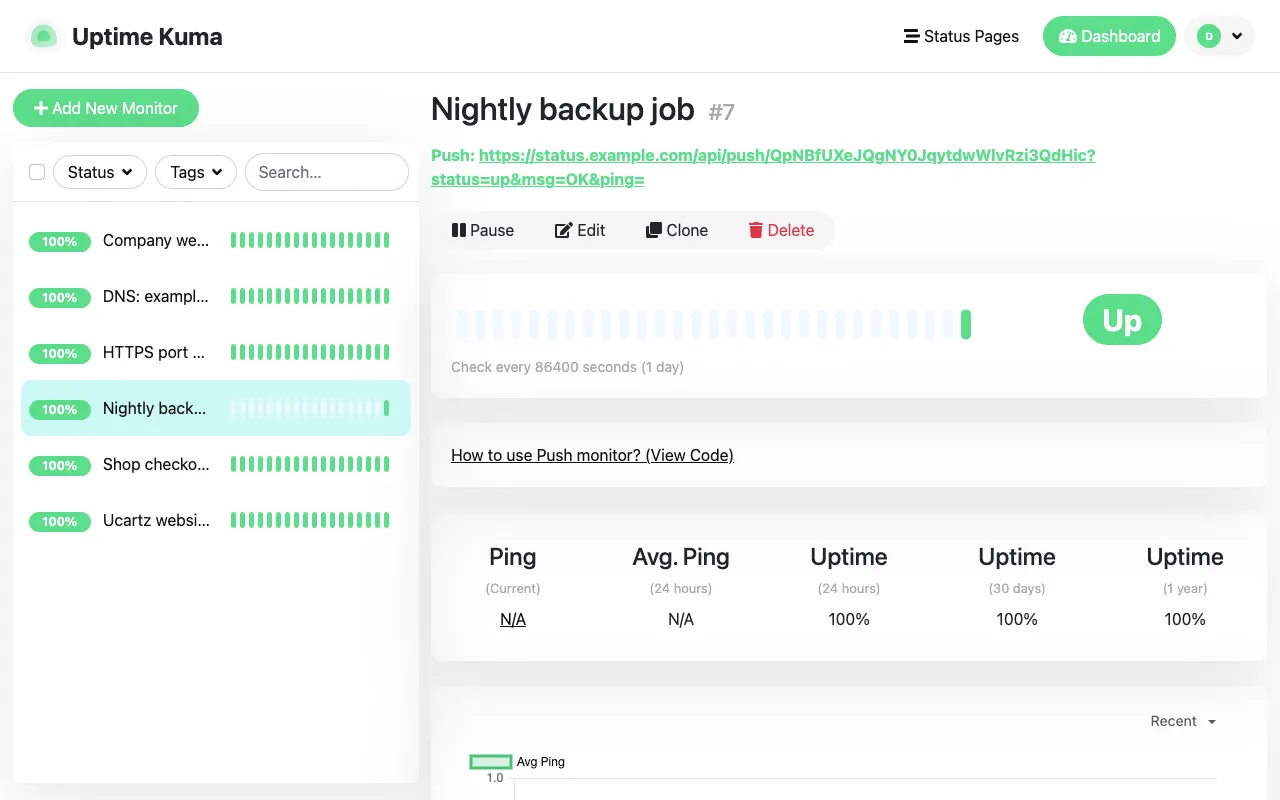
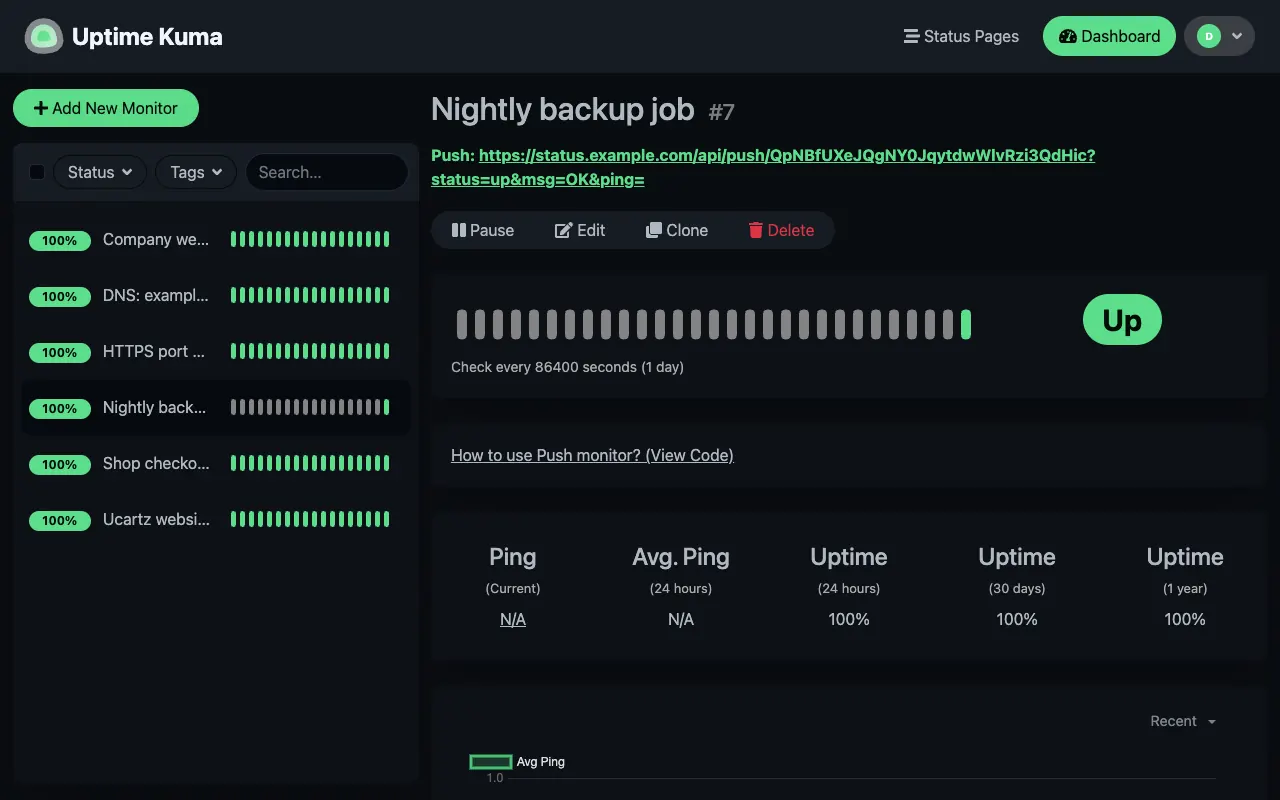
Push monitor
A unique URL your cron job or backup script calls when it finishes.
Built for People Who Want It to Just Work.
Uptime Kuma is the open-source monitoring tool many developers and small teams already trust. Managed hosting is for anyone who wants it without owning a server.
Developers and side projects
Watch your sites, APIs and cron jobs with the same tool the big self-hosters use, without renting a server or giving up a weekend to set it up.
Agencies and freelancers
Keep an eye on every client site from one place and publish a status page for each project, with your own logo and wording, at one flat price.
Online shops and small teams
Get an alert in Telegram, Slack, Teams or email the moment a site, a checkout or a certificate has a problem, and stop paying for every extra monitor.
Radio and streaming stations
Check your stream ports and website, and show listeners a status page when something is down, so they do not have to ask you.
A Hosting Company You Can Talk To.
Real engineers, a support team that works around the clock, and a company that has been running hosting since 2013.
In hosting since 2013
More than ten years of running servers and looking after customers in 150+ countries.
Real engineers, 24/7
Questions go to a support ticket that our technical team picks up at any hour, every day.
No lock-in
It is the open-source Uptime Kuma, the same software you could run yourself, so you are never tied to a closed tool.
One flat price
$12 a year for unlimited monitors, under fair use. No per-monitor fees.
You order in our secure client area. Our team then sets up your instance and sends your login details.
What Your Uptime Kuma Can Monitor and Do.
The facts in one table, so you can check it fits before you order.
| Software | Uptime Kuma 2, the open-source project (MIT licence), hosted and kept up to date by us. |
|---|---|
| What it can monitor | Websites over HTTP and HTTPS, a keyword or a JSON value in a response, TCP ports, ping, DNS records, and Push monitors for cron jobs and backups. |
| Check interval | As often as every 20 seconds. |
| Alerts | 90+ notification services, including email, Telegram, Slack, Discord, Microsoft Teams, PagerDuty, Opsgenie, Pushover, ntfy and webhooks. |
| Status pages | Public status pages for your customers, shown on your own domain with an SSL certificate that we set up. |
| Certificates and domains | Shows when each SSL certificate and domain registration expires, and can warn you before it does. |
| Maintenance windows | Mark planned work as maintenance, once or on a schedule, so it does not trigger alerts. |
| Security | Your own private instance with its own login and two-factor authentication. |
| We watch the monitor | We monitor your hosted instance ourselves, so if Uptime Kuma stops answering we know and fix it. |
| Backups | Not part of the yearly price. A backup add-on is available on request. |
| Monitors | Unlimited, under fair use. One price, no per-monitor fees. |
| Support | Questions go through a support ticket, 24/7. Sales questions are answered in sales hours. |
Source: the Uptime Kuma project documentation, checked on our own test instance. Last reviewed 23 October 2026.
Every Uptime Kuma Feature, Fully Managed.
The real open-source Uptime Kuma, the same software people self-host, on a hosted instance that is yours alone. No Docker, no reverse proxy and no certificates for you to look after.
Unlimited monitors
Websites, APIs, keywords on a page, JSON responses, TCP ports, DNS records and background jobs, checked as often as every 20 seconds. No per-monitor pricing.
90+ alert channels
Email, Telegram, Slack, Discord, Microsoft Teams, PagerDuty, ntfy, webhooks and more than 90 other services, so the right person hears about an outage first.
Status page on your domain
Public status pages for your customers on a domain such as status.yourcompany.com, with an SSL certificate set up by us.
Certificate and domain expiry
Uptime Kuma shows when each site’s SSL certificate and domain registration run out, and can warn you before they do.
Push monitors for cron jobs
A unique URL your backup or cron script calls when it finishes. If the call does not arrive in time, Uptime Kuma alerts you.
Private and secured
Your own instance with its own login and two-factor authentication. Nobody else’s monitors, and nobody else sees yours.
From Order to Done.
Order online
Press Get Started and order in our client area. Tell us the email for your login and, if you want one, the domain for your status page.
We set up your instance
Your private Uptime Kuma is created and the login details are sent to you.
Point your status domain
Add one DNS record for your status page domain; we connect it and add the SSL certificate.
Add monitors and alerts
Add your websites and services and choose where alerts go. We keep Uptime Kuma up to date.
Real Feedback From the Businesses We Support
See how our engineering support and infrastructure keep real businesses online.

Hosted Uptime Kuma instance, run by us, with engineers on call
We run the software for you: hosting, updates and fixes. When you want more, such as an integration, a migration or a custom setup, the same engineers take it on as a one-time job, without a new contract.
Management included
Management is included: hosting, software updates, security fixes and troubleshooting of the service, handled by our engineers.
What is included →Plug-and-play expert help
Integrations, migrations, custom setups or extra admin hours. From $8 per 15 minutes or $28 per hour, billed only when you use it.
See on-demand support →AI, automation & custom builds
Add AI and automation to your business: private LLMs, n8n workflows, API integrations and internal tools, built and run by the same team.
Plan a project →Frequently Asked Questions
Quick answers about the plans, support and billing.
Fully Managed Uptime Kuma, $12 a Year
Uptime Kuma as a service: your own instance, hosted and kept up to date by Ucartz, with unlimited monitors and a status page on your own domain.