
I tested all three platforms for 90 days. If you’re comparing automation tools, you’ve likely hit a limit manual work is piling up, or your current tool is getting expensive. The real question: Which platform will still work for you six months from now? This guide breaks down n8n vs Zapier vs Make in a way that helps you decide fast based on your team, budget, and scale.
The One-Minute Answer
- Choose Zapier → Fast setup, non-technical teams, simple workflows
- Choose Make → Visual workflows, mid-level complexity, better pricing
- Choose n8n → Full control, high-volume automation, self-hosting, long-term cost savings
Still unsure? Keep reading.
What Actually Separates These Platforms
1. Zapier
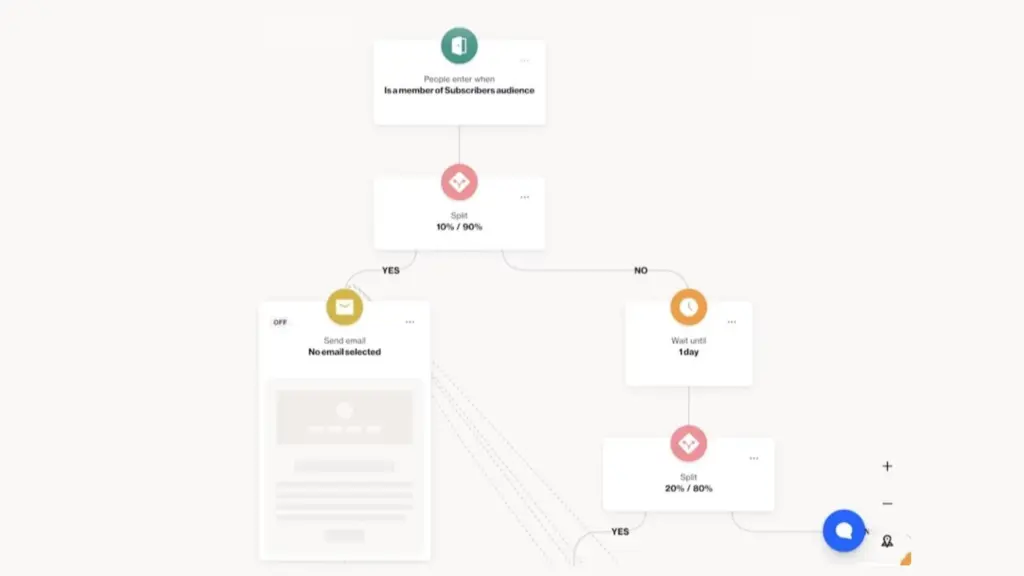
Zapier dominates because it’s simple. You pick a trigger (“New Salesforce lead”), add actions (“Add to Mailchimp,” “Notify Slack”), and you’re done.
What it does better than anyone:
- 7,000+ app integrations (if it exists, Zapier connects to it)
- Zero learning curve for non-technical teams
- Reliable execution and excellent support
Where it falls apart:
- Pricing gets brutal fast (more on this below)
- Complex workflows become clunky in the linear interface
- Limited customization when you need to go off-script
Example: A marketing manager connects Facebook Lead Ads → Salesforce → Mailchimp → Slack notification in 10 minutes. No coding. No developer needed.
2. Make
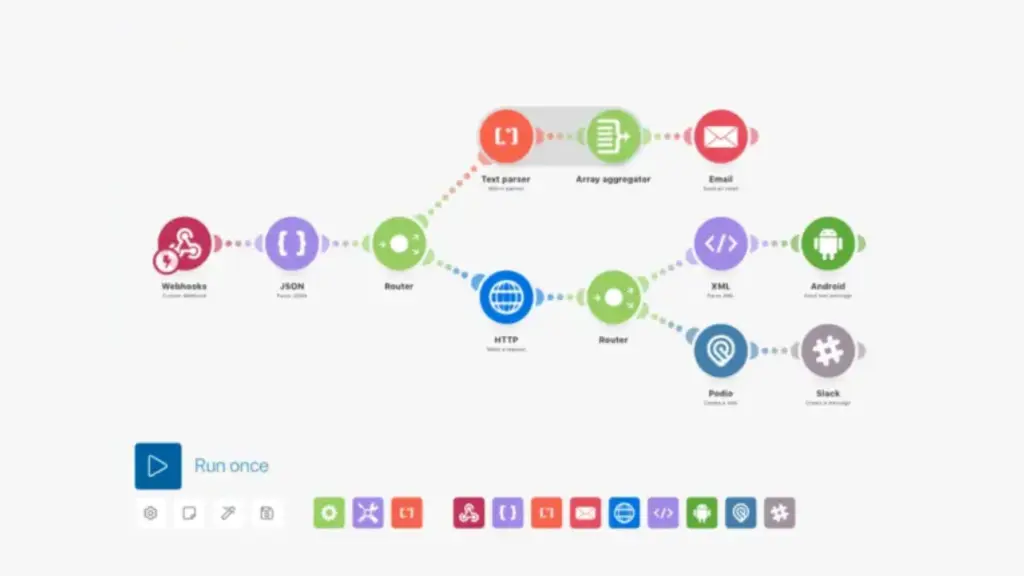
Make (formerly Integromat) gives you a drag-and-drop canvas. You see your workflow as a flowchart, not a list of steps.
What it does better:
- Visual interface makes complex logic intuitive
- Better pricing than Zapier (more operations for less money)
- Powerful routers, filters, and error handling
- 1,500+ integrations cover most business tools
Where it struggles:
- Steeper learning curve than Zapier
- Smaller integration library (though still extensive)
- Advanced features require understanding terms like “iterators” and “aggregators”
- No self-hosting (cloud-only like Zapier)
Example: An e-commerce store routes orders based on inventory levels if in stock, send to shipping; if out of stock, backorder it, email customer, and notify procurement. Make’s visual routers make this branching logic easy to build and debug.
3. n8n
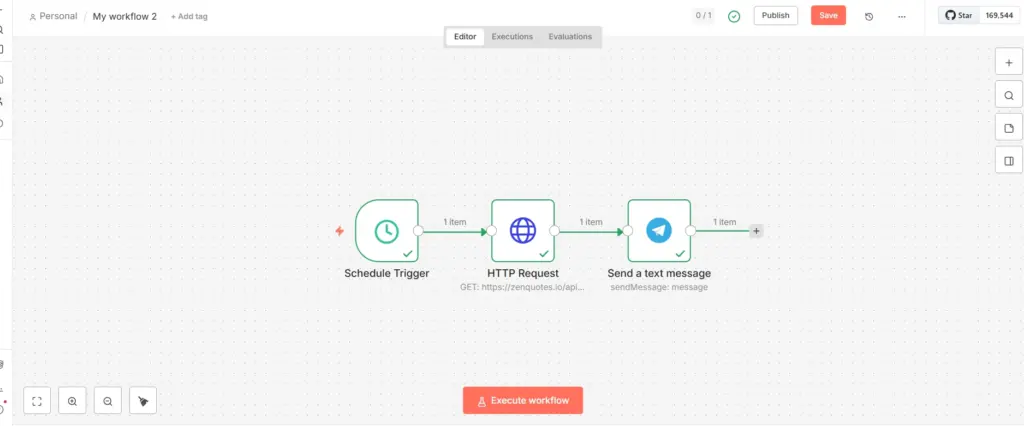
n8n is open-source and self-hostable. That’s the headline. But what does it actually mean for you?
What it does better:
- Self-hosting = unlimited executions for the cost of server hosting (potentially $5-20/month for small-medium businesses)
- Full code access customize anything
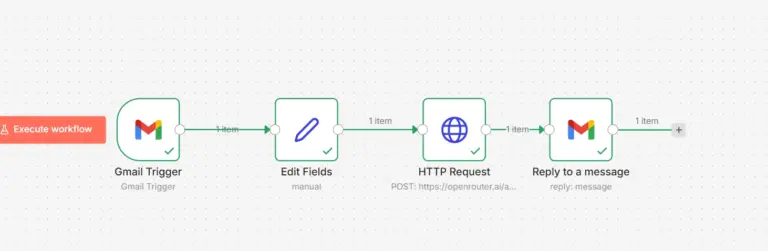
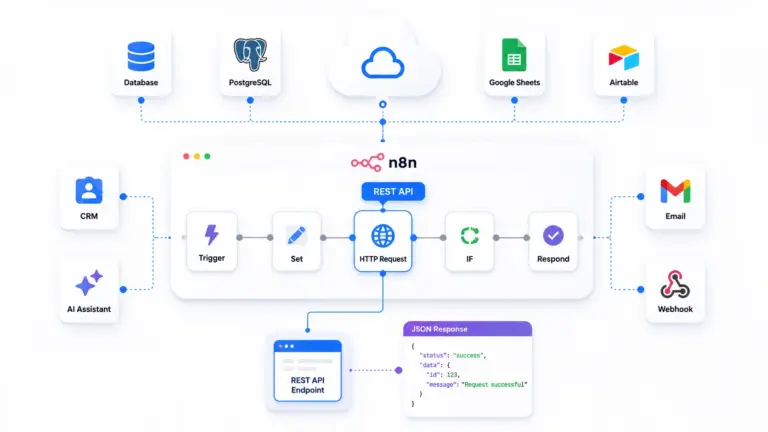
- HTTP Request node connects to ANY API (even without a pre-built connector)
- Code nodes let you write JavaScript/Python for complex data transformation
- Complete data privacy (everything stays on your infrastructure)
Where it demands more:
- Steeper learning curve (node-based interface)
- Requires technical comfort or developer resources
- Smaller official integration library (~400 nodes, though community adds hundreds more)
- Self-hosting means you manage infrastructure and updates
Example: A healthcare company automates patient appointment reminders. Because they self-host n8n behind their firewall, Protected Health Information (PHI) never touches a third-party server critical for HIPAA compliance.
Platform Comparison: Key Business Criteria
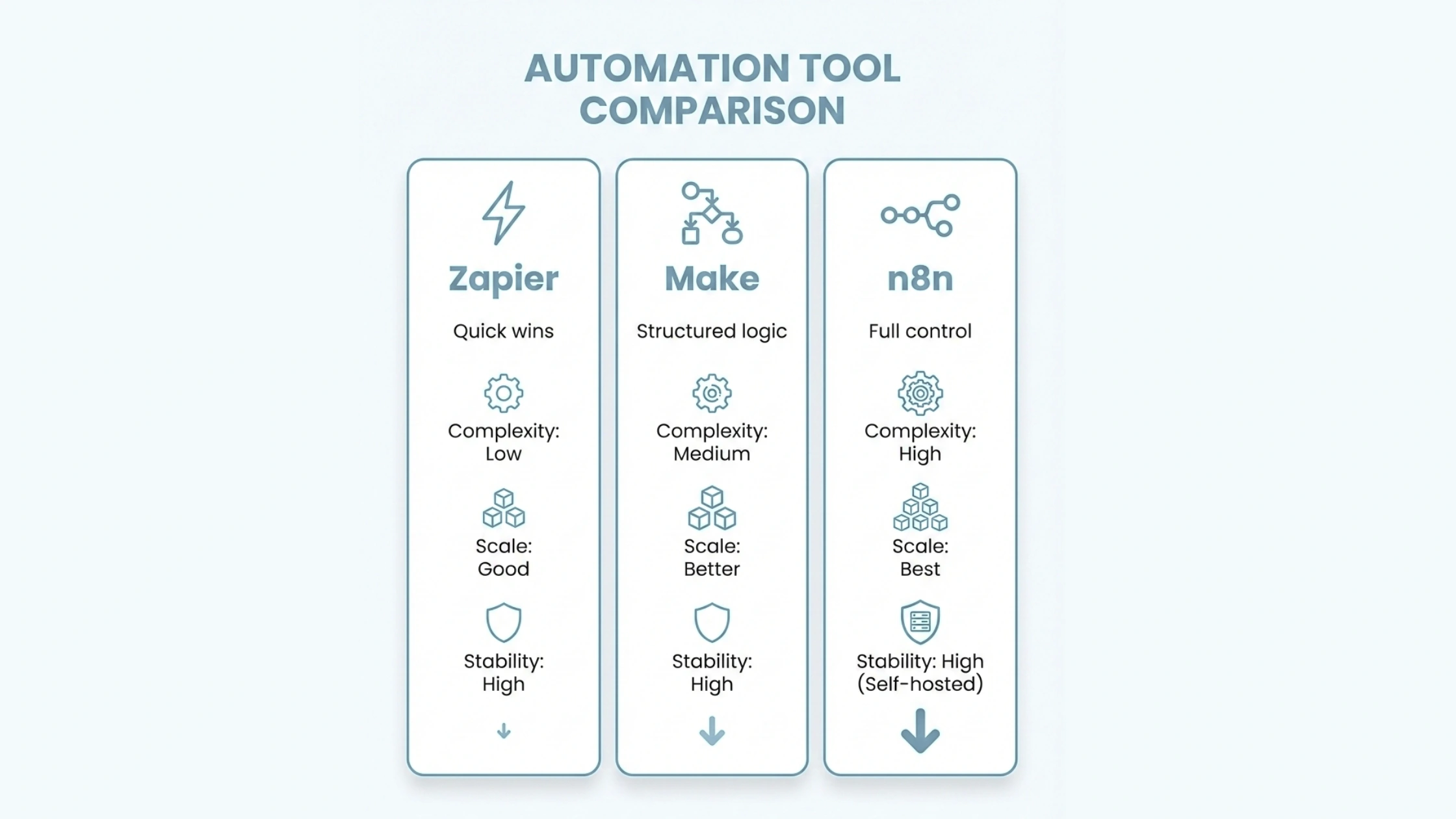
| Criteria | Zapier | Make | n8n |
|---|---|---|---|
| Ease of Use | Easiest (linear interface) | Moderate (visual flowcharts) | Advanced (node-based) |
| Automation Depth | Simple workflows | Complex branching logic | Unlimited (code-level control) |
| Price Scaling | Poor (expensive at scale) | Better (more value than Zapier) | Best (execution-based or free self-hosted) |
| Data Control | Cloud-only (data on Zapier servers) | Cloud-only (data on Make servers) | Full control (self-host option) |
| Integrations | 7,000+ apps | 1,500+ apps | 400+ nodes + unlimited via HTTP/APIs |
| Best For | Non-technical teams, quick setup | Visual thinkers, mid-complexity | Technical teams, high volume, privacy |
| Ucartz Hosting Fit | Not applicable (SaaS only) | Not applicable (SaaS only) | Perfect fit (VPS or Dedicated) |
Which Automation Tool is Cheapest at Scale?
This is where things get interesting.
How Each Platform Charges
Zapier: Pay per task (each action step)
- A simple workflow (1 trigger, 1 action) = 1 task
- A complex workflow (1 trigger, 10 actions) = 10 tasks
- Problem: Costs scale linearly with complexity and volume
Make: Pay per operation (similar to tasks)
- Same concept as Zapier
- Advantage: You get more operations for the same price
- Better value, but still scales with workflow complexity
n8n: Pay per execution (one complete workflow run, regardless of steps)
- Simple workflow (3 nodes) running 5,000 times = 5,000 executions
- Complex workflow (50 nodes) running 5,000 times = also 5,000 executions
- Self-hosted: Pay only for server costs no execution limits
Real Cost Comparison
Let’s say you run an e-commerce automation: New Shopify order → Update CRM → Add to email list → Notify team → Log to spreadsheet → Update inventory → Send confirmation. (1 trigger + 6 actions, running 10,000 times/month)
Zapier:
- 6 actions × 10,000 runs = 60,000 tasks/month
- Required plan: Professional (~$299/month) to Team (~$599/month)
Make:
- 60,000 operations/month
- Required plan: Pro (~$29/month covers 10k operations, but you’d need custom pricing for 60k roughly $100-150/month)
n8n Cloud:
- 10,000 executions/month
- Estimated cost: ~$50-80/month (execution-based pricing)
n8n Self-Hosted on Ucartz VPS:
- Software cost: $0
- Ucartz VPS cost: Starting at $3.99/month (Cloud VPS M)
- Total: $3.99-$19.99/month (depending on workflow complexity)
Profitable: n8n self-hosted delivers massive savings at any meaningful scale.
Which Platform is Best for Non-Technical Teams?
Clear winner: Zapier
If your team has zero technical skills and needs to automate fast, Zapier is the only real choice.
Why Zapier wins for non-technical users:
- Linear “if this, then that” logic anyone can understand
- Pre-built templates for common workflows
- Excellent documentation and support
- No server management or infrastructure needed
Second choice: Make
If someone on your team is comfortable with flowcharts and visual thinking, Make offers better value while remaining accessible.
Why Make works for semi-technical teams:
- Visual canvas feels intuitive for many users
- Better pricing than Zapier as you scale
- More powerful for complex logic without code
n8n is NOT for non-technical teams. You need developer resources or strong technical comfort to use it effectively.
Which Tool is Best for Self-Hosting and Data Privacy?
Only winner: n8n
Zapier and Make are cloud-only SaaS platforms. You cannot self-host them.
n8n is the only option if you need:
- Complete data control (data never leaves your infrastructure)
- HIPAA, GDPR, or industry-specific compliance
- Self-hosting on your own servers
- Freedom from vendor lock-in
- Unlimited executions without per-task costs
Where to host n8n:
Ucartz Cloud VPS (Best for most businesses)
- Starting at $10/month
- Full root access
- Deploy n8n with Docker in minutes
- Scale resources as your automation grows
- Perfect for: Small to medium businesses, startups, agencies
Ucartz Dedicated Server (Best for enterprise/high-volume)
- Full dedicated resources
- Maximum performance and isolation
- Ideal for: High-volume workflows (millions of executions), sensitive data (healthcare, finance), mission-critical automation
Integrations: Quantity vs. Quality
Zapier wins on breadth: 7,000+ integrations means you’ll find almost any SaaS tool. Perfect for quickly connecting mainstream apps.
Make balances both: 1,500+ integrations cover all essential business tools with deeper customization options than Zapier’s simplified connectors.
n8n wins on depth: ~400 official nodes, but the HTTP Request node connects to literally any REST API. If a service has an API (and most do), n8n can connect to it. Plus, the Code node lets you transform data however you want with JavaScript or Python.
Bottom line: If you need to connect obscure App without writing code, choose Zapier. If you’re comfortable with APIs or have developer resources, n8n’s flexibility is unmatched.
The Learning Curve Reality Check
Zapier: Your marketing manager can build workflows after watching a 5-minute tutorial.
Make: Requires understanding flowchart logic and concepts like routers and filters. Power users love it. Complete beginners struggle for the first few hours.
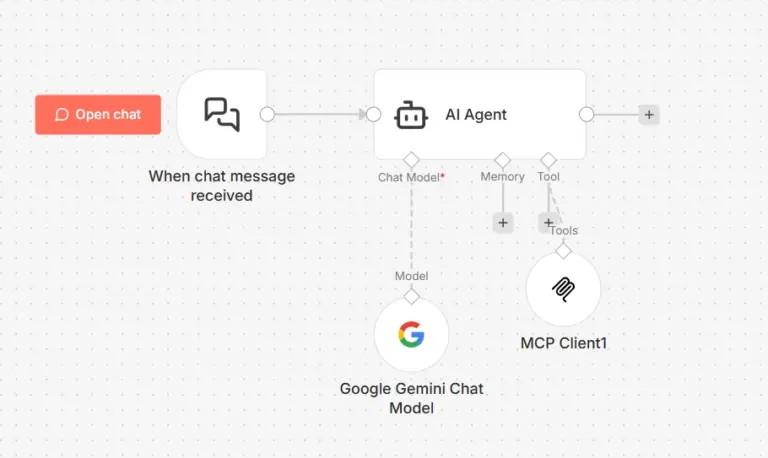
n8n: Steepest curve. Node-based interface feels foreign initially. But the new AI workflow builder helps: describe what you want in plain English, and n8n generates the basic structure. You still need to configure authentication and specifics, but it’s getting easier.
Start with the template library. Import a working workflow, see how it’s built, then modify it for your needs.
Can I Migrate Between Platforms Later?
Short answer: Yes, but it’s manual work.
The reality:
- There are no direct import/export tools between these platforms
- You must rebuild each workflow from scratch in the new platform
- Simple workflows (3-5 steps) can migrate in minutes
- Complex workflows (20+ steps with branching logic) require hours of rebuild time
What breaks when you switch:
- All authentication connections (you’ll re-authenticate every app)
- Custom logic or code (must be rewritten for new platform syntax)
- Workflow scheduling (must be reconfigured)
- Historical execution logs (don’t transfer)
Migration effort by platform:
From Zapier to Make: Moderate effort. Linear Zaps become visual scenarios. Logic translates fairly directly.
From Zapier to n8n: Higher effort. You’ll need to understand nodes and likely rewrite some logic, but HTTP Request and Code nodes give you more power.
From Make to n8n: Moderate effort. Visual thinking translates well to node-based workflows. Complex routers may need restructuring.
From any platform to n8n self-hosted: Additional setup of server infrastructure, Docker deployment, and SSL certificates. But you gain unlimited executions and full data control.
When migration makes sense:
- Your monthly bill exceeds $200-300 (Zapier or Make to n8n)
- You’re hitting platform complexity limits
- Data privacy becomes a requirement
- You need features unavailable on your current platform
Most successful migrations happen during a planned transition period where you run both platforms in parallel for 2-4 weeks before fully switching.
Best Choice by Team Type
For Non-Technical Marketing/Sales Teams
Recommendation: Zapier
Your team needs to connect apps fast without developer help. Zapier’s simplicity and massive integration library justify the premium cost for quick wins and low-complexity automations.
When to choose Zapier:
- Team has zero coding skills
- Need to connect 5+ SaaS tools quickly
- Workflows are straightforward (under 5 steps)
- Speed matters more than cost
For Growth Teams with Visual Thinkers
Recommendation: Make
Your team is comfortable with flowcharts and needs to build complex logic (branching, conditional routing, error handling). You want better value than Zapier without going fully technical.
When to choose Make:
- Someone on your team thinks visually
- Workflows have if/then branches and multiple paths
- You’ve outgrown Zapier’s pricing
- You need moderate complexity without code
For Technical Teams and High-Volume Operations
Recommendation: n8n on Ucartz VPS
Your team has developer resources or strong technical comfort. You run thousands of executions monthly, need data privacy, or want to eliminate per-task costs.
When to choose n8n:
- You have in-house technical resources
- Monthly execution volume exceeds 10,000
- You need custom integrations or API connections
- Data must stay on your infrastructure
- Long-term cost efficiency matters
Ucartz hosting advantage: Deploy n8n on a Cloud VPS starting at $10/month. Full control, unlimited executions, scale as you grow.
For Enterprise and Compliance-Sensitive Industries
Recommendation: n8n on Ucartz Dedicated Server
Your organization handles sensitive data (healthcare, finance, legal) or runs mission-critical automation at massive scale.
When to choose n8n on dedicated hosting:
- HIPAA, GDPR, or industry compliance required
- Processing millions of executions monthly
- Maximum performance and isolation needed
- Budget allows for dedicated infrastructure
Ucartz dedicated server advantage: Full dedicated resources, maximum security isolation, enterprise-grade performance.
Which Automation Platform Should Ucartz Customers Choose?
Need simplicity and don’t mind cloud hosting? → Zapier or Make (not hosted on Ucartz, but we recommend based on your team’s technical level)
Need data control, cost efficiency, or self-hosting? → n8n on Ucartz Cloud VPS (recommended for 90% of businesses)
- Starting at $3.99/month
- Deploy with Docker in under 10 minutes
- Scale from startup to enterprise
- Full root access and control
Running high-volume or sensitive workloads? → n8n on Ucartz Dedicated Server (recommended for enterprise)
- Maximum performance and isolation
- Ideal for healthcare, finance, regulated industries
- Handle millions of executions without platform costs
- Enterprise-grade infrastructure
Bottom line: If you value data privacy, cost efficiency at scale, or need technical flexibility, n8n on Ucartz infrastructure is the clear choice. You get enterprise automation power at VPS pricing.
2026 Updates That Matter
Zapier: Doubled down on AI features Central (AI agent that suggests automations), Tables (lightweight database), and Interfaces (build internal tools). Pricing continues to increase.
Make: Improved visual editor, better mobile app support, expanded integrations in Latin America and Asia markets.
n8n: AI workflow builder (game-changer for beginners), improved community node ecosystem, better documentation. Self-hosting is easier than ever with one-click Docker deployments.
The Decision Framework
Ask yourself these three questions:
1. Do you have technical resources?
- Yes → n8n or Make
- No → Zapier or Make
2. What’s your monthly automation volume?
- Low (under 5,000 tasks) → Any platform works
- Medium (5,000-50,000) → Make or n8n Cloud
- High (50,000+) → n8n self-hosted on Ucartz
3. How important is data control?
- Critical (healthcare, finance, regulated) → n8n self-hosted on Ucartz
- Important but not critical → Any platform with proper security
- Not a concern → Any platform
Conclusion
There’s no universal winner. The best platform is the one that matches your team’s skills, budget, and requirements. Zapier gets you running fastest for most small teams just starting. Make offers the best balance of power and usability for growing teams with complex workflows. n8n on Ucartz infrastructure delivers unmatched value and control for technical teams or high-volume operations. Do not choose based on features alone. Choose based on who will actually use it and how much you’re willing to pay as you scale. Start with a free trial of each. Build the same workflow on all three platforms. You’ll know within an hour which interface clicks for your team. Ucartz KVM VPS starts at $10/month with full root access and Docker support. Deploy in minutes, scale as you grow.
FAQ
1.Is n8n really free?
Yes, for self-hosting. Download the code, run it on your Ucartz VPS, no execution limits. n8n offers paid cloud plans if you prefer managed hosting.
2. Which is easiest for beginners?
Zapier, no contest. Make is second. n8n has the steepest curve but is improving with AI features.
3. Can I migrate my workflows later?
Yes, but manually. Budget time to rebuild workflows in the new platform. Expect 2-4 weeks for complex setups.
4.Which handles complex workflows best?
n8n for ultimate power and customization. Make for visual complexity without code.
5.What about security?
All three are SOC 2 compliant. n8n self-hosted on Ucartz gives you complete control data never leaves your infrastructure.
6.How much does Ucartz VPS hosting cost for n8n?
Starting at 10/month for Cloud VPS M (2 vCore, 4GB RAM). Scale up as your automation grows.