jijosh at
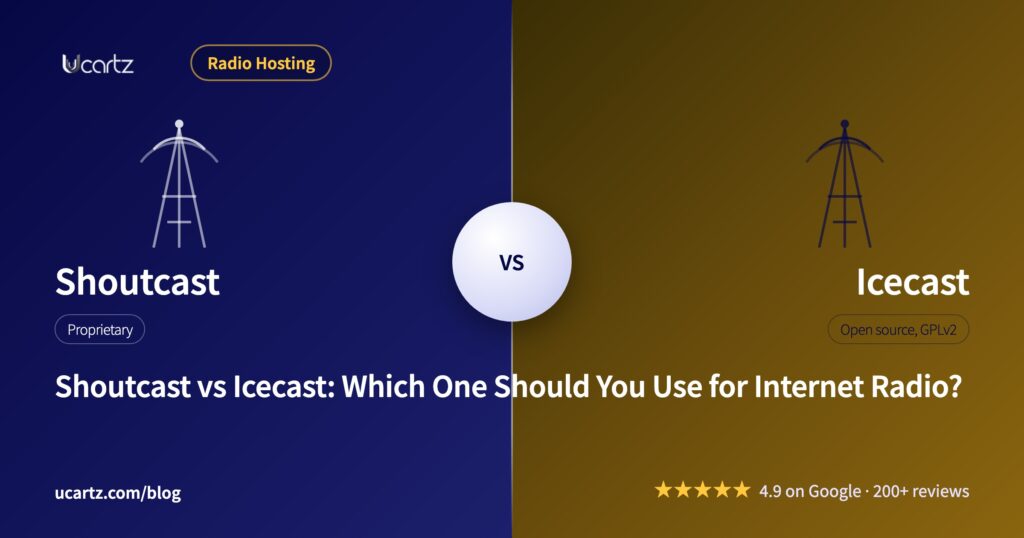
If your listeners need the widest possible player support and you are fine with closed-source server software, Shoutcast is the safer default. If you want an open, royalty-free server that handles modern codecs such as Opus, Icecast is usually the better fit. The real differences come down to licensing, codec support, and which players and apps your audience already uses.
What Shoutcast Is
Shoutcast (DNAS, the Shoutcast Distributed Network Audio Server) was built by Nullsoft, the same team behind Winamp, in 1999. Nullsoft was bought by AOL, and the Shoutcast brand changed hands again in 2014 when AOL sold it to Radionomy. Radionomy itself was later folded into Targetspot, now part of Azerion, which runs Shoutcast today.
The server itself is proprietary, not open source. It is free to download and run, but it is “registerware”: you register a copy to get a licence key, and the current DNAS 2.6.1 release supports streaming over HTTPS once you add your own certificate files. Shoutcast streams in MP3 and AAC+.
What Icecast Is
Icecast is maintained by the Xiph.Org Foundation, the same non-profit behind the Ogg, Vorbis, Opus, and Theora formats. It has been free and open source since it started, released under the GNU GPL version 2. There is no registration, no licence key, and no company that can change the terms later.
Icecast streams Ogg Vorbis, Ogg Theora (video), Opus, WebM, and MP3. It does not support AAC+.
Licensing and Cost
Icecast costs nothing to use under its GPL licence, on any number of servers, with no listener cap built into the software itself. Shoutcast is also free to run for most station sizes, but it is controlled by one company, and that company has changed the rules before: it introduced listener-hour based pricing for larger stations after the Radionomy acquisition. If you want software with no vendor that can change your terms, Icecast is the only one of the two with that guarantee.
Codec and Format Support
- Shoutcast: MP3, AAC+. No Ogg Vorbis, no Opus.
- Icecast: MP3, Ogg Vorbis, Opus, WebM, Ogg Theora (video). No AAC+.
This is the single biggest technical difference. If you need AAC+ for better quality at low bitrates on mobile data, Shoutcast supports it and Icecast does not. If you want Opus, which performs better than MP3 at the same bitrate and is the format most modern browsers stream natively, Icecast supports it and Shoutcast does not.
Player and App Compatibility
Shoutcast has the longer history and the wider reach into older hardware: car radios, older smart speakers, and legacy desktop players that were built specifically around the Shoutcast protocol tend to support it out of the box. Icecast streams play in any modern browser and in VLC, mobile apps, and smart speakers without extra plugins, since MP3 and Ogg are both widely supported container formats. If your audience is mostly listening through a website player or a current mobile app, Icecast causes fewer compatibility problems. If you need to reach an older hardware device that was built around Shoutcast specifically, that is where Shoutcast still has the edge.
Source Clients: What You Encode With
Both servers accept a stream from a separate encoder program, called a source client, running on the broadcaster’s own computer. Common ones include:
- BUTT (Broadcast Using This Tool): free, cross-platform, supports both Shoutcast and Icecast servers.
- Mixxx: a DJ mixing application with built-in broadcast support for both server types.
- Winamp DSP plugin: the classic option, built for Shoutcast, works with Icecast too since Icecast understands the same source protocol for MP3 streams.
- IceS: Icecast’s own source client, built specifically for Ogg Vorbis and Opus streams.
Most encoders built in the last decade support both servers, so this rarely decides the choice on its own.
Metadata Handling
Shoutcast sends “now playing” metadata (track title, artist) embedded in the MP3 stream itself, which is what lets older players show the current song without a separate request. Icecast supports the same in-stream metadata for MP3, and for Ogg formats it uses Vorbis comments carried in the stream. Both work with AutoDJ software such as Centova Cast, which updates the metadata automatically as tracks change.
Which One Should You Choose?
Use Shoutcast if you know your listeners use older Shoutcast-specific apps or hardware, or if AAC+ at low bitrates matters for your audience’s data usage. Use Icecast if you are starting fresh, want an open licence with no vendor to answer to, or want Opus support for better quality web streaming. For most new stations in 2026, built mainly for a website player and mobile app rather than legacy hardware, Icecast is the more future-proof starting point, mainly because of its open licence and Opus support.
Switching Between Them
Most AutoDJ panels, including Centova Cast and SonicPanel, can run either server, so switching is usually a configuration change on the panel rather than a full rebuild. The main thing to check first is whether your current source client and any embedded players on your website are hard-coded to one protocol, since that is the part most likely to need updating after a switch.
Hosting Either One
We have run both Shoutcast and Icecast stations for our radio hosting clients for over a decade, so we support either on our Shoutcast and Icecast hosting plans, with Centova Cast and SonicPanel both available as the AutoDJ front end. Free basic managed support is included on every plan if you need help setting either one up.