
Short answer: the server software for most popular games is free. What you pay for is the machine it runs on. Hosting at home costs nothing extra but only works while your computer is on. Minecraft Realms costs $3.99 to $7.99 a month. A game VPS that stays online around the clock starts at $10 a month, and games that need 12 to 16 GB of RAM, such as Rust and Palworld, cost about $30 a month. This guide shows what each game officially needs and what that costs.
The server software is usually free
Mojang gives away the Minecraft server, and games such as Palworld, Counter-Strike 2, Rust, Valheim, Enshrouded and Satisfactory publish their dedicated servers on Steam, where you download them for free with Valve’s SteamCMD tool. So the price of a game server is really the price of:
- Memory (RAM): the biggest factor. Big worlds and many players need more.
- CPU: most game servers do their main work on a few fast cores.
- Storage: some servers are large. The Counter-Strike 2 server needs about 65 GB of disk space.
- Network: enough upload speed for every player, and protection against DDoS attacks, which are common in gaming.
- Operating system: Linux is free. Some servers, such as Enshrouded’s, run on Windows only, which needs a Windows Server licence.
- Your time: installing, updating and backing up the server, or paying someone to do it.
What popular games need, and what it costs
The requirements below come from each game’s own documentation, with the smallest Ucartz plan that meets them (prices in US dollars).
Minecraft: Java Edition (small group): $10 a month
Needs: Java 25. Mojang’s example start command gives the server 4 GB of RAM. Fits: Minecraft VPS on the VPS Lite plan, with 4 GB RAM, 1 core and 50 GB NVMe.
Counter-Strike 2: $20 a month
Needs: 2 GB RAM, 65 GB of storage and a 64-bit x86 CPU with SSE4.2, on Linux or Windows. Fits: game VPS on the VPS Standard plan, with 8 GB RAM, 2 cores and 100 GB NVMe (the $10 plan’s 50 GB disk is too small).
Palworld: $30 a month
Needs: 4 CPU cores and 16 GB RAM recommended. It starts with 8 GB, but runs a higher risk of crashing when memory runs out. Fits: game VPS on the VPS Pro plan, with 16 GB RAM, 4 cores and 200 GB NVMe.
Rust: $30 a month
Needs: 12 GB of free RAM and 15 GB of disk space (SSD or NVMe preferred), and more for large maps and busy servers. Fits: game VPS on the VPS Pro plan, with 16 GB RAM and 4 cores.
Enshrouded (4 to 6 players): $40 a month
Needs: 6 CPU cores, 16 GB RAM and 30 GB of SSD space; the server officially runs on Windows only. Fits: Windows VPS on the VPS Elite plan, with 32 GB RAM, 8 cores and the Windows licence included.
For modded Minecraft, check the RAM the modpack recommends and pick the plan above it. Games without official figures, such as Valheim and Satisfactory, are best sized by watching the server’s real memory use during the first sessions.
Option 1: Host it on your own computer
Running the server on your own PC costs nothing extra, and it is a good way to start. The catches:
- The server is only online while the computer is on, and it competes with your own game for CPU and memory.
- Your home upload speed limits the players. Enshrouded, for example, recommends 2 Mbit/s of upload per player, so 16 players need 32 Mbit/s.
- Friends outside your home need a port forwarded on your router, and that is impossible if your provider uses carrier-grade NAT.
- Players connect to your home IP address, so an attack on the game server hits your home internet.
Step-by-step guides: Minecraft server on a Windows PC and on a Mac.
Option 2: Minecraft Realms
Realms is Mojang’s own paid hosting for Minecraft, set up from inside the game:
- Realms for Java Edition: $7.99 a month, for you plus 10 players at the same time.
- Realms for Bedrock Edition: $3.99 a month, for you plus 2 players.
- Realms Plus (Bedrock): $7.99 a month, for you plus 10 players.
Realms is the easiest option, but you can’t choose your server software, so there are no Paper plugins or custom modpacks, and it only exists for Minecraft.
Option 3: A game VPS
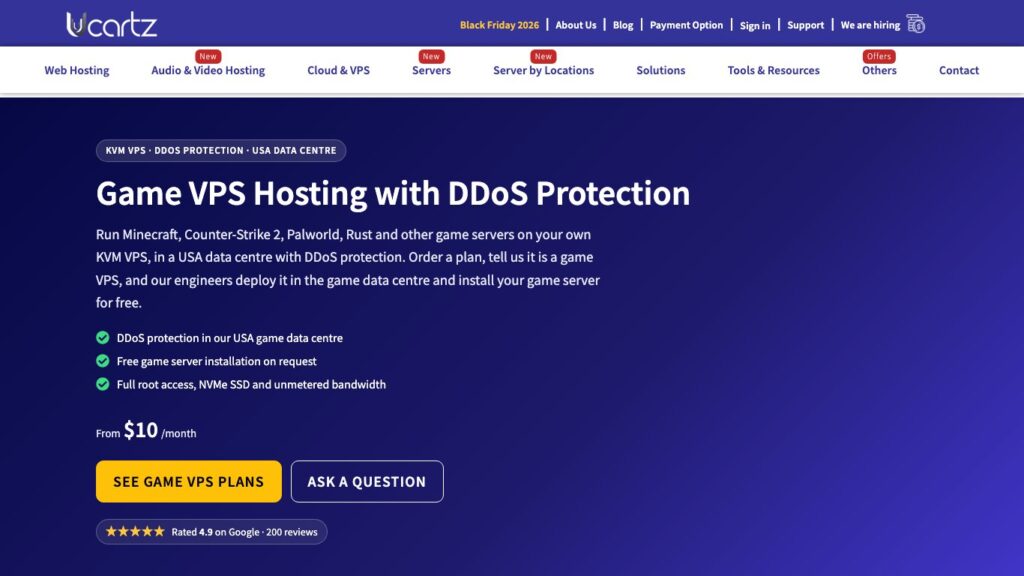
A VPS is a virtual server in a data centre with its own resources and a fixed public IP address. It stays online 24/7, and you have full root access, so you can run any game server and as many worlds as the resources allow. Ucartz game VPS plans:
| Plan | RAM | Cores | NVMe | Price |
|---|---|---|---|---|
| Lite | 4 GB | 1 | 50 GB | $10 |
| Standard | 8 GB | 2 | 100 GB | $20 |
| Pro | 16 GB | 4 | 200 GB | $30 |
| Elite | 32 GB | 8 | 400 GB | $40 |
Prices are per month in US dollars.
Every plan includes unmetered bandwidth and one IPv4 address. Our game VPS and Minecraft VPS plans run in our USA data centre with DDoS protection, so an attack on your server doesn’t knock your players offline. After ordering, open a support ticket that says Game VPS and names your game: our team deploys the VPS in the DDoS-protected data centre and installs your game server for free. Every plan also includes Free Basic Managed Support for quick tasks.
Option 4: A dedicated server
A dedicated server is a whole physical machine. It makes sense for large communities, several game servers at once, or heavy modpacks that need many fast cores. Budget dedicated servers start at $30 a month. For one small or medium server, a VPS is usually the better value.
Costs to add to the monthly price
- Windows licence: needed for Windows-only servers. It is included in the price of our Windows VPS plans.
- A domain name, if you want players to connect to
play.example.cominstead of an IP address. - Backups: keep copies of your world away from the server.
- Paid plugins or mods, if your community uses them.
- Help with setup: our engineers can install or tune a server from $8 per 15 minutes or $28 per hour, with no contract. See hire an expert.
Also check the game’s server licence before you go public. Most allow free community servers, but some limit commercial use: the ARK: Survival Ascended dedicated server, for example, is licensed for personal use only.
How to keep the cost down
- Start with the plan that meets the game’s official requirements, and watch the real RAM and CPU use before paying for more.
- Use an allowlist or password for private servers, so strangers don’t fill your slots.
- Run several small servers on one bigger VPS instead of paying for several small ones.
- Turn off features you don’t use, such as extra worlds or very large view distances in Minecraft.
Frequently asked questions
How much does a Minecraft server cost?
Nothing if you host it on your own PC, $7.99 a month for Realms for Java Edition, or from $10 a month for a Minecraft VPS with 4 GB of RAM that stays online all the time and lets you run plugins and mods.
Is a game server free?
The server software usually is: Minecraft’s is a free download from minecraft.net, and many Steam games offer free dedicated servers through SteamCMD. You still need a computer or server to run it on.
How much RAM does a game server need?
It depends on the game: about 2 GB for Counter-Strike 2, 4 GB for a small Minecraft server, 12 GB free for Rust, and 16 GB recommended for Palworld and Enshrouded, according to their developers.
Do I need DDoS protection?
For a public server, yes. Game servers are frequent targets of DDoS attacks, which make the game unplayable or take the server offline. Our game VPS plans include DDoS protection.
Can I run a game server on a cheap VPS?
Yes, if the VPS has enough RAM and disk space for the game. A $10 VPS with 4 GB suits a small Minecraft server; Counter-Strike 2 needs the $20 plan for its 65 GB of files, and Palworld or Rust need 16 GB.
Want help choosing? Contact our team with the game and the number of players, and we’ll suggest a plan. For a full Minecraft overview, see how to run a Minecraft server.
Sources: Minecraft Realms, Minecraft server download, Palworld server requirements, Rust: creating a server, Counter-Strike 2 dedicated servers and Enshrouded server specifications.