VPS Hosting in India,
Self or Fully Managed.
A KVM VPS on NVMe storage in a data centre in India, with full root access. Run it yourself, or let our engineers manage it with Virtualmin, HestiaCP, CWP or DirectAdmin. Pay by UPI or card and get a GST invoice.
NewFree MCP setup on managed Virtualmin: manage the server from Claude, ChatGPT or Gemini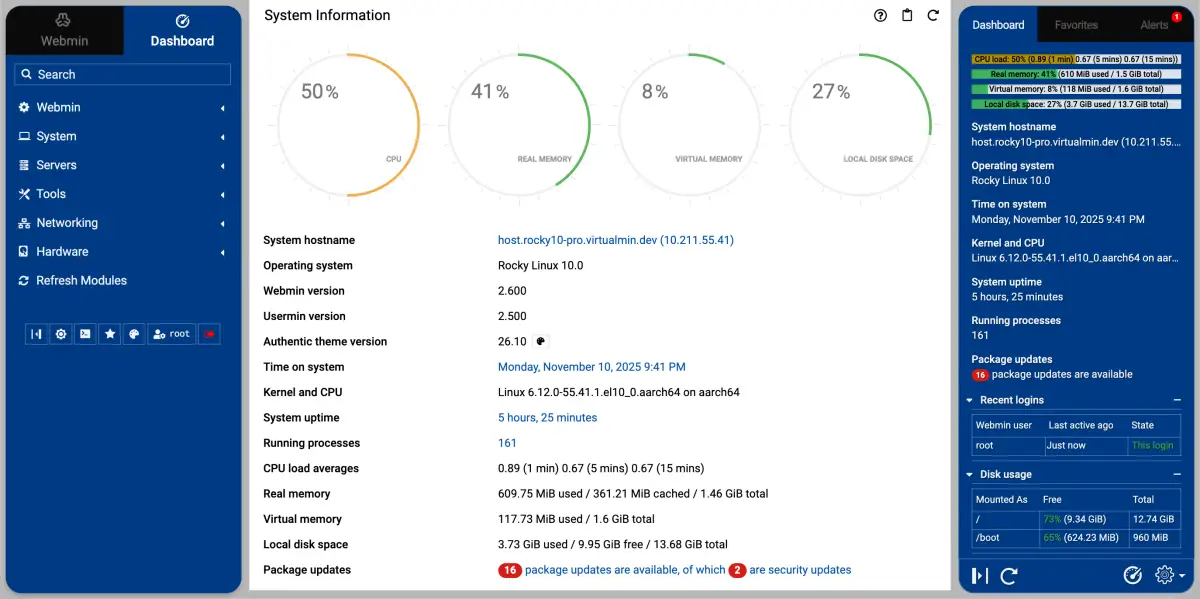
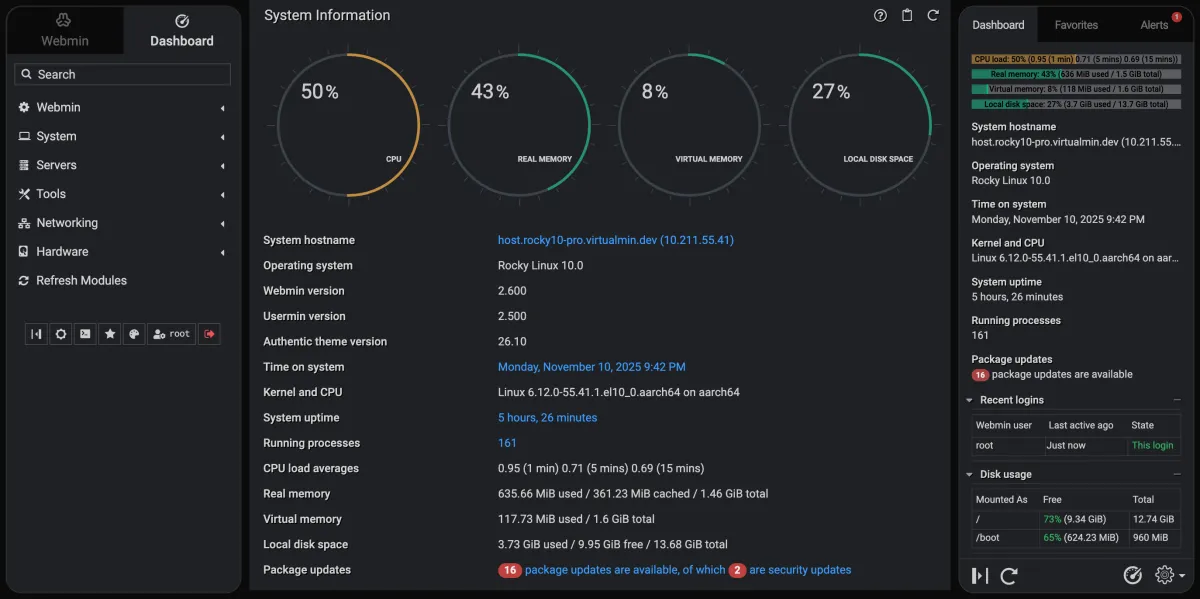
One Server, Two Ways to Run It.
Choose in the "Management and Control Panel" option when you order. You can move from self-managed to managed later.
Self-managed
The VPS with your chosen Linux system and full root. You install and run everything; we keep the hardware and network running.
- Full root and SSH
- AlmaLinux, Rocky Linux or Ubuntu
- Console access from the VPS panel
- Our engineers on call as paid work when you need them
Managed
We set up the server and a control panel, apply updates, configure the firewall and watch it. You keep root.
- Virtualmin with Webmin, HestiaCP or CWP: no licence fee
- Or DirectAdmin Personal Plus (2 accounts, 20 domains): +$15.64/mo in total
- Or DirectAdmin Lite (10 accounts, 50 domains): +$25.65/mo in total
- Or DirectAdmin Standard (unlimited accounts): +$39.65/mo in total
- Free migration within 30 days, free MCP setup with Virtualmin
Hosting outside India? See KVM VPS and Managed VPS.
We Run It. You Still Have the Keys.
With the managed option, our engineers install the operating system and the panel, apply security patches, configure the firewall and respond when monitoring alerts. You are never locked out: root access and the panel login stay with you.
Most customers log in now and then to add a domain or check a mailbox, and leave everything else to us.
- Panel Installed and Maintained
- Security Patching Applied
- Firewall Configured
- Monitoring and Alerting
- Free Migration In
- Root Access Retained
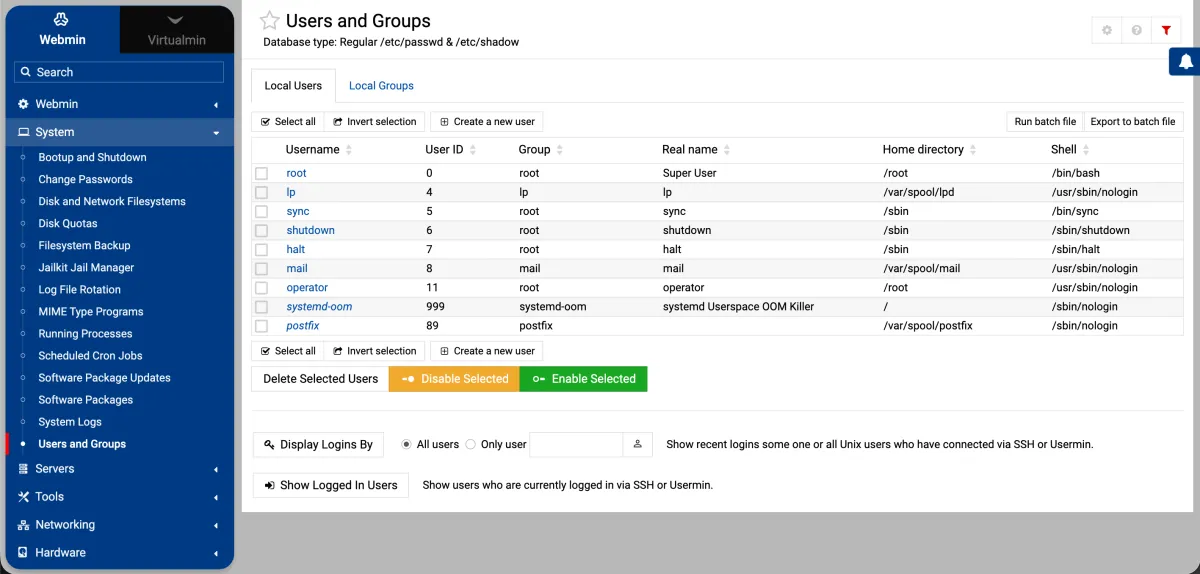
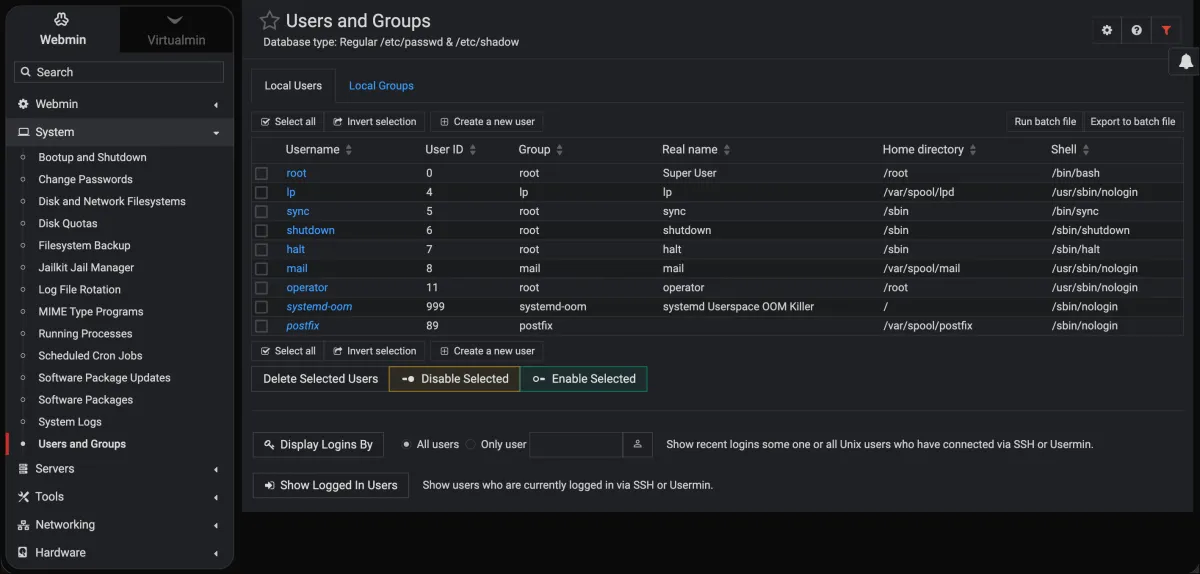
Why Run Your Panel
on This Platform.
The panel is the same everywhere. What differs is the machine underneath it and whether anybody answers when it breaks.
- Own KVM Virtual Machine
- NVMe SSD Storage
- Data Centre in India
- Free SSL Certificates
- Free Migration
- Engineer Support
Manage Your Server by Asking.
Connect an AI app to your Webmin server and run it in plain English: check disk space, restart a service, find what is slow, add a cron job. No server login, no commands to remember, no cPanel licence to pay for and no team of experts needed for everyday jobs.
- Ask, do not log in. Claude, ChatGPT, Gemini or another MCP-ready AI app talks to Webmin for you.
- Free setup by our engineers. We create the access and send you the exact settings for your server.
- 61 actions, safe by default. Risky actions are blocked until you ask us to allow them.
61 Webmin Actions, in Plain English.
Everything below is a real action in the open-source Webmin MCP server that we set up for you. Ask for it in your own words and the AI app chooses the right one.
Many servers, one chat
Ask: “Which servers are connected, and are they all answering?”
list_webmin_servers, test_server_connection, get_webmin_version
Health and system
Ask: “What is using the most memory right now?”
get_system_info, get_memory_usage, get_system_time, list_runlevels, list_processes
Services
Ask: “Is nginx running? Restart it if it is not.”
list_services, get_service_status, start_service, stop_service, restart_service, enable_service, disable_service
Users and groups
Ask: “Which users exist on this server?”
list_users, list_groups, create_user, modify_user, delete_user, change_password
Scheduled jobs
Ask: “Run my backup script every night at 3 am.”
list_cron_jobs, create_cron_job, edit_cron_job, delete_cron_job
Network
Ask: “What are the network settings of this server?”
get_network_info
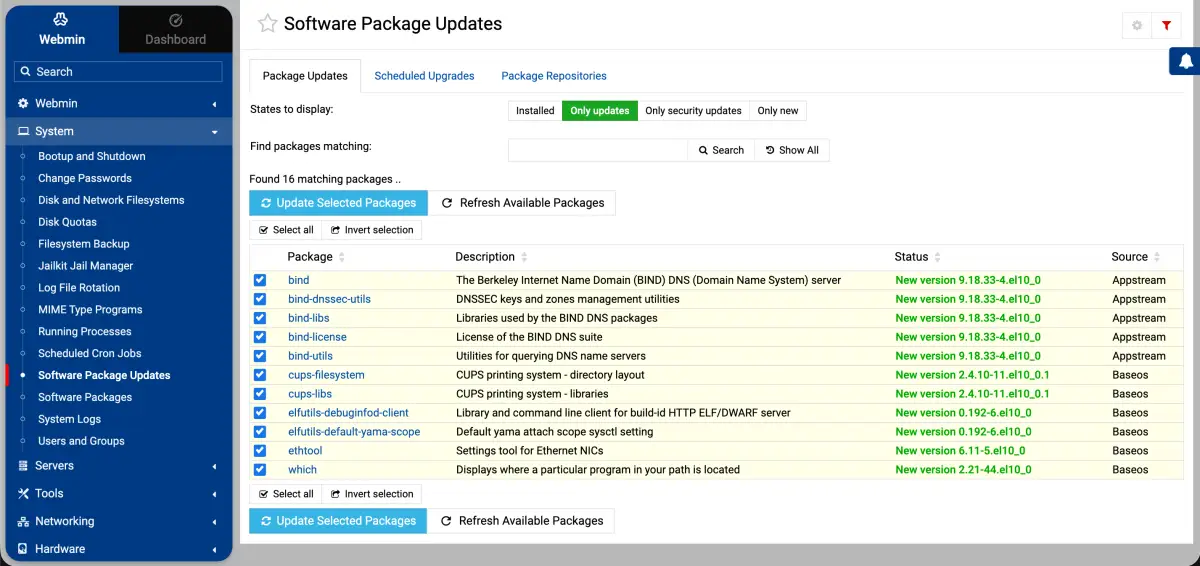
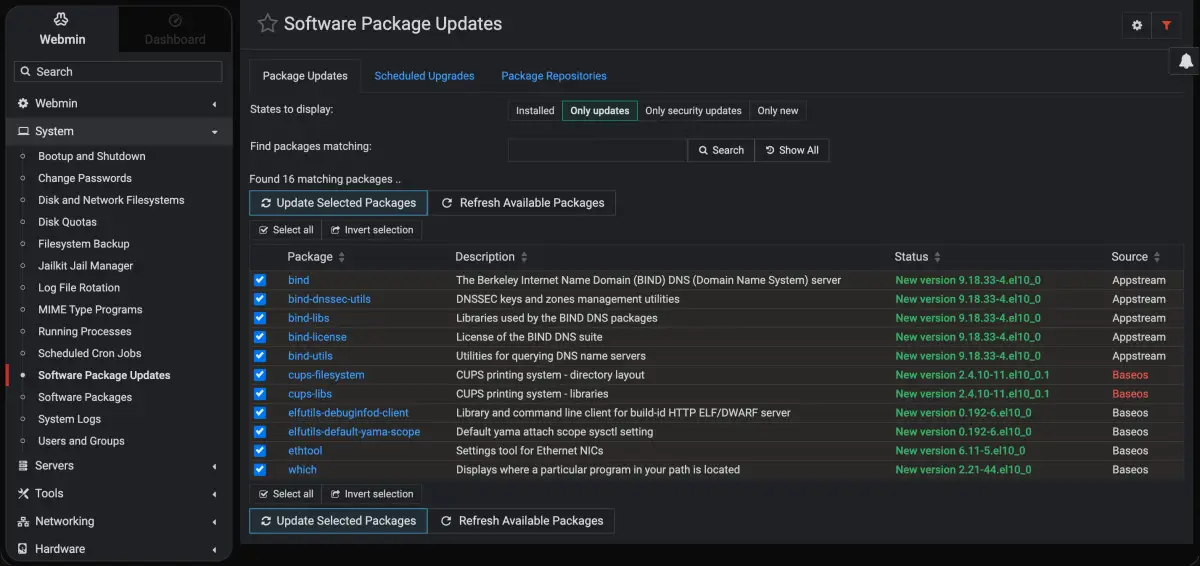
Packages and updates
Ask: “Which updates are waiting to be installed?”
get_package_info, list_available_updates, get_package_count
Files
Ask: “Read the nginx config and copy it to a backup file.”
read_file, write_file, delete_file, copy_file, rename_file, create_directory
Disks and storage
Ask: “How full are the disks, and are they healthy?”
get_disk_usage, list_mounts, list_disks, get_disk_health, list_volume_groups, list_logical_volumes
Security
Ask: “Which IP addresses has Fail2Ban banned?”
list_fail2ban_jails, get_fail2ban_status, list_banned_ips, get_ssh_config
MySQL databases
Ask: “List the databases and who can use them.”
list_mysql_databases, list_mysql_users, get_mysql_status
Access, quotas and logs
Ask: “What changed on this server this week?”
Webmin users and modules, disk quotas, list_webmin_logs, list_backups
Safe by default
An AI app should not be able to break your server by accident. Safe mode is on from the start.
- Dangerous actions are blocked: creating or deleting users, changing passwords and deleting cron jobs.
- Critical services cannot be stopped: SSH, Webmin itself, systemd and D-Bus, so you cannot lock yourself out.
- File changes are limited to the /tmp and /var/tmp folders; reading files and checking status always works.
- Need more control? Ask us and we switch safe mode off for your server, only for the actions you want.
Four Steps to Managing Your Server by Chat.
You do not need to be a Linux expert. We do the technical part; you ask the questions.
Order an India VPS
Pick a plan below and choose "Managed, Virtualmin with Webmin".
Ask for your free MCP setup
Send the ticket. We create a dedicated Webmin account for the AI app and prepare your settings.
Add it to your AI app
We send the exact settings for your server and help you add them to Claude, ChatGPT, Gemini or another MCP app.
Ask in plain English
Type what you want done. Check the answer, or open the Webmin panel to see it yourself.
Things people ask their server
| You ask | The AI uses |
|---|---|
| “How much disk space is left on my server?” | get_disk_usage |
| “Is nginx running? If it is stopped, start it.” | get_service_status, start_service |
| “Which package updates are waiting?” | list_available_updates |
| “Show me the IP addresses Fail2Ban has banned.” | list_banned_ips |
| “Create a cron job that runs my backup script at 3 am.” | create_cron_job |
| “List the MySQL databases and their users.” | list_mysql_databases, list_mysql_users |
To run the MCP connection you need an AI app that supports MCP and, on the computer that runs it, Docker or Python 3.11. We check this with you in the setup.
Included with managed India VPS with Virtualmin. See the plans.
Everything You Would Expect
From a Panel.
Whichever panel you choose, the day to day tasks that would otherwise mean a terminal session.
Sites, Mailboxes and DNS
Add a domain, create mailboxes, edit DNS records and issue an SSL certificate from the browser, using the panel instead of a terminal session.
Databases and Scheduled Jobs
Create MySQL or PostgreSQL databases, manage users and permissions, and set up scheduled tasks with a form instead of cron syntax.
Users, Firewall and Updates
Manage system users and their permissions, review firewall rules, and see which packages need updating. We handle the patching, but nothing is hidden from you.
Manage installed features and servers
Configure virtual hosts and SSL
Manage tables, users and grants
Mail server routing & domains
Setup IPtables and routing
Choose the Server, Then How It Is Run.
Prices are for a self-managed VPS; management adds about Rs 999 a month. In rupees the plans are about Rs 599, 999, 1,799 and 3,299 a month, less on longer terms, GST extra. No setup fee.
| Plan | CPU | Memory | Storage | Bandwidth | Price / mo | Order |
|---|---|---|---|---|---|---|
|
India VPS 2GB
SMALL SITES
|
1 vCPU | 2 GB RAM | 30 GB NVMe | 1 TB/mo, 200 Mbps |
$5.42
/mo
$195.12 billed every 3 years
Save 15%
|
|
|
||||||
|
India VPS 4GB
GROWING SITES
|
2 vCPU | 4 GB RAM | 50 GB NVMe | 2 TB/mo, 200 Mbps |
$9.04
/mo
$325.44 billed every 3 years
Save 15%
|
|
|
||||||
|
India VPS 8GB
BUSINESS
|
2 vCPU | 8 GB RAM | 80 GB NVMe | 3 TB/mo, 500 Mbps |
$16.28
/mo
$586.08 billed every 3 years
Save 15%
|
|
|
||||||
|
India VPS 16GB
HIGH TRAFFIC
|
4 vCPU | 16 GB RAM | 160 GB NVMe | 4 TB/mo, 500 Mbps |
$29.80
/mo
$1,072.80 billed every 3 years
Save 15%
|
|
|
||||||
Prices are without management. Managed adds $10.64 a month with a free panel, or more with DirectAdmin (see above).
What You Get Back.
The savings are the obvious part. The rest is what makes it worth doing.
- Free Panel Choice
- No Per Account Fees
- No Lock In
- Choice of Linux Distribution
- Full Root Access
- Managed by Engineers
Where This
Makes Sense.
Whether you are running your own project or hosting a few clients, you get a panel that fits and a team that runs the server.
View Our PlansA Business With a Few Sites
A company website, a landing page or two and company email. You need a panel to manage them, but you are not running a hosting business and a licence is dead weight.
Developers Who Want the Panel Optional
You work in the terminal by choice, but a graphical view of DNS, mail and certificates saves time. The panel is there when it helps and ignorable when it does not.
Moving Off an Expensive Bundled Panel
Your current host raised prices and the panel licence is the reason. The sites are small, the licence is not.
Hosting a Few Clients Without cPanel Prices
DirectAdmin gives each client their own login for a fraction of a cPanel licence, and we run the server underneath.
Anyone Who Wants a Managed Server
You want the site up and somebody else responsible for the operating system. The panel is how you check things without needing a system administrator.
Longer Terms Cost Less.
India VPS 4GB is $10.64 a month when you pay monthly and $9.04 a month on a 3-year term. Every plan has 6-month, 1, 2 and 3-year prices.
- Monthly$10.64/mo
- 6 months$10.10/mo
- 1 year$9.78/mo
- 2 years$9.36/mo
- 3 years$9.04/mo
Three Steps to a Running Server.
From order to your first site, managed from day one.
Choose a Plan
Tell us how many sites and mailboxes you need, and we’ll point you toward the right tier with the features and flexibility you need.
We Build It
The operating system, the panel you chose, the firewall and SSL are configured before the server is handed over.
Add Your Sites
Log in to the panel and add domains yourself, or send us your current host's details and we will bring everything across.
Yes, We Can Move
Your Sites From cPanel.
Sites, databases, mailboxes and DNS records move from cPanel, Plesk or another panel onto your managed India VPS, free when you ask within 30 days of signup. On a self-managed VPS our engineers can do it as paid work.
It is not a single button, because the two panels store things differently, but it is routine work and our engineers do it for you. Send us the details of the server you are leaving and we will tell you honestly what moves cleanly and what needs attention.
Hosting that carries your brand, not ours.
Build sites for clients or run your own business: nothing your visitors or clients see points back to Ucartz.
No Ucartz branding
Our name appears nowhere your customers can see: not in cPanel, the nameservers or the hostnames.
White-label hostnames
Your services run on neutral, white-label hostnames, never on a Ucartz domain, so customers only ever see your brand.
Built for agencies
Host client websites and bill them as your own service.
Resell it freely
You can resell the hosting you buy from us under your own name.
Every Ucartz service is 100% white label. Hosting, radio and video streaming run on white-label hostnames, and anything you buy from us, Hire an Expert work included, can be resold or outsourced under your own name.
Real Feedback From the Businesses We Support
See how our engineering support and infrastructure keep real businesses online.

Fully managed India VPS, with experts on call for more
Our team runs the day-to-day on your India VPS: updates, security, monitoring and fixes. When you want something new built, the same engineers take it on as a one-time project, without a new contract.
Management included
Management is included: OS and panel updates, security hardening, monitoring, backups guidance and troubleshooting handled by our engineers.
What is included →Plug-and-play expert help
Migrations, performance tuning, custom stacks or extra admin hours. From $8 per 15 minutes or $28 per hour, billed only when you use it.
See on-demand support →AI, automation & custom builds
Add AI and automation to your business: private LLMs, n8n workflows, API integrations and internal tools, built on infrastructure we already manage.
Plan a project →Frequently Asked Questions
Quick answers about the plans, support and billing.
Stop Paying Rent on a Control Panel
Tell us what you need. Migration to a managed India VPS is free.