Ithal P R
A business owner came to us with one wish: a single system that takes care of all of it. He runs his own companies, he also carries a pile of personal paperwork, and he did not want to hand either to an employee or a personal assistant. Bank messages, insurance papers, loans to friends, bills, renewals and business payments were spread across his phone, his email and his memory, and each problem was tangled up with the next. We built him a private AI assistant on a small KVM VPS from Ucartz. The project was a one-time fee of 900 US dollars.
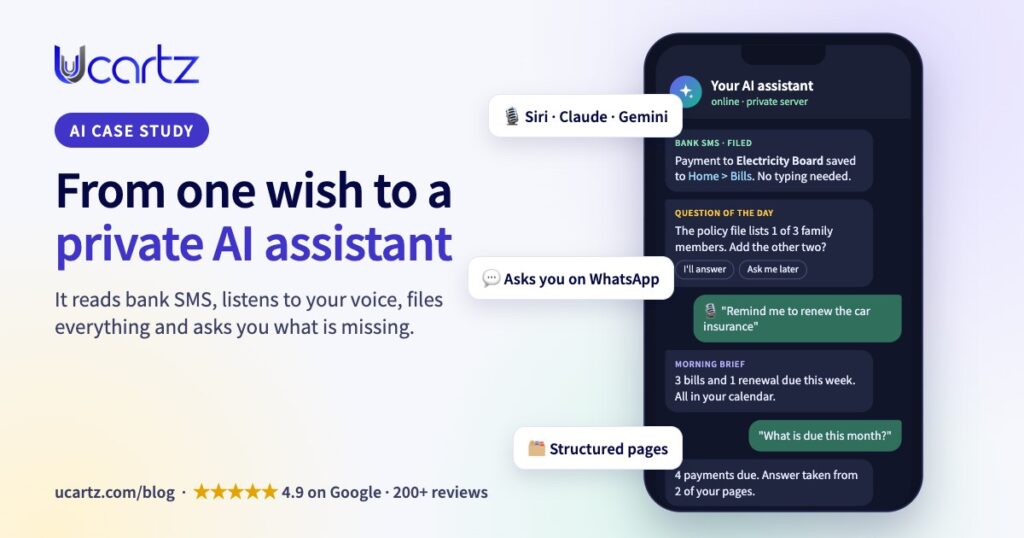
Most people who come to us for AI arrive the same way: many problems, all connected, and the hope for one solution that ends them all. So this case study covers two things: how we turned that one wish into a clear plan, and what the finished system does every day. The short version of the result: he rarely types anything. Bank SMS arrive on their own, he speaks to it through Siri, Claude or Gemini, it saves everything as structured pages, notices what is missing, and asks him about it on WhatsApp.
The screenshots come from the same system on a working install. Names, amounts, phone numbers, account numbers and anything else private are covered with solid boxes, not blur, so they cannot be recovered. The customer’s own data is never shown.
The brief
- One place for his business and personal records: notes, documents, payments, people and deadlines.
- No staff in the loop. Private matters stay between him and his own server.
- Little or no typing: capture from SMS and voice on his iPhone and Android phone.
- Answers in plain words from his own data, with the source shown.
- A one-time price, with a small monthly running cost afterwards.
How we got from one wish to a clear plan
Before we build anything, we need to know what the customer really wants. That is usually harder than the building, because the problems arrive mixed together and nobody has separated them yet. This is the process we follow, and this project went the same way.
- Rough idea first. A first conversation to see how tangled things are and what the customer hopes for. This is free. In rare cases, or when our team is fully booked, we charge a small one-time study fee, from 50 to 100 US dollars, before the study starts.
- Collect and separate. We gather every detail the customer gives us and split the one big wish into separate issues.
- Cause and options for each issue. For every issue we note the likely cause and the possible ways to solve it or handle it.
- Send back what we found. We share the full list with the customer: “This is what we found. Tell us if anything is missing.” Whatever they add, we work on too.
- Connect the dots. We link the issues, write down our assumptions and walk through a normal day with the system in place, to find the gaps before any code is written.
- Draw the architecture. We draw the requirements and the process as a diagram: what comes in, where it is stored, who or what acts on it, and what goes out. We explain it to the customer. Honestly, many customers barely look at the drawing, because they only want the solution, and that is fine. The drawing is mostly for us.
- Quote from the drawing. Once the architecture is clear, the total work is clear, so the quote is based on real work, not a guess.
- Build, then hand over. We build it, test it with the customer’s real data, and show them how to use it.
For this customer, the one wish broke down into separate issues: records spread across apps, bank messages nobody read, loans and payments with no single history, renewals that were easy to miss, documents that were hard to find when needed, and no one he trusted to keep it all in order. Each part of the system below answers one of them.
What we built, and what each part changes
1. It captures by itself: bank SMS and voice
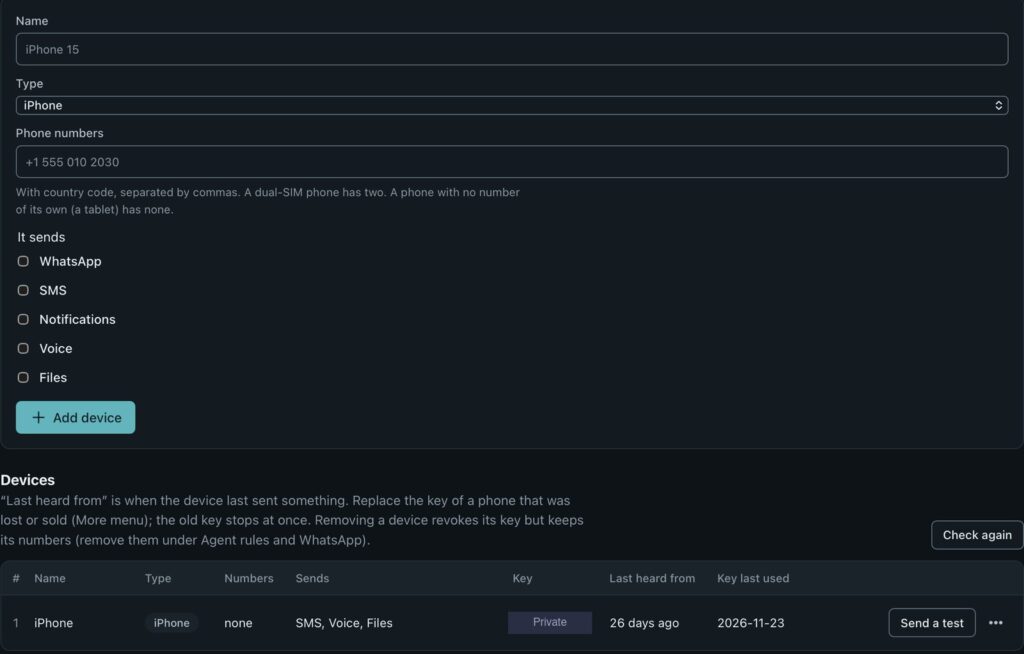
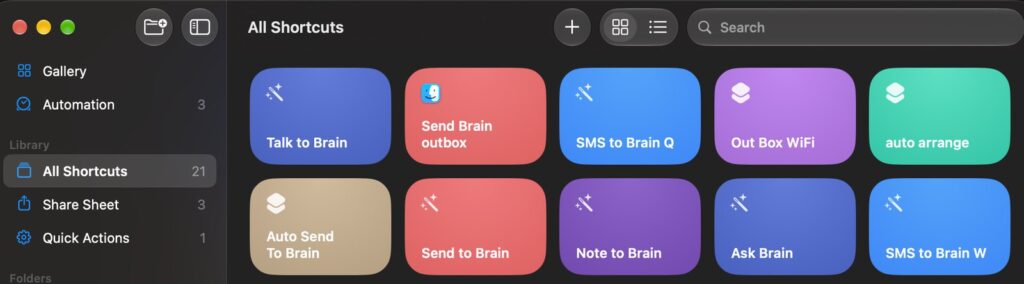
What it does: bank, card and UPI SMS are forwarded automatically from his iPhone and his Android phone. It reads messages from banks in different countries, each with its own format, so cards, transfers and UPI payments all land in the same place. One-time codes and promotions are dropped, and an SMS that arrives on both phones is filed only once. When he wants to add something, he says “note to Brain” to Siri, or simply tells the Claude app or Gemini, and it is saved. A lost phone is handled by replacing that phone’s key; the old key stops at once.
Real impact: his records stay current without him sitting down to enter anything. Most days he adds nothing by hand.
2. Saved as structured pages, already connected
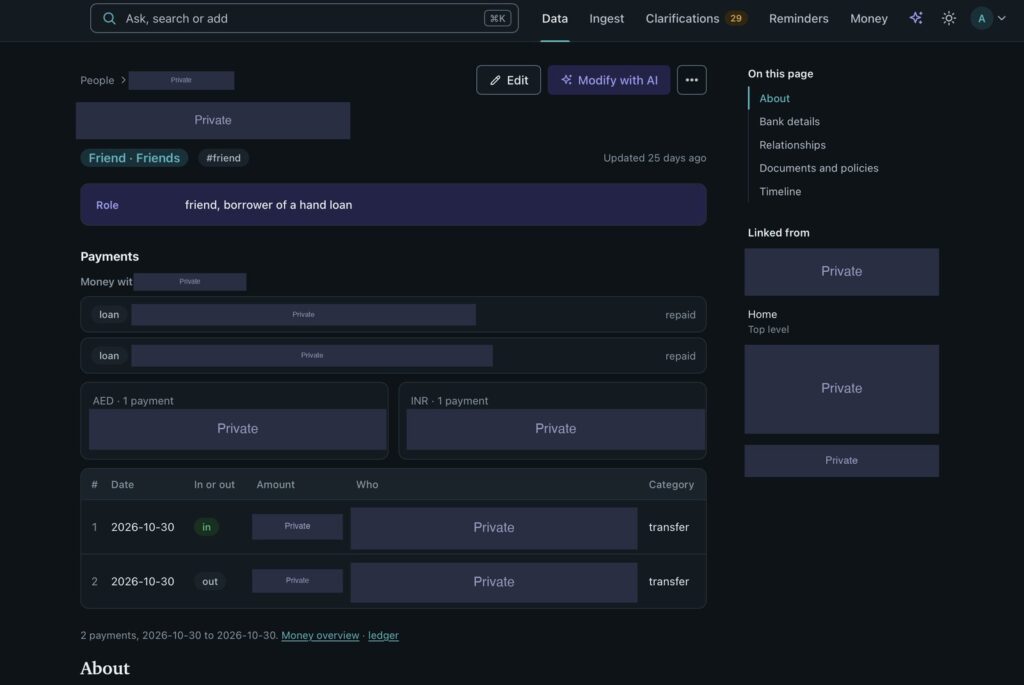
What it does: every SMS, voice note or document is turned into structured data, not left as a pile of text. It is filed onto a page for the person, company, property or topic it is about. A person page shows their role, any loans and their status, every payment in or out in each currency, and the other pages that mention them, such as a family member, an employer or a shared document. The AI makes these links as it files.
Real impact: one click answers “what is the full story with this person?”: who they are, what was lent, what came back and when, without searching chats, bank SMS and notes one by one.
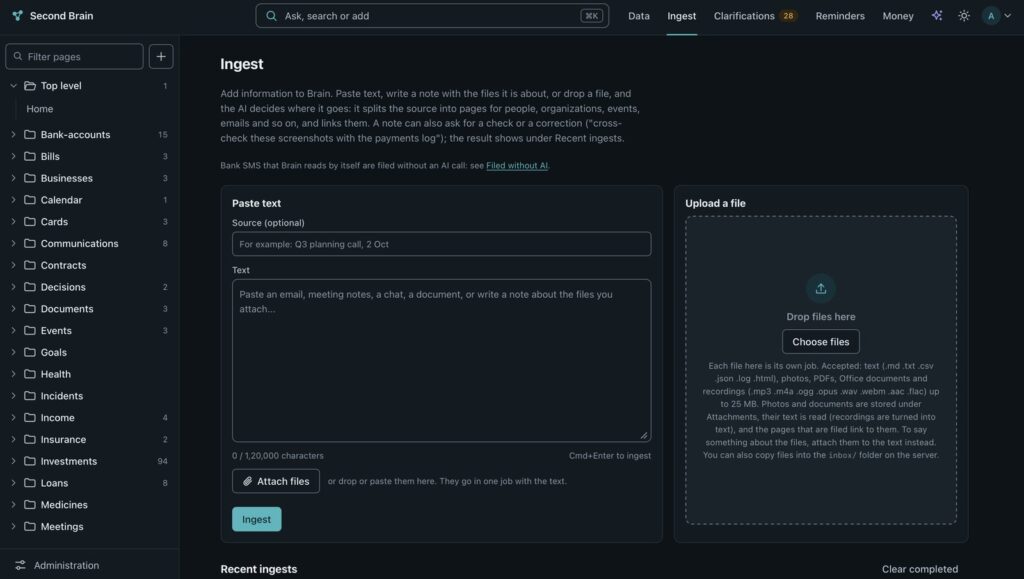
For the things that do not come in by SMS or voice, such as an insurance PDF or a photo of a contract, there is one screen to drop them in. The AI reads them and files them the same way.
3. It finds the gaps and asks you
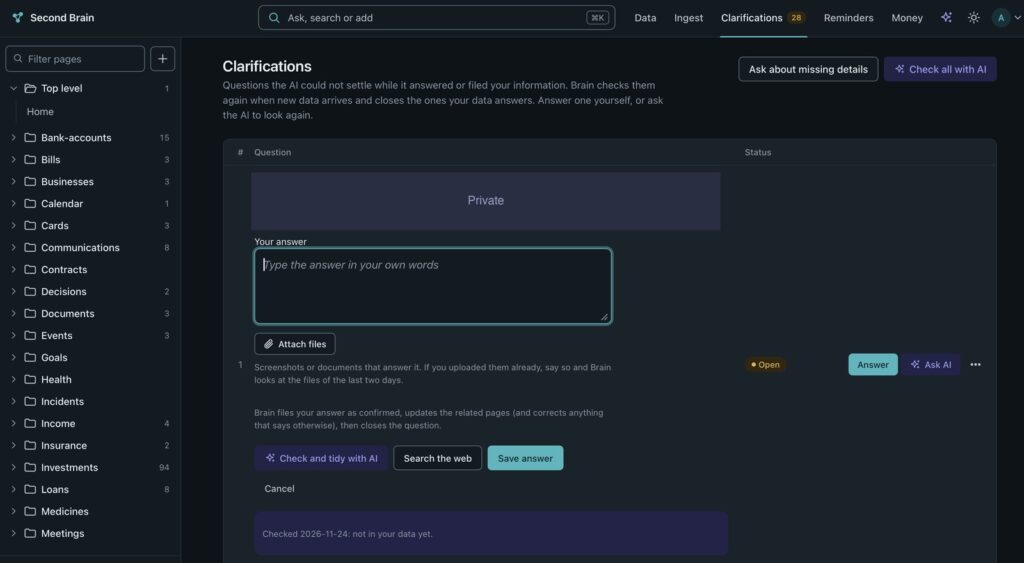
What it does: when a document mentions seven deposits but lists only one, or a payment has no reason, the AI does not guess. It writes a short question, rechecks it when new data arrives, and closes it by itself once the answer turns up.
Real impact: the data gets more complete every week, and the answers he gets can be trusted.
4. It reaches you on WhatsApp, without a paid API
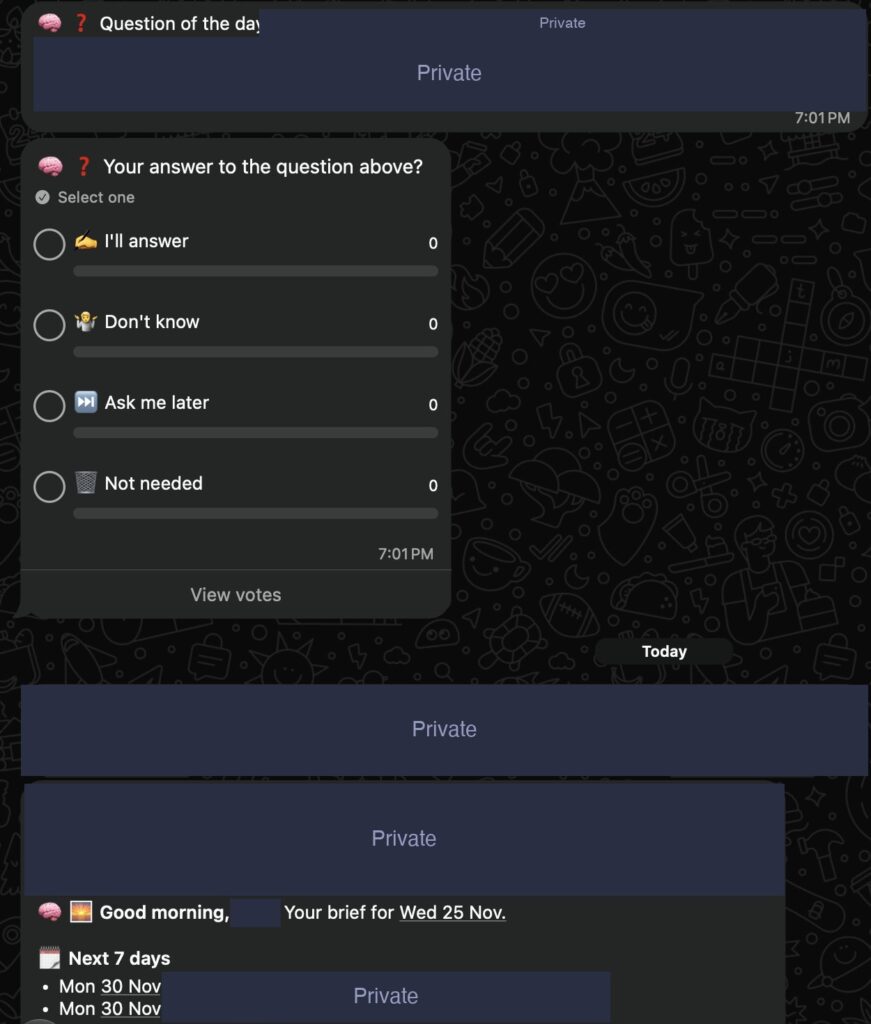
What it does: the assistant comes to him instead of waiting to be opened. Each evening it sends one open question as a WhatsApp poll (I’ll answer, don’t know, ask me later, not needed). Each morning it sends a short brief of bills, renewals and money due in the next seven days. He can reply in the same chat, and ask for a file such as “send me the insurance card”.
Real impact: gaps get filled in seconds from his phone, and nothing due this week takes him by surprise.
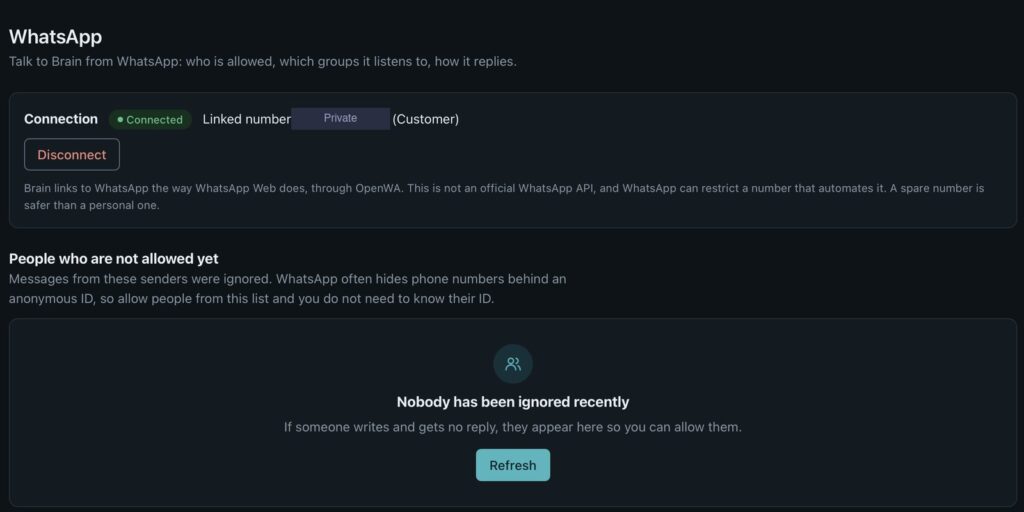
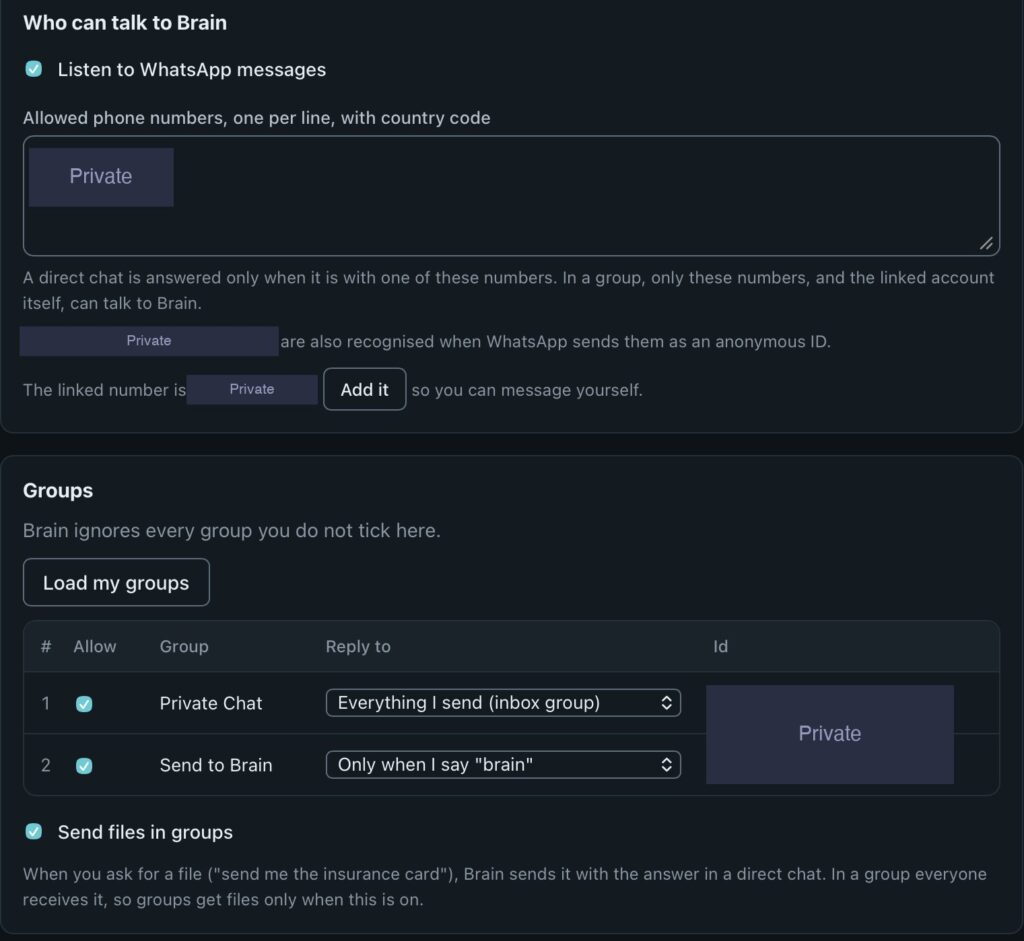
How we kept it free: the official WhatsApp Business API needs a business account and charges per conversation. Here the assistant links to WhatsApp the way WhatsApp Web does, so it costs nothing. It answers only the numbers and groups he allows and ignores everyone else. The honest trade-off: this is not an official API, and WhatsApp can restrict a number that is automated, so we linked a spare number rather than his personal one. A business that needs guaranteed delivery at volume should use the official API instead.
5. Ask from Claude, Gemini or Siri, get the answer with its source
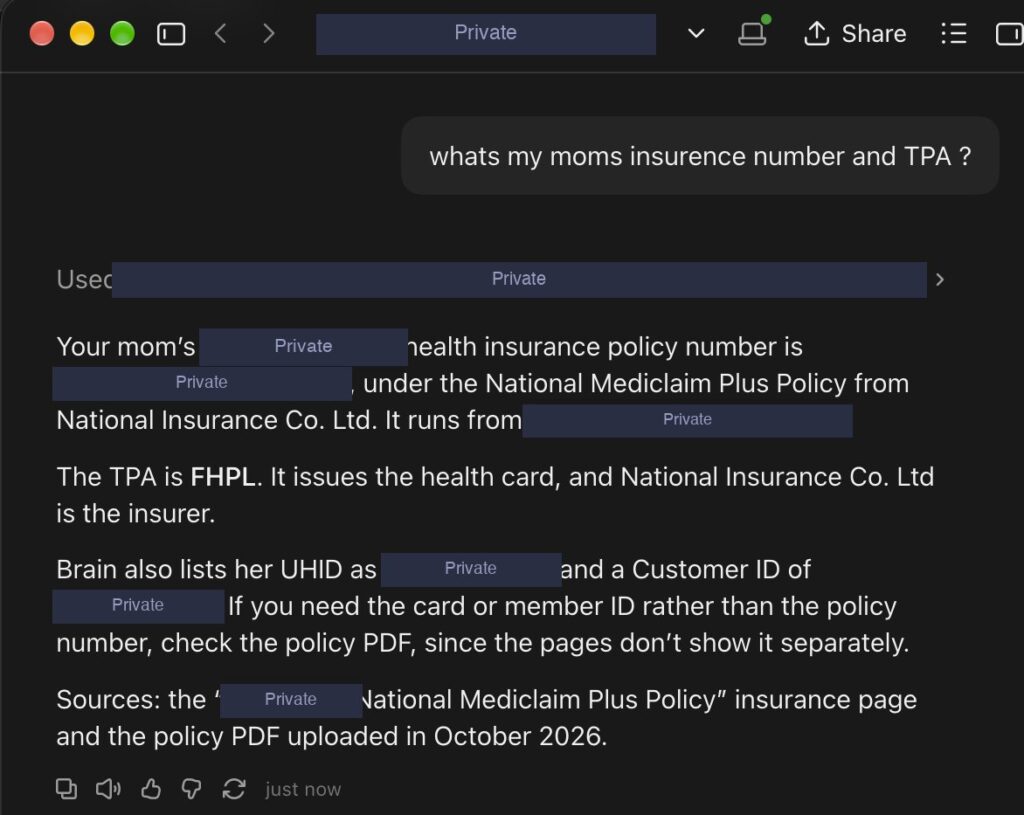
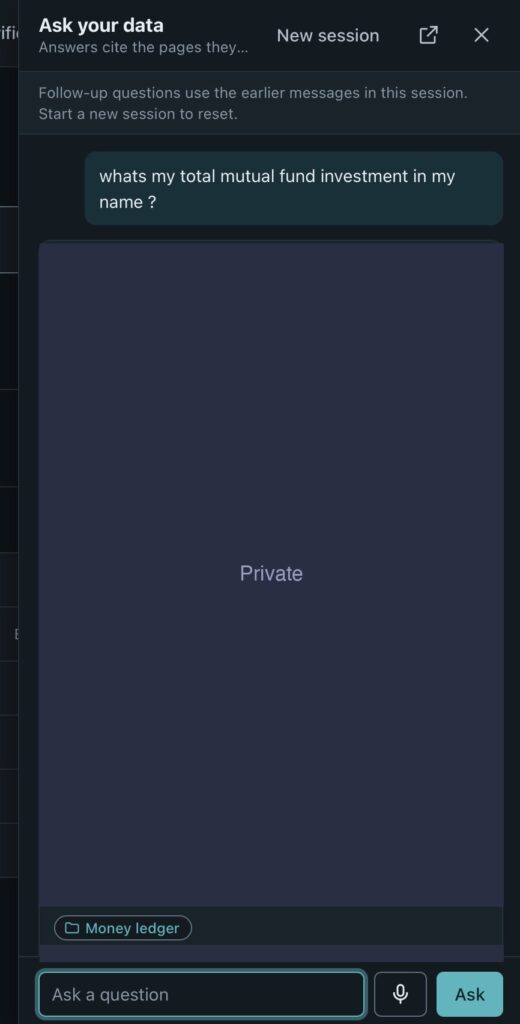
What it does: we connected his data to the AI apps he already uses through MCP, the standard way AI apps reach outside tools. He asks in the Claude app on his phone or laptop, by typing or by voice, or through Gemini or Siri. A question like “what is my mother’s insurance number and TPA?” gets the policy number, the insurer, the TPA, the dates, and the pages and PDF the answer came from. When the data does not hold the answer, it says so.
Real impact: no new app to learn, and answers in seconds that used to mean digging out a policy PDF. He can always check where a number came from.
6. A money view, built from the SMS
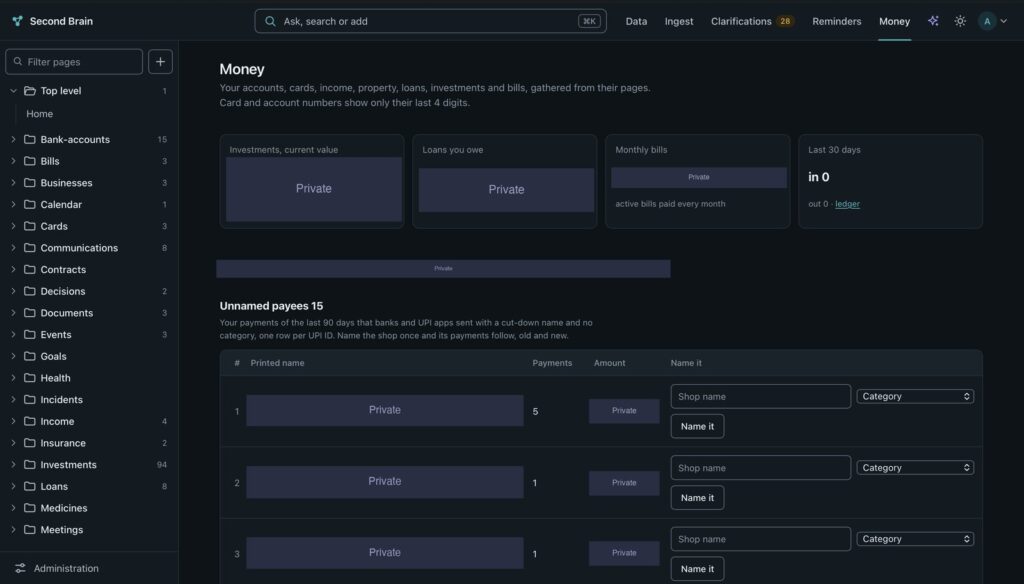
What it does: accounts, cards, income, loans, investments and bills are pulled together from their pages. Payments that banks and UPI apps send with a cut-down name are listed so he can name the shop once, and every later payment follows. Each amount stays in its own currency, rupees, dollars or any other, and totals are shown per currency, never mixed together. Card and account numbers show only their last four digits.
Real impact: one honest picture of where the money is and where it goes, across his businesses, countries and currencies, without a spreadsheet or an accountant reading his statements.
7. Reminders it finds by itself
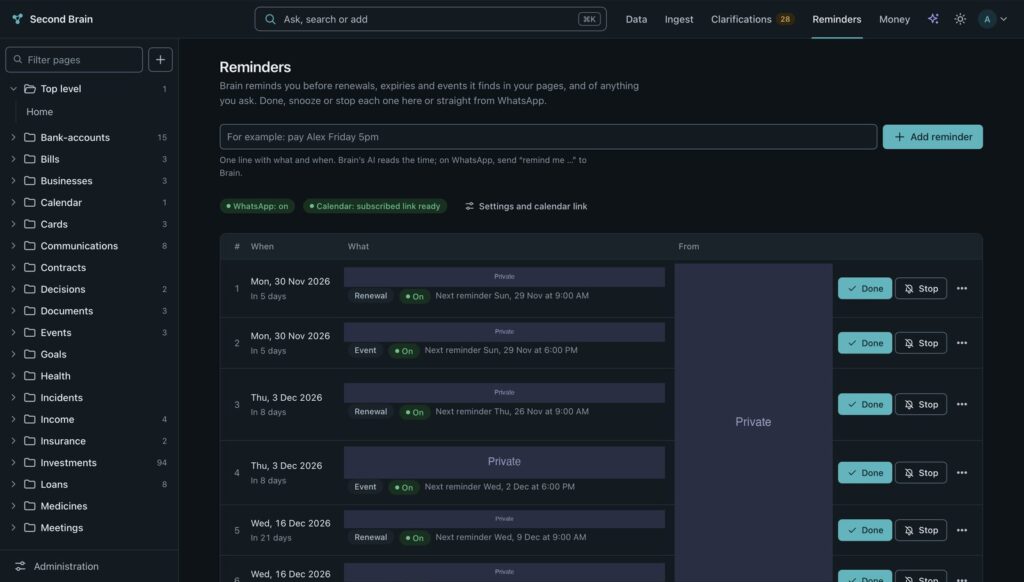
What it does: the system reads renewal, expiry and maturity dates in the pages, such as an electricity bill, a fixed deposit or money someone has to return, and reminds him before each one. He can mark them done, snooze or stop them from WhatsApp, and they also appear in his calendar.
Real impact: no missed renewals or forgotten dues, without setting a single reminder by hand.
8. It keeps the AI bill under control
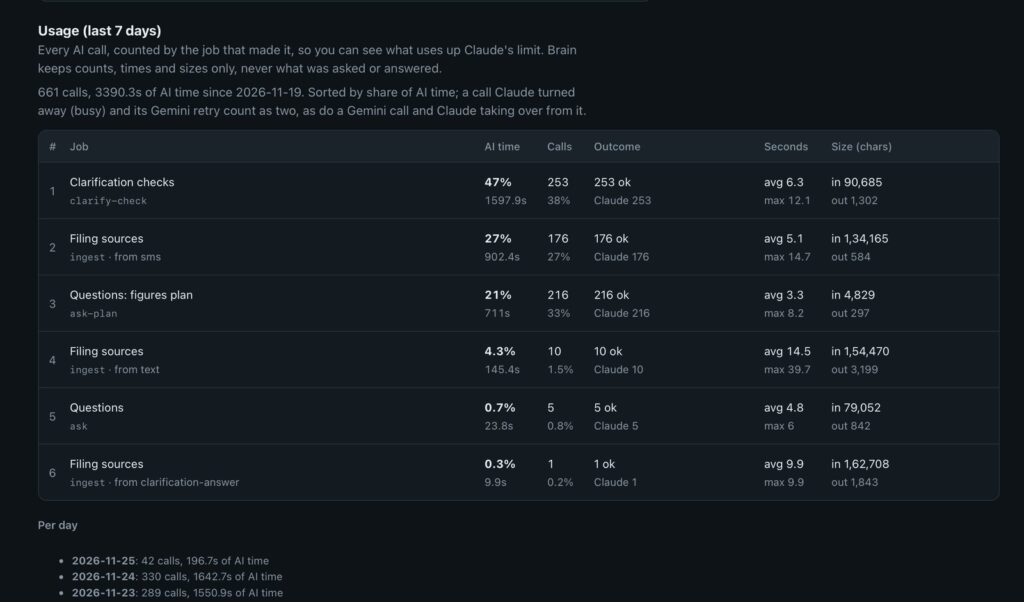
What it does: his 20 dollar Claude plan has usage limits, so the assistant counts every AI call by the job that made it: checking for gaps, filing SMS, answering questions. Simple bank SMS that the system can read on its own skip the AI completely. If Claude is busy, it can fall back to Gemini.
Real impact: the assistant runs all day on an ordinary personal AI plan, and if something starts using too much, we can see exactly what and tune it.
9. Built-in privacy checks
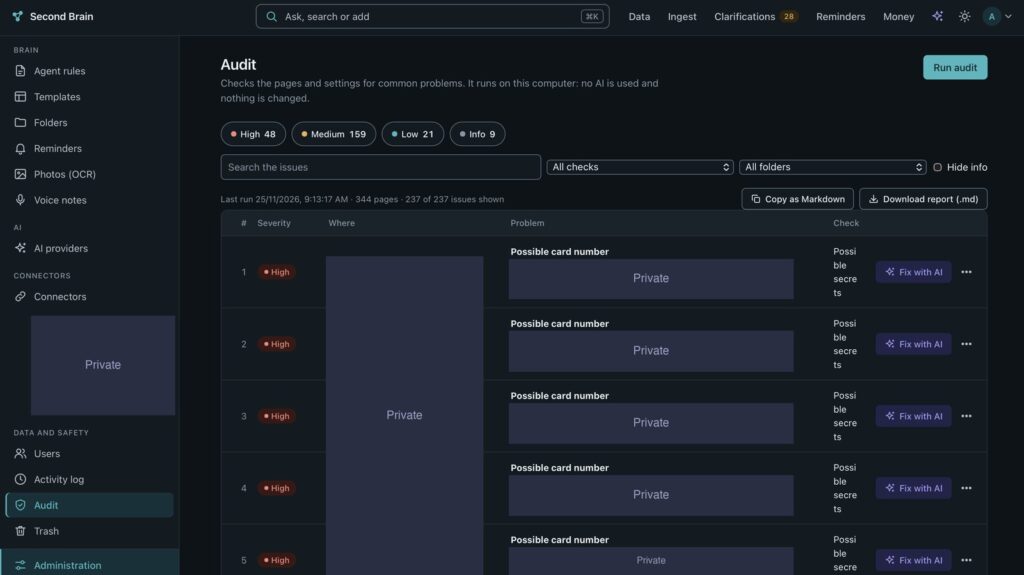
What it does: an audit runs on the server without any AI and flags problems, such as a full card number that slipped into a page, so it can be removed. Sign-in is required, each phone and app has its own key that can be replaced, and nothing is deleted without his say.
Real impact: an assistant that holds sensitive business and family data, and also helps keep that data safe. No employee ever sees it.
What it costs
| Item | US dollars | About in Indian rupees |
|---|---|---|
| Study, architecture and build by our engineers, one time | 900 | ₹83,600 |
| 4 GB RAM KVM VPS from Ucartz, per month | about 10 | about ₹930 |
| His own Claude subscription, per month | about 20 | about ₹1,860 |
| WhatsApp link | no charge | no charge |
We quote in US dollars because our customers are in more than 150 countries. Invoices can also be paid in Indian rupees, UAE dirhams, British pounds, Australian dollars or Canadian dollars at the day’s rate, and customers in India can pay by UPI and get a GST invoice.
There is no licence fee and no per-user charge from us. If he stops paying for Claude one day, his data is still on his server as ordinary text files he can open with any editor.
The 200 dollar version for another customer
Not everyone needs all of this. For another customer who wanted it only for personal use, we built a smaller version for a one-time fee of 200 US dollars: one AI app instead of several, no WhatsApp messages, SMS and Siri capture, the structured pages, the questions about missing details and the reminders. The running cost is the same, a small VPS and the customer’s own AI subscription.
In both projects we used the voice features already inside Siri and the AI apps rather than building our own speech-to-text, and the customer’s existing AI subscription rather than a private model on a GPU server. That kept the monthly cost low without losing anything they needed.
One honest note on privacy: his data is stored on his own server, but when he asks a question, the relevant pages are sent to the AI service he chose to get an answer. For most uses that is fine. A business that cannot send any data to an outside AI service would need a private model running on its own GPU server instead, which costs more.
What else can be added
- Logins for a team, with roles for who can read and who can edit.
- A private AI model on a GPU dedicated server, so no data leaves your hardware at all.
- The official WhatsApp Business API, for guaranteed delivery and messages to customers at volume.
- Connections to your business tools, such as your CRM, accounting software or email, built with n8n workflows.
- Your own speech-to-text and a custom voice assistant.
Bring us the whole mess
The lesson from this project is not the price. It is that a clear picture of what the customer needs is worth more than any feature list. Bring us everything that is bothering you, all of it at once if that is how it feels. We will separate it, show you what we found, agree the plan with you and quote from that. See our AI automation services or tell us what you want to solve.