Backups are an integral part of managing a web hosting account. It recommended that, must make backups before doing alterations to the website and from time to time. If you randomly unfairly configure the settings or remove something, then you can use this backup to recover the website. If there run out of storage space on the server, you have to move WHM backup to an external server.
Backup Configuration
Go to the WHM's Backup Configuration interface tab to transfer the WHM backup. Then configure the interface to back up the files in various destinations like Amazon AWS, Google Drive, SFTP, WebDAV, FTP, a local directory, or any custom locations.
The following are the steps to transfer the backup to a remote server by using FTP.
> Login to your WHM.
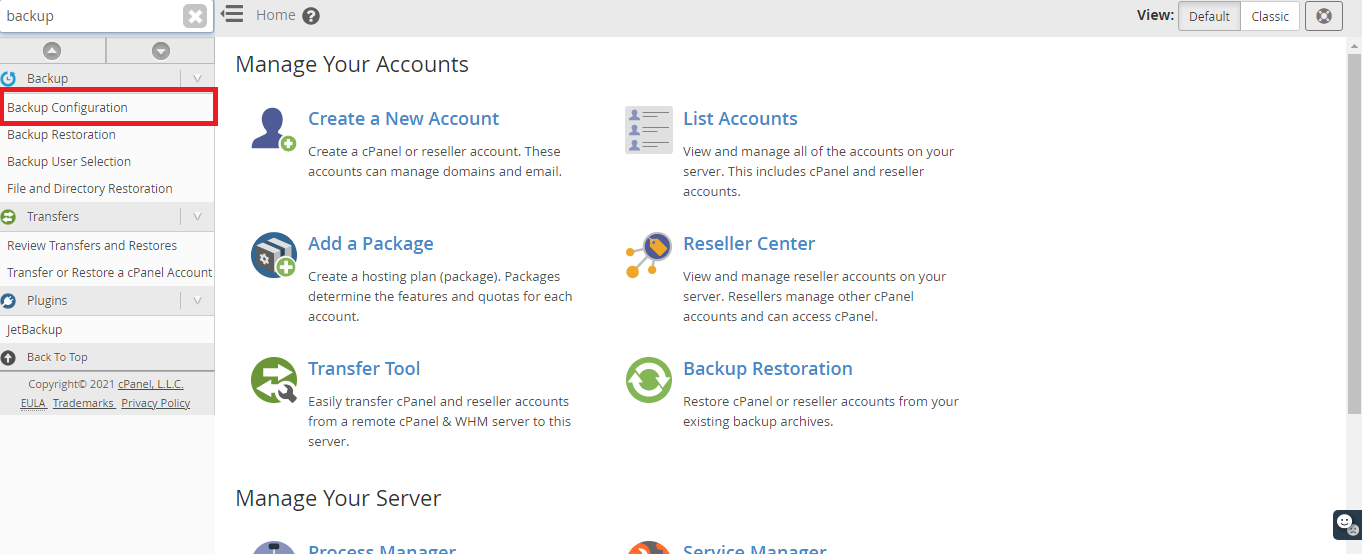
> Go to Home > Backup > Backup Configuration.
> Go to Destination type> Additional Destination > FTP(select).
> Select the "Create new destination" option.
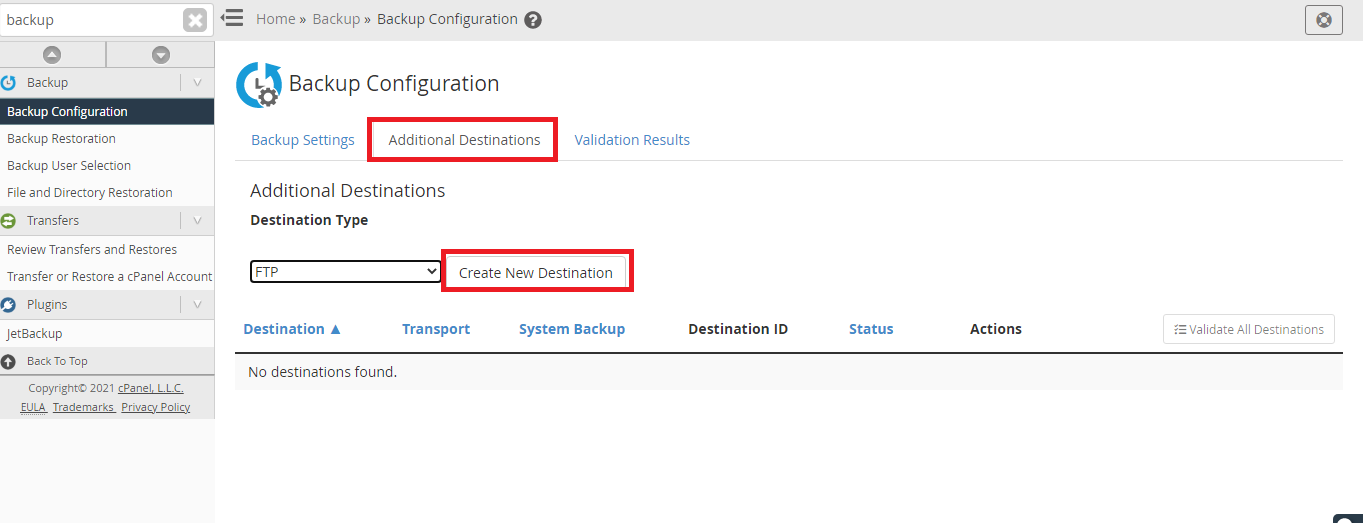
It would open up a tab to present specific details like Destination name, remote account username, remote password, remote host, port and backup directory.
Then click on 'Save and validate destination' tab.
Click on the "Save Configuration" button to confirm the changes you have made.
You have to run a back manually to ensure the data transfer is working fine, and for this, use the below-mentioned command.
/usr/local/cpanel/bin/backup --force
