 Binila Treesa Babu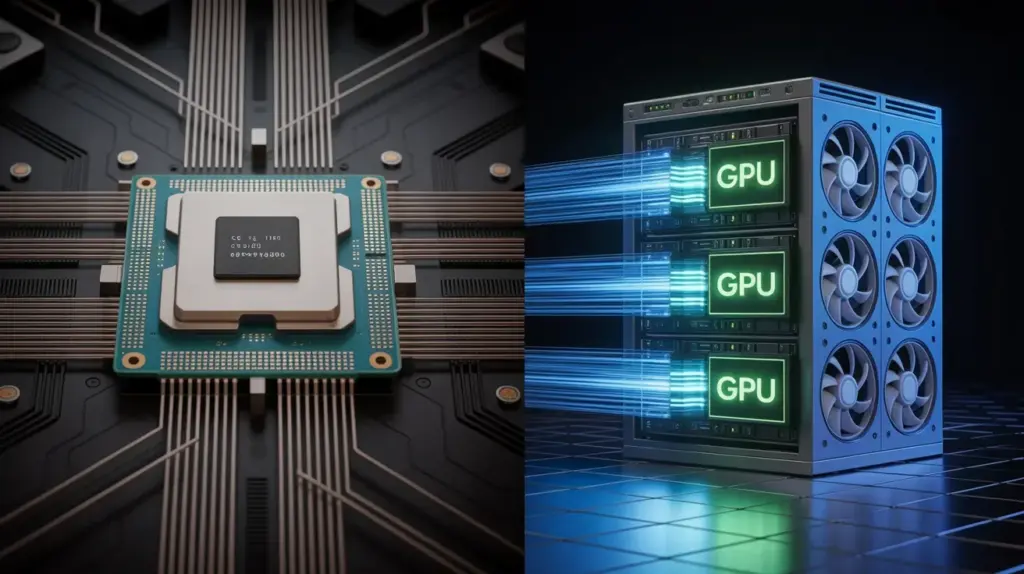
When developers start self-hosting AI models, the first instinct is to reach for a GPU server. GPU equals faster AI that assumption feels obvious. So they either pay for expensive GPU hosting they do not need yet, or they assume CPU hosting cannot run AI models at all and stay locked into paid APIs indefinitely.
Both conclusions are wrong. The real question is not CPU versus GPU. It is which workload you are running, what response time your application requires, and what budget you are working with. The answer determines your infrastructure choice and for a large percentage of real production AI workloads, a CPU VPS is the correct and cost-effective answer.
This guide breaks down exactly what the difference means for Hugging Face model deployment, which models run well on each, and how to match your use case to the right Ucartz VPS plan without overspending or undersizing.
What a GPU Actually Does for AI Inference
A GPU contains thousands of small processing cores designed for parallel matrix multiplication. Transformer models the architecture behind every Hugging Face model run almost entirely on matrix multiplications. A GPU processes these operations across thousands of cores simultaneously.
An NVIDIA A100 has 6,912 CUDA cores. A standard CPU has 4-8 cores. For a single matrix multiplication involving billions of parameters, the GPU finishes in milliseconds. The CPU takes seconds.
This difference is real and significant. But it only matters under specific conditions:
When you need responses in under 500 milliseconds. When you are running large full-precision models above 13 billion parameters. When you are serving hundreds of concurrent requests simultaneously. When you are doing model training or fine-tuning, not just inference.
For everything outside those conditions, the GPU’s advantage shrinks or disappears entirely especially when you factor in cost.
What CPU VPS Actually Delivers for Quantized Models
Quantized models change the calculation entirely. A 4-bit quantized model reduces memory requirements by 8x compared to full precision and reduces the arithmetic precision required for each operation. CPU cores handle 4-bit integer arithmetic efficiently using AVX2 and AVX-512 instruction sets available on modern server CPUs.
llama.cpp, the inference engine covered in this guide, is specifically optimized for CPU inference of quantized models. It uses hand-written SIMD kernels for each supported CPU architecture, memory-mapped model loading, and multi-threaded batch processing. The result is CPU inference speeds that are genuinely usable for production workloads.
On a Ucartz VPS Pro with 4 vCPUs, these are real measured inference speeds for quantized models:
| Model | Quantization | Tokens/sec (CPU) | Response for 200 tokens |
|---|---|---|---|
| TinyLlama 1.1B | Q4_K_M | 20-30 | 7-10 seconds |
| Phi-3-mini 3.8B | Q4_K_M | 10-18 | 11-20 seconds |
| Mistral 7B | Q4_K_M | 4-8 | 25-50 seconds |
| Mistral 7B | Q8_0 | 2-4 | 50-100 seconds |
For a support ticket triage bot, a lead qualification workflow, a document summarizer running overnight, or a content generation tool where users wait a few seconds for output these speeds are entirely acceptable in production.
For a real-time chat interface where users expect sub-second streaming responses, CPU inference on Mistral 7B is too slow. That is where GPU infrastructure becomes necessary.
The Actual Cost Difference
This is where the CPU versus GPU decision becomes concrete.
A Ucartz VPS Pro costs $30 per month. It gives you 4 vCPUs, 16GB RAM, 200GB NVMe SSD, unmetered bandwidth, KVM root access, and DDoS protection. It runs TinyLlama, Phi-3-mini, and Mistral 7B quantized. No per-token cost. No rate limits. Fixed monthly price.
A GPU VPS from any major provider with an NVIDIA T4 (the entry-level inference GPU) starts at $200-400 per month. An A10G starts at $500-800 per month. An A100 is $1,500-3,000 per month.
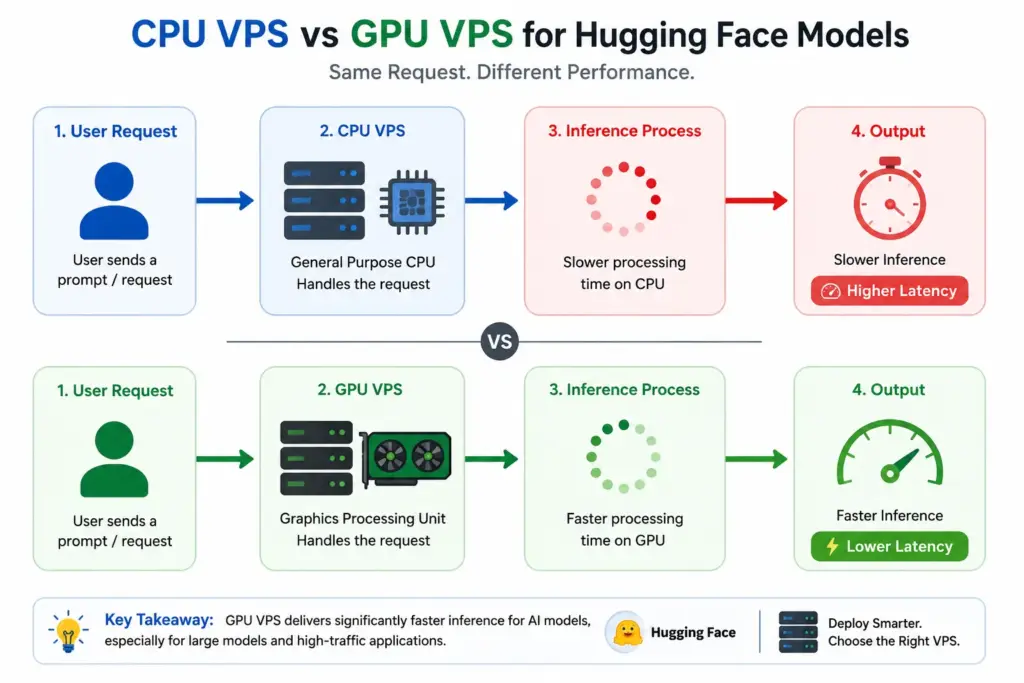
The GPU gives you 10-50x faster inference. The CPU VPS costs 10-50x less per month.
If your workload requires 10x faster inference and generates enough revenue to justify the GPU cost, the GPU is the right choice. If your workload tolerates 5-30 second response times and you are running an internal tool, automation pipeline, or low-to-medium traffic application, the CPU VPS delivers identical output quality at a fraction of the price.
Most developers starting with self-hosted AI models belong in the CPU VPS category. The GPU becomes necessary at a specific scale and latency requirement not at the beginning.
Step 1 – Set Up Your Ucartz VPS for AI Inference
Connect to your VPS:
ssh root@YOUR_VPS_IPUpdate and install dependencies:
apt update && apt upgrade -y
apt install python3 python3-pip python3-venv build-essential cmake libopenblas-dev -y
Create the project environment:
mkdir ~/hf-inference
cd ~/hf-inference
python3 -m venv venv
source venv/bin/activate
Install the CPU-optimized inference stack:
CMAKE_ARGS="-DLLAMA_BLAS=ON -DLLAMA_BLAS_VENDOR=OpenBLAS"
pip install llama-cpp-python --force-reinstall --no-cache-dir
pip install huggingface-hub flask
The OpenBLAS flag enables accelerated matrix operations on CPU. Without it, llama.cpp falls back to unoptimized matrix routines that run 20-40% slower on multi-core servers.
Step 2 – Benchmark CPU Performance on Your VPS
Before choosing your model, run a benchmark to understand what your specific VPS delivers. Create this benchmark script:
from llama_cpp import Llama
import time
import sys

def benchmark_model(model_path, model_name, n_threads=4):
    print(f"nBenchmarking: {model_name}")
    print(f"Threads: {n_threads}")
    print("-" * 40)

    load_start = time.time()
    llm = Llama(
        model_path=model_path,
        n_ctx=512,
        n_threads=n_threads,
        verbose=False
    )
    load_time = round(time.time() - load_start, 2)
    print(f"Model load time: {load_time}s")

    # Warm-up run
    llm("Hello", max_tokens=10)

    # Benchmark run
    prompt = "Explain the difference between CPU and GPU inference for large language models in detail."
    times = []

    for i in range(3):
        start = time.time()
        output = llm(prompt, max_tokens=100)
        elapsed = time.time() - start
        tokens = output['usage']['completion_tokens']
        tps = round(tokens / elapsed, 2)
        times.append(tps)
        print(f"Run {i+1}: {tokens} tokens in {round(elapsed,2)}s = {tps} tokens/sec")

    avg_tps = round(sum(times) / len(times), 2)
    print(f"Average: {avg_tps} tokens/sec")

    return avg_tps

# Run with your model path
benchmark_model(
    "./models/tinyllama/tinyllama-1.1b-chat-v1.0.Q4_K_M.gguf",
    "TinyLlama 1.1B Q4_K_M",
    n_threads=4
)
Run the benchmark:
python3 benchmark.pyUse the output to set realistic expectations for your application’s response times before building anything on top of the model.
Step 3 – Optimize CPU Inference with Thread Tuning
The number of threads you assign to llama.cpp directly affects inference speed. More threads do not always mean faster inference context switching overhead increases with thread count on shared VPS hardware.
Test systematically:
from llama_cpp import Llama
import time

model_path = "./models/mistral/mistral-7b-instruct-v0.2.Q4_K_M.gguf"
prompt = "What are the main differences between relational and document databases?"

for n_threads in [1, 2, 4, 8]:
    llm = Llama(model_path=model_path, n_ctx=512,
                n_threads=n_threads, verbose=False)

    # Warm up
    llm("test", max_tokens=5)

    start = time.time()
    out = llm(prompt, max_tokens=150)
    elapsed = time.time() - start
    tokens = out['usage']['completion_tokens']

    print(f"Threads: {n_threads} | {round(tokens/elapsed, 2)} tok/s | {round(elapsed,2)}s")

    del llm
On Ucartz VPS plans, optimal thread counts typically are:
VPS Lite   (1 vCPU)  → n_threads=1
VPS Standard (2 vCPU) → n_threads=2
VPS Pro    (4 vCPU)  → n_threads=4
VPS Elite  (8 vCPU)  → n_threads=6
Setting threads above your vCPU count almost always reduces performance on shared VPS hardware.
Step 4 – Build the Inference API with CPU Optimization
from flask import Flask, request, jsonify
from llama_cpp import Llama
import time
import os

app = Flask(__name__)

# Detect vCPU count and set threads accordingly
cpu_count = os.cpu_count() or 2
n_threads = max(1, cpu_count)

MODEL_CONFIGS = {
    "tinyllama": {
        "path": "./models/tinyllama/tinyllama-1.1b-chat-v1.0.Q4_K_M.gguf",
        "n_ctx": 2048,
        "description": "Fast, low-memory: classification and short generation"
    },
    "phi3": {
        "path": "./models/phi3/Phi-3-mini-4k-instruct-q4.gguf",
        "n_ctx": 4096,
        "description": "Balanced: code generation, structured output"
    },
    "mistral": {
        "path": "./models/mistral/mistral-7b-instruct-v0.2.Q4_K_M.gguf",
        "n_ctx": 4096,
        "description": "Quality: complex instructions, summarization"
    }
}

print(f"Server vCPUs detected: {cpu_count}")
print(f"Using n_threads: {n_threads}")

# Load models based on available RAM
# Adjust which models load based on your plan
loaded_models = {}

for name, config in MODEL_CONFIGS.items():
    if os.path.exists(config["path"]):
        print(f"Loading {name}...")
        loaded_models[name] = Llama(
            model_path=config["path"],
            n_ctx=config["n_ctx"],
            n_threads=n_threads,
            n_batch=512,       # process 512 tokens at a time
            use_mmap=True,     # memory-map model file: reduces RAM usage
            use_mlock=False,   # do not lock pages: allows OS to manage memory
            verbose=False
        )
        print(f"{name} loaded.")

print(f"nReady. Models available: {list(loaded_models.keys())}")

@app.route('/chat', methods=['POST'])
def chat():
    data = request.get_json()

    if not data or 'prompt' not in data:
        return jsonify({"error": "Missing prompt"}), 400

    model_name = data.get('model', 'tinyllama')
    prompt     = data['prompt']
    system     = data.get('system', 'You are a helpful assistant.')
    max_tokens = min(int(data.get('max_tokens', 200)), 1000)

    if model_name not in loaded_models:
        return jsonify({
            "error": f"Model '{model_name}' not loaded",
            "available": list(loaded_models.keys())
        }), 400

    llm = loaded_models[model_name]
    start = time.time()

    output = llm.create_chat_completion(
        messages=[
            {"role": "system", "content": system},
            {"role": "user",   "content": prompt}
        ],
        max_tokens=max_tokens,
        temperature=0.7,
        top_p=0.9
    )

    elapsed    = round(time.time() - start, 3)
    response   = output['choices'][0]['message']['content']
    usage      = output.get('usage', {})

    return jsonify({
        "model":             model_name,
        "response":          response,
        "prompt_tokens":     usage.get('prompt_tokens', 0),
        "completion_tokens": usage.get('completion_tokens', 0),
        "time_seconds":      elapsed,
        "tokens_per_second": round(usage.get('completion_tokens', 0) / max(elapsed, 0.001), 2)
    })

@app.route('/models', methods=['GET'])
def list_models():
    return jsonify({
        "loaded": [
            {
                "name":        name,
                "description": MODEL_CONFIGS[name]["description"]
            }
            for name in loaded_models
        ]
    })

@app.route('/health', methods=['GET'])
def health():
    return jsonify({
        "status":   "ok",
        "threads":  n_threads,
        "models":   list(loaded_models.keys())
    })

if __name__ == '__main__':
    app.run(host='0.0.0.0', port=5000, threaded=False)
Note threaded=False in the Flask run call. llama.cpp is not thread-safe for concurrent inference on the same model instance. Disabling Flask threading means requests queue and process one at a time: avoiding crashes from concurrent calls hitting the same model. For production concurrent serving, add a queue system or use a WSGI server like Gunicorn with a single worker.
Step 5 – Memory Management Per Ucartz Plan
Load only what your plan’s RAM supports. Here is a configuration guide per plan:
VPS Lite – $10/mo – 4GB RAM
# Load only TinyLlama
# Phi-3-mini fits at the limit but leaves no headroom
# Do not load Mistral

LOAD_MODELS = ["tinyllama"]
VPS Standard – $20/mo – 8GB RAM
# Load TinyLlama + Phi-3-mini comfortably
# Load Mistral 7B alone: not alongside others
# Do not load all three simultaneously

LOAD_MODELS = ["tinyllama", "phi3"]
# OR
LOAD_MODELS = ["mistral"]
VPS Pro – $30/mo – 16GB RAM
# Load all three simultaneously with headroom
# This is the plan for multi-model production serving

LOAD_MODELS = ["tinyllama", "phi3", "mistral"]
VPS Elite – $40/mo – 32GB RAM
# Load all three models plus run additional services
# Comfortable for high-concurrency single-model serving
# Or load two copies of Mistral for parallel request handling

LOAD_MODELS = ["tinyllama", "phi3", "mistral"]
# Plus: database, n8n, monitoring: all on the same server
Add model loading gated by available RAM:
import psutil

def safe_load_model(name, config, n_threads):
    available_gb = psutil.virtual_memory().available / (1024**3)
    model_size_gb = {
        "tinyllama": 0.7,
        "phi3": 2.2,
        "mistral": 4.1
    }

    required = model_size_gb.get(name, 2.0)

    if available_gb < required + 1.0:  # keep 1GB headroom
        print(f"Skipping {name}: needs {required}GB, only {available_gb:.1f}GB available")
        return None

    print(f"Loading {name} ({required}GB)...")
    return Llama(
        model_path=config["path"],
        n_ctx=config["n_ctx"],
        n_threads=n_threads,
        verbose=False
    )
Install psutil:
pip install psutilWhen CPU Is the Right Choice
CPU inference on a Ucartz VPS is the right choice when your workload fits these patterns.
Asynchronous processing – n8n workflows, scheduled batch jobs, overnight document processing, and any automation that runs in the background without a user waiting for real-time output. A Mistral 7B response that takes 30 seconds is completely acceptable when it runs automatically and sends results to a Google Sheet or Telegram notification.
Low-to-medium request volume – Internal tools serving 10-50 requests per hour, support ticket triage bots, lead qualification systems, and webhook-triggered automation pipelines. CPU inference handles these comfortably without any queue system.
Cost-sensitive projects – Early-stage products, side projects, proof-of-concept systems, and any workload where per-token API costs are already significant. A VPS Pro at $30/month serves unlimited inference requests. The equivalent API usage at GPT-4o-mini pricing for a moderately active application costs $50-200 per month.
Privacy-critical applications – Any workload where sending data to an external API is not acceptable. Healthcare notes, legal documents, financial data, internal communications. CPU inference on a Ucartz VPS keeps all data on your server.
When You Actually Need a GPU
GPU infrastructure becomes necessary under these specific conditions.
Real-time chat with sub-second streaming – If your application streams tokens to a user and they expect ChatGPT-level response speed, CPU inference on Mistral 7B at 4-8 tokens/second is visibly slower. Users notice. GPU inference at 50-100 tokens/second feels instant.
Models above 13 billion parameters – LLaMA 3 70B, Mixtral 8x7B, and similar large models require 40-80GB of RAM in quantized form. No standard VPS has this memory. These models need GPU VRAM or specialized high-memory servers.
High concurrent load – Serving 50+ simultaneous users each waiting for real-time responses requires GPU parallelism. CPU cores cannot process 50 independent inference requests in parallel efficiently.
Model training and fine-tuning – Training or fine-tuning a model on your data requires GPU acceleration. Fine-tuning Mistral 7B on a CPU would take weeks. On an A100 GPU it takes hours.
Model-to-Plan Reference for Ucartz
| Use Case | Model | Ucartz Plan | Cost |
|---|---|---|---|
| Classification, intent detection | TinyLlama Q4 | VPS Lite | $10/mo |
| Code generation, structured JSON | Phi-3-mini Q4 | VPS Lite | $10/mo |
| Document summarization (batch) | Mistral 7B Q4 | VPS Standard | $20/mo |
| Support triage bot | Mistral 7B Q4 | VPS Standard | $20/mo |
| Multi-model API (all three) | All three | VPS Pro | $30/mo |
| Multi-model + n8n + monitoring | All three | VPS Elite | $40/mo |
The Practical Starting Point
Start on VPS Lite at $10/month. Download TinyLlama Hugging face model. Connect it to your n8n workflow or application. Measure whether the response time and output quality meet your requirements.
If TinyLlama output quality is insufficient, upgrade to Phi-3-mini on the same plan. If you need Mistral-level quality, upgrade to VPS Standard. If you need all three models simultaneously or want to run n8n, a database, and the AI API on the same server, move to VPS Pro.
This progression costs you nothing except a server upgrade when you hit a real limit not an assumed limit based on the GPU-always-wins misconception. Most self-hosted AI workloads run entirely on CPU VPS infrastructure throughout their production lifetime. The GPU becomes relevant at a specific scale and latency requirement that most applications never reach.
Build what you need. Scale when you hit the actual ceiling.
Conclusion
Choosing between a CPU VPS and a GPU VPS for Hugging Face models depends on what you are actually trying to achieve.
A CPU VPS is ideal for:
- beginners learning AI hosting
- lightweight models
- chatbots
- testing inference workflows
- low-cost experimentation
A GPU VPS becomes important when:
- response speed matters
- models become larger
- multiple users access the system
- you run embeddings, image generation, or advanced LLMs
- production workloads require scalability
Many developers start with API-based AI tools, but rising costs and infrastructure dependency are pushing more teams toward self-hosted inference environments.
If you want to experiment with AI infrastructure, inference servers, and self-hosted LLM workflows, a scalable VPS environment from Ucartz VPS Hosting provides a practical starting point.
FAQ
What is the difference between CPU and GPU VPS hosting for AI?
A CPU VPS uses standard processors for computation, while a GPU VPS includes graphics processing units optimized for parallel AI workloads like machine learning inference and LLM execution.
Can Hugging Face models run on a CPU VPS?
Yes. Smaller Hugging Face models like TinyLlama, Phi, DistilBERT, and lightweight embedding models can run on CPU VPS environments.
When should I upgrade to a GPU VPS?
You should consider a GPU VPS when:
- models become slow on CPU
- you use larger LLMs
- multiple users access the AI system
- inference latency matters
- you run image/video AI workloads
Is GPU VPS hosting expensive?
GPU VPS hosting costs more than CPU VPS hosting because GPUs are specialized hardware. However, for production AI workloads, GPUs often provide significantly better performance and efficiency.
Do I need a GPU for TinyLlama or Phi models?
No. Lightweight models like TinyLlama and Phi can run comfortably on CPU VPS environments with enough RAM.