 Ashily Shaji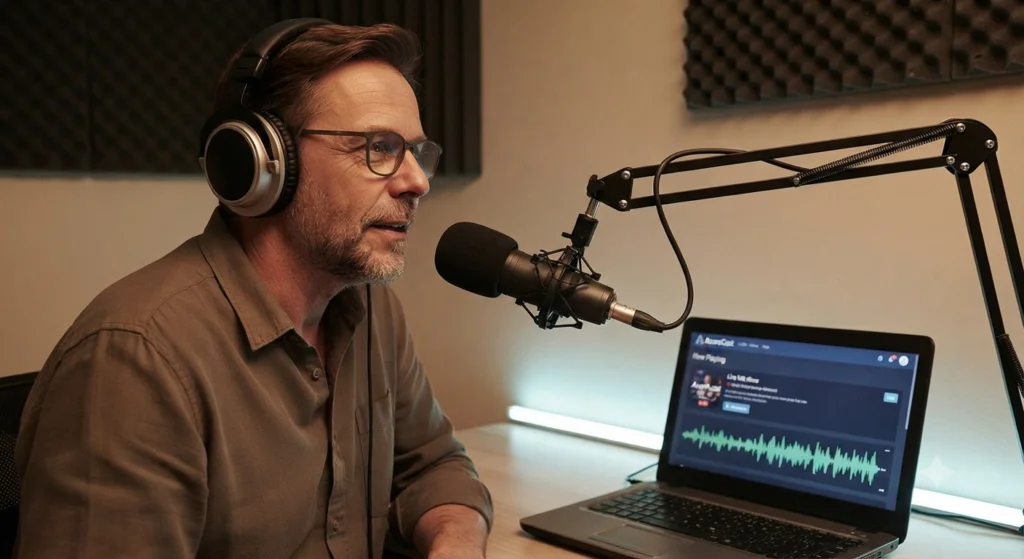
Background
A small community group wanted to start their own internet radio station. They had no background in server management and only a modest budget. Their goal was simple: play music around the clock, run a weekend talk show, and let listeners tune in from a phone or a laptop, anywhere in the world.
They chose AzuraCast, a free and open-source platform for running a radio station, because it did not require them to write code or hire a full-time technician.
The Challenge
Before starting, the group faced a few practical problems:
- No one on the team had set up a media server before.
- They needed the station to stay on air even when nobody was actively broadcasting.
- Their music library was large and disorganized, spread across old hard drives and a shared folder.
- They were unsure which type of hosting would suit their needs and budget.
How They Reached Out to Ucartz
The group first came across Ucartz while searching for hosting providers that supported AzuraCast. They got in touch through our support chat with a simple question: they had no technical staff, a small budget, and no idea whether to go with shared hosting, a VPS, or a dedicated server.
Our team spoke with them to understand their expected listener count, the size of their music library, and their plan to run a weekend talk show alongside the automatic playback.
Before recommending a plan, we walked them through the three ways Ucartz offers AzuraCast hosting, since picking the right one matters as much as picking the software itself:
- AzuraCast Radio Hosting – a fully managed, ready-to-use plan where AzuraCast is already installed and looked after by us. This suits people who want the simplest possible start and do not need control over the server itself.
- AzuraCast VPS Hosting – a virtual private server with AzuraCast pre-installed, but with more control and room to grow, at a lower cost than a dedicated server.
- AzuraCast Dedicated Server – an entire physical server for one customer, built for large stations, high listener counts, or running several stations at once.
Given their situation, we suggested the VPS plan. A dedicated server would have cost more than they needed for a station of their size, while still keeping AzuraCast pre-installed meant they got most of the simplicity of the fully managed plan, with enough room to expand later without switching plans.
We also recommended keeping the initial bitrate moderate to control bandwidth use, and pointed them to our backup add-on so their music library and station settings would be protected from day one.
The Approach
With the hosting plan in place, the group worked through the setup in clear stages rather than trying to do everything at once. Our support team stayed available throughout, answering questions as each stage came up.
1. Setting Up the Server
Once the VPS was provisioned, our team confirmed that AzuraCast was installed and running correctly, and shared login details along with a short walkthrough of the dashboard so the group could get oriented quickly.
2. Creating the Station
Inside the AzuraCast dashboard, they created a new station, gave it a name, and chose Icecast as the streaming format, following the bitrate range our team had suggested during setup.
3. Sorting the Music Library
Before uploading anything, the team spent a day sorting their audio files into folders by genre and by show. This one step made playlist building far easier later on.
4. Building Playlists and Turning On AutoDJ
They created a handful of playlists: a morning mix, an afternoon set, and a themed weekend show. They then turned on AutoDJ, a feature in AzuraCast that automatically plays music from the uploaded playlists according to the schedule set up in advance. With AutoDJ turned on, the station kept playing automatically whenever no live host was connected, so there were no dead air moments.
5. Going Live
For their weekend talk show, the host connected using free broadcasting software and streamed directly into AzuraCast. When they ran into a connection issue on their first attempt, our support team helped them check the streaming details and get connected within minutes. From then on, listeners heard the live show automatically replace the AutoDJ playback the moment the host connected.
6. Sharing the Station
Once everything was working, they added a listen button to their website, shared the stream link on social media, and submitted it to a few online radio directories so new listeners could discover the station.
The Result
Within a few weeks, the station was running day and night without any manual intervention. The group reported the following outcomes:
- The station stayed online continuously, even overnight and on days no volunteer was available to host.
- Listener numbers grew steadily once the stream was listed on a few radio directories and shared on social media.
- The team spent far less time on troubleshooting after sorting their music library up front.
- Our support team resolved the few technical issues that came up quickly, so the group never had to look elsewhere for help.
Lessons Learned
- Organizing the music library before uploading saves a lot of time later.
- A managed hosting plan is a good option for teams without technical staff.
- Turning on AutoDJ from day one avoids awkward silence when no one is broadcasting live.
- Regular backups and software updates matter, even for a small station.
- Sharing the stream in more than one place brings in more listeners than expected.
Tips for Better Streaming Quality
- Use good quality MP3 files for your music library rather than low-quality rips.
- Pick a bitrate that suits your station; 128 kbps works well for most stations without using too much bandwidth.
- Check server resources such as CPU, RAM, and storage from time to time, especially as your listener count grows.
- Keep AzuraCast updated to the latest version so you get fixes and improvements.
- Back up your music library and station settings regularly, not just once at the start.
Common Mistakes to Avoid
- Choosing a server with too little RAM for the expected number of listeners.
- Uploading music without organizing it into folders first, which makes playlists harder to manage later.
- Using a very high bitrate that is not needed, which wastes bandwidth.
- Forgetting to set up backups until after something goes wrong.
- Ignoring software updates for AzuraCast and the underlying server.
Conclusion
This case shows that a small team with no technical background can launch and run a working online radio station. With AzuraCast handling the day-to-day playback and scheduling, and Ucartz handling the server side of things, the group was able to focus on their content instead of their infrastructure.
What made the difference was not just the software, but having a hosting partner they could reach out to at each stage, from choosing the right plan to getting the live stream connected on the first try.
For groups considering a similar project, the main takeaways are: plan your server needs honestly, organize your content before you start, and pick a hosting partner that can support you if something goes wrong.