Ashily Shaji
Short answer: an internet radio station with around 1,000 listeners at a time moved to Ucartz AzuraCast Hosting so new DJs could go live from a web browser. AzuraCast Web DJ removed the encoder install and server settings that used to stand between a new DJ and the microphone, and AutoDJ keeps the station on air whenever nobody is live. The station is not named here because of our confidentiality agreement with the customer.
At a glance
- Customer: an internet radio station with a team of presenters and an audience of around 1,000 listeners at a time.
- Challenge: every new DJ needed help from the technical team to install and configure broadcasting software before their first show.
- Solution: Ucartz AzuraCast Hosting, with Web DJ for live shows from the browser and AutoDJ for automated programming.
- Key result: DJs can go live from a web browser, and the station stays on air when nobody is live.
- Main lesson: removing setup steps can matter more to a station than adding features.
The challenge: too many steps between a DJ and the microphone
The station already had music, programming and a team of presenters. What slowed it down was the technical setup needed before anyone could go live.
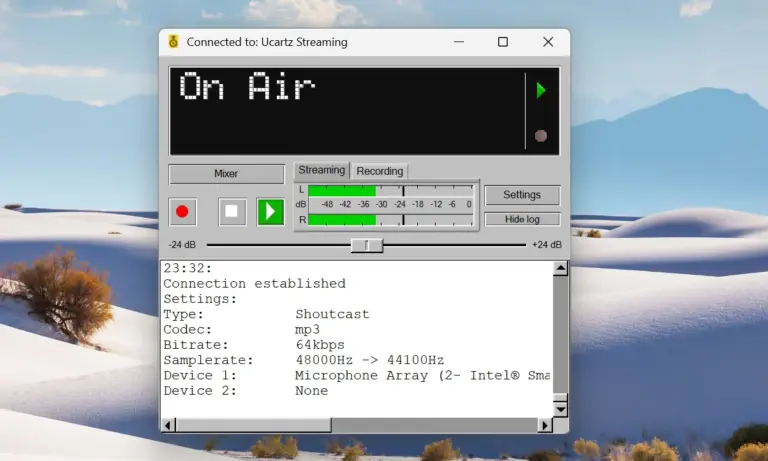
To broadcast live to an internet radio station, a DJ usually needs encoder software on their computer. Common examples are BUTT, Mixxx and SAM Broadcaster. The DJ then has to enter the server address, port, mount point and login details, and set up their microphone and audio input correctly.
Experienced DJs handled this without trouble. For presenters new to online radio it was often confusing, and each new DJ needed a member of the technical team to help with installation and settings, sometimes more than once.
The station wanted to bring new voices on air without turning every first show into a support task.
The solution: AzuraCast Web DJ, broadcasting from a browser
After reviewing the station’s needs, we recommended Ucartz AzuraCast Hosting. The feature that solved the main problem was Web DJ.
AzuraCast is a free, open-source web radio management platform. Its Web DJ lets a presenter broadcast live from a web browser, with no encoder software to install. The presenter logs in with their DJ account, opens the Web DJ page and goes live. From there they can talk over the microphone and play tracks from their own computer.
Web DJ does not replace traditional encoders. It adds a second, simpler way to go on air, so each DJ can use the method that suits them.
Three things must be in place for Web DJ to work:
- HTTPS on the station panel. Browsers only allow microphone access on secure pages (MDN: getUserMedia), so the panel needs a valid SSL certificate and an address that starts with https://.
- A DJ (streamer) account for each person who goes live, with “Enable Streamers” turned on for the station. According to AzuraCast’s documentation, the station can then have several DJ accounts that connect and broadcast live.
- A current desktop browser, such as Chrome, Firefox or Edge, and a working microphone.
The first test
The station tested Web DJ with the DJ who had struggled most with encoder software. The goal was simple: get them live without a technical session.
The DJ logged in, opened Web DJ, checked their microphone level and went live. They did not install any software or enter any server settings. After this test, the station began offering Web DJ to its other DJs.
How the station runs now
The station is on air 24 hours a day with three ways to broadcast. AutoDJ plays scheduled music and recorded shows whenever nobody is live. When a DJ connects, by encoder or by Web DJ, AzuraCast hands the stream to them. When they disconnect, AutoDJ takes over again, so listeners do not hear silence.
| Situation | Who is on air | What is needed |
|---|---|---|
| No DJ available | AutoDJ | Playlists and schedules set up in AzuraCast |
| Experienced DJ goes live | DJ with encoder software (for example BUTT or Mixxx) | Encoder installed and connected with the DJ’s account |
| New or occasional DJ goes live | DJ in the browser with Web DJ | A browser, a microphone and a DJ account |
AzuraCast runs AutoDJ and the live handover through Liquidsoap, its audio streaming engine: each DJ connects directly to Liquidsoap, which is what makes the switch between live and AutoDJ seamless. DJs never need to deal with it directly, and the station no longer has to train everyone on the same software.
Planning bandwidth for 1,000 listeners
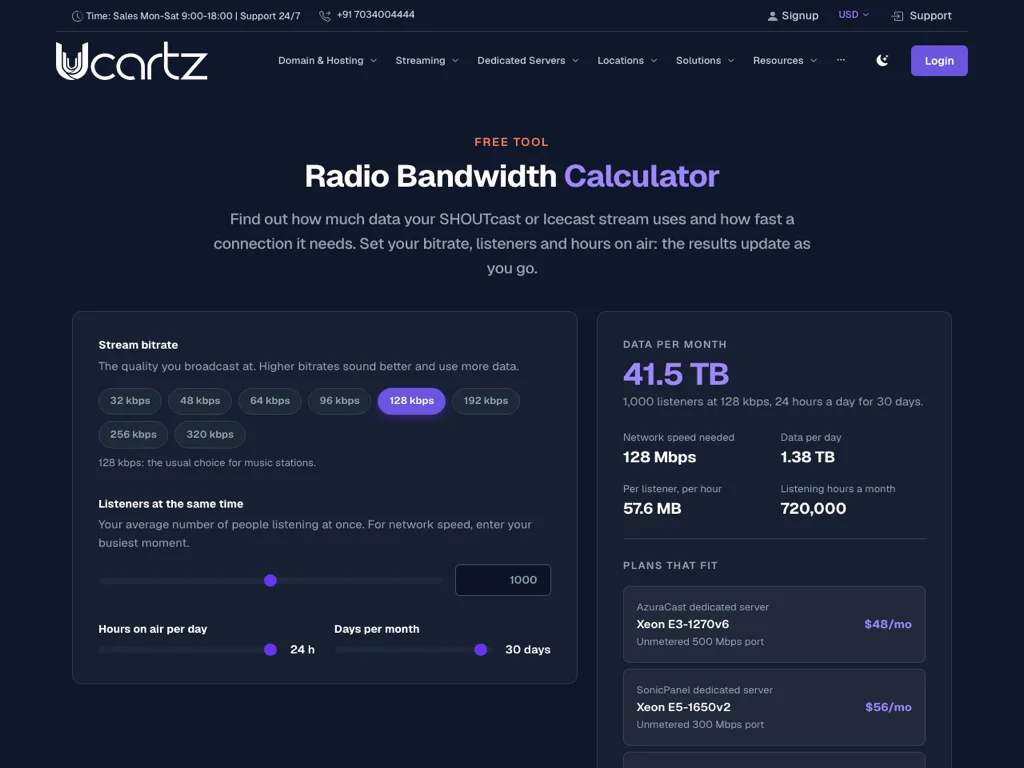
With around 1,000 people listening at once, bandwidth matters as much as the panel. Every listener receives the stream at its bitrate for as long as they listen, so the network speed a station needs is bitrate × listeners. Our free radio bandwidth calculator does the sums for any bitrate, audience and schedule.
| Stream | Listeners at once | Network speed needed | Data per month (24 hours, 30 days) |
|---|---|---|---|
| 128 kbps | 1,000 | 128 Mbps | about 41.5 TB |
| 64 kbps | 1,000 | 64 Mbps | about 20.7 TB |
These figures are a ceiling: real listeners come and go, so the actual monthly total is usually lower. For the network speed, enter your busiest hour, not your average. For an audience this size the calculator suggests a server with its own network port, such as an AzuraCast dedicated server (from $48 a month in our store), rather than a shared plan.
What to know before choosing AzuraCast
AzuraCast suits organisations that run their own stations. We explained its limits to the customer before they signed up.
- AzuraCast supports several stations. One AzuraCast installation can run more than one station, such as a main music station and a talk or event station, each with its own playlists, schedules and DJ accounts. On our shared plans, ask us before you order if you need more than one.
- There is no built-in reseller panel. AzuraCast has users and roles, but no customer billing or reseller accounts like some commercial radio panels. You can still resell stations you buy from us under your own name, with billing handled outside AzuraCast.
Neither point affected this customer, because they only needed to run their own station.
Results: before and after
The biggest change: a new DJ no longer needs technical help before their first show.
| Area | Before | After moving to Ucartz AzuraCast Hosting |
|---|---|---|
| Going live | Every DJ had to install and configure encoder software | DJs choose an encoder or Web DJ in the browser |
| New DJ setup | Needed help from the technical team | Logs in with a DJ account and goes live from the browser |
| Technical team workload | Many basic setup questions for each new DJ | Setup help is no longer part of every first show |
| Hours with no DJ | Needed someone to keep the stream running | AutoDJ plays scheduled programming automatically |
Lessons for other radio stations
- Find the real bottleneck first. This station did not need more features. It needed fewer steps before a DJ could go live.
- Offer more than one way on air. Experienced DJs keep the encoder setup they know, while newcomers start in the browser. Nobody is forced to change.
- Test with your least technical DJ. If the setup works for them, it will work for the rest of the team.
- Plan for the hours nobody is live. Automation keeps the station sounding active between live shows.
- Size bandwidth for your busiest hour. Work it out before a big show, not during it.
- Check the limits before you commit. Knowing early that AzuraCast has no reseller panel avoided a wrong choice.
Frequently asked questions
What is AzuraCast Web DJ? Web DJ is a feature of AzuraCast that lets a DJ broadcast live to a radio station from a web browser, without installing encoder software.
Does Web DJ need HTTPS? Yes. Browsers only allow microphone access on secure (HTTPS) pages, so the station panel needs a valid SSL certificate.
Can DJs still use BUTT, Mixxx or other encoders? Yes. Web DJ is an extra option. DJs can keep connecting with compatible Icecast or SHOUTcast encoder software using their DJ account.
What happens when a live DJ disconnects? AutoDJ takes over again and continues the scheduled programming, so the stream does not go silent.
How much bandwidth do 1,000 listeners need? Bitrate × listeners: at 128 kbps, 1,000 listeners at once need about 128 Mbps. Use our bandwidth calculator for your own numbers.
Can I resell radio hosting with AzuraCast? AzuraCast has no built-in reseller or billing panel, so customer accounts and billing are handled outside it. You can resell stations you buy from us under your own name.
Start your own AzuraCast station
Ucartz AzuraCast Hosting includes the AzuraCast panel with Web DJ, AutoDJ with playlists and scheduling, and live DJ accounts, set up by our team.
| Plan detail | Value |
|---|---|
| Price | $10 per month, or $100 per year |
| Streaming server | SHOUTcast or Icecast |
| Listeners and quality | Unlimited listeners, up to 320 kbps |
| Bandwidth and AutoDJ storage | Unmetered (fair use rules in our Acceptable Use Policy apply) |
| Setup time | 2 to 8 business hours |
| Uptime and guarantee | 99.9% uptime SLA, 30-day money-back guarantee on your first purchase |
For large audiences like this station’s, our AzuraCast dedicated servers start at $48 a month. Prices and plan details are correct as of 18 October 2026. See Ucartz AzuraCast Hosting plans, check your bandwidth with the radio bandwidth calculator, or contact our team to plan your station.