To Embed Code, you need to do as mentioned below:
1. First, login into your Azuracast Radio Streaming account.
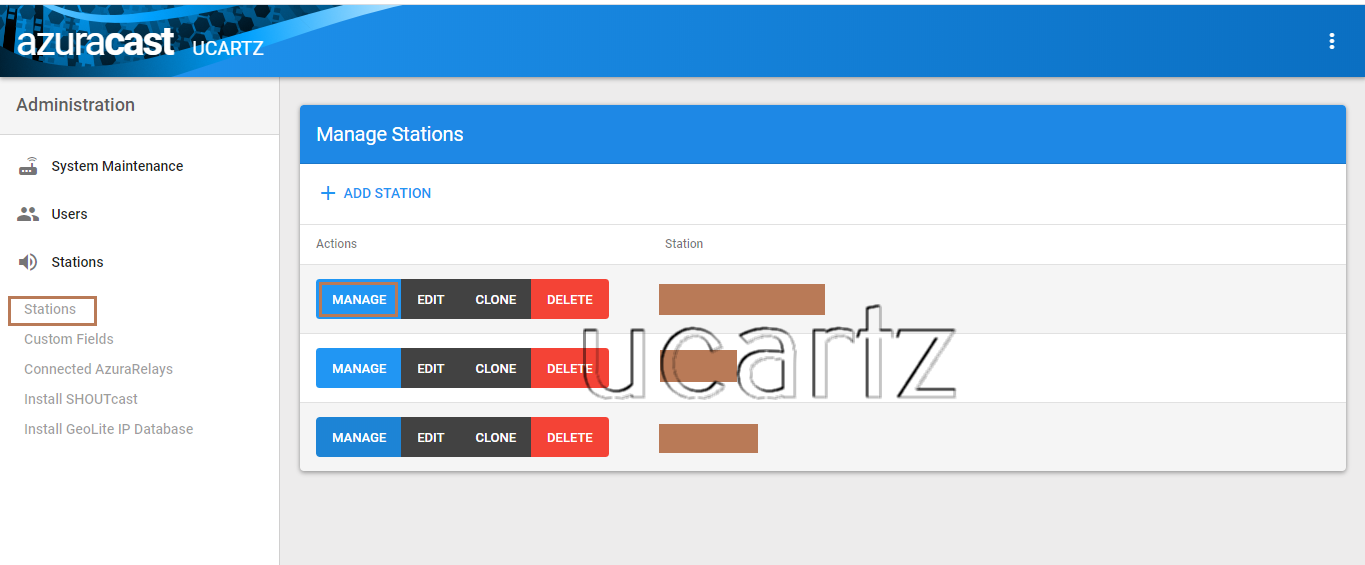
2. Once logged in from the dashboard, choose the administrator.
3. Under the administrator page, go to option Stations. Here, you can see the list of radio's within your streaming account.
4. As we want to add the Embed Player Code within a Website. For that, I have to select a radio, to get the embedded code.
5. I have chosen one and assume you too have. So press on the "Manage button" of the corresponding radio.
6. Now a new window opens. You can scroll down to find the option "Player Embed Code".
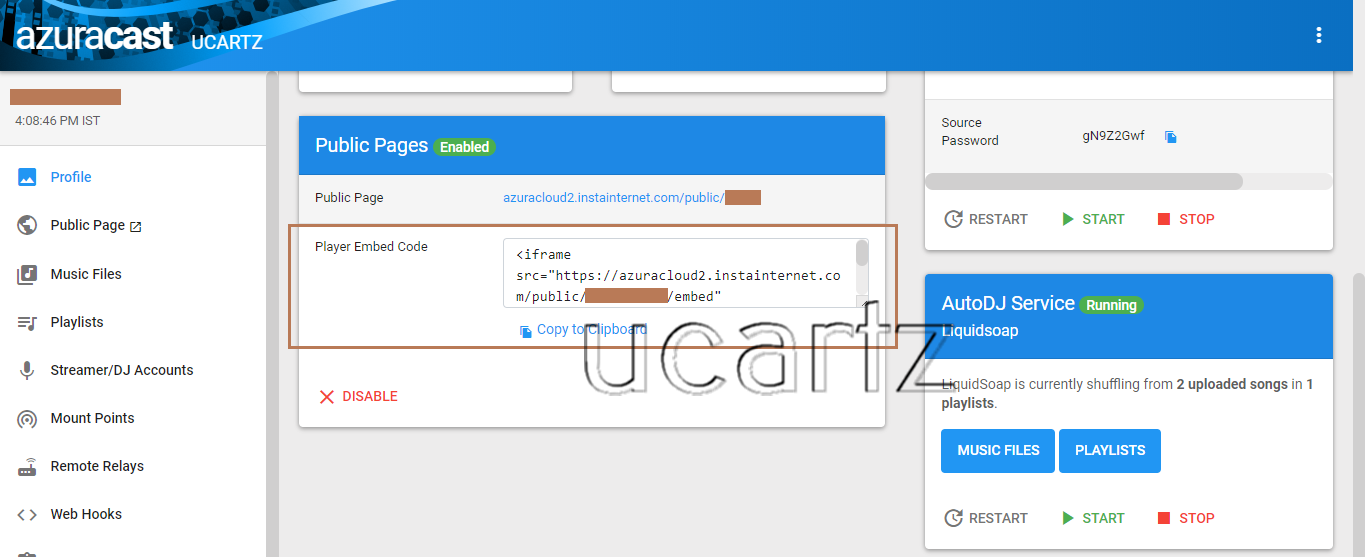
7. Copy the code and add the code within your website. Save it as with extension ".php".
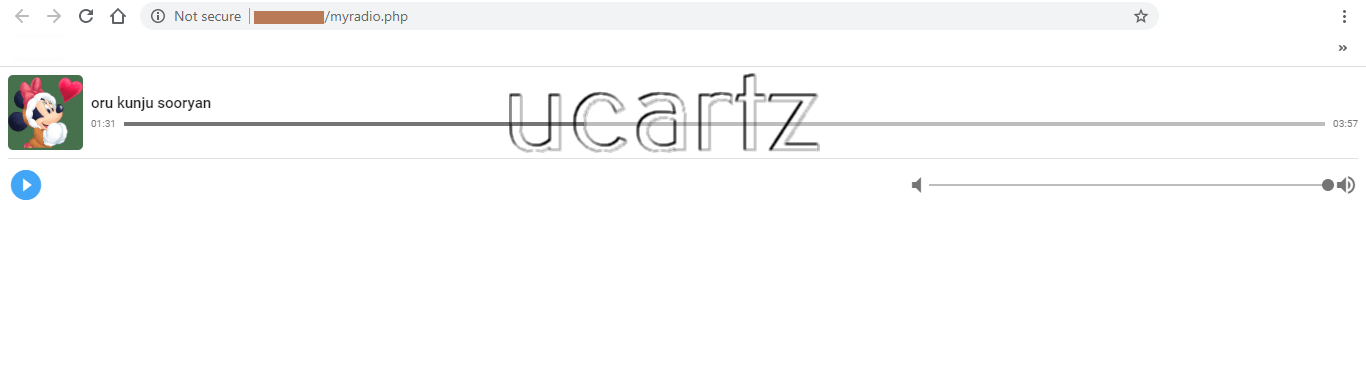
8. Once done, open a browser of your choice and access the page. (eg: www.yourdomain.com/myradio.php)
Important Note:
Azuracast Webplayer embed script must be working only if both of the hosted accounts either having HTTPS:// or else must be just HTTP.
Hope you found this helpful. If need any assistance then hire our admins, they do this on behalf of you.
