Introduction
Roundcube is web based IMAP email client which is written in PHP and can be employed in conjuction with LAMP stack or any other operating system that supports PHP. In this article we shall learn how to configure Roundcube using Webuzo panel.
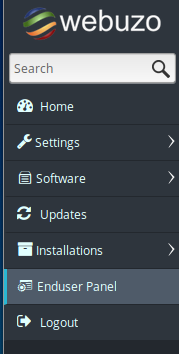
Step 1: Login into Webuzo enduser panel.
Login to Webuzo panel using your login credentials and navigate to the Enduser Panel located on the left side menu.
Step 2: Navigate to Roundcube
Then navigate to Roundcube in the Mails category.
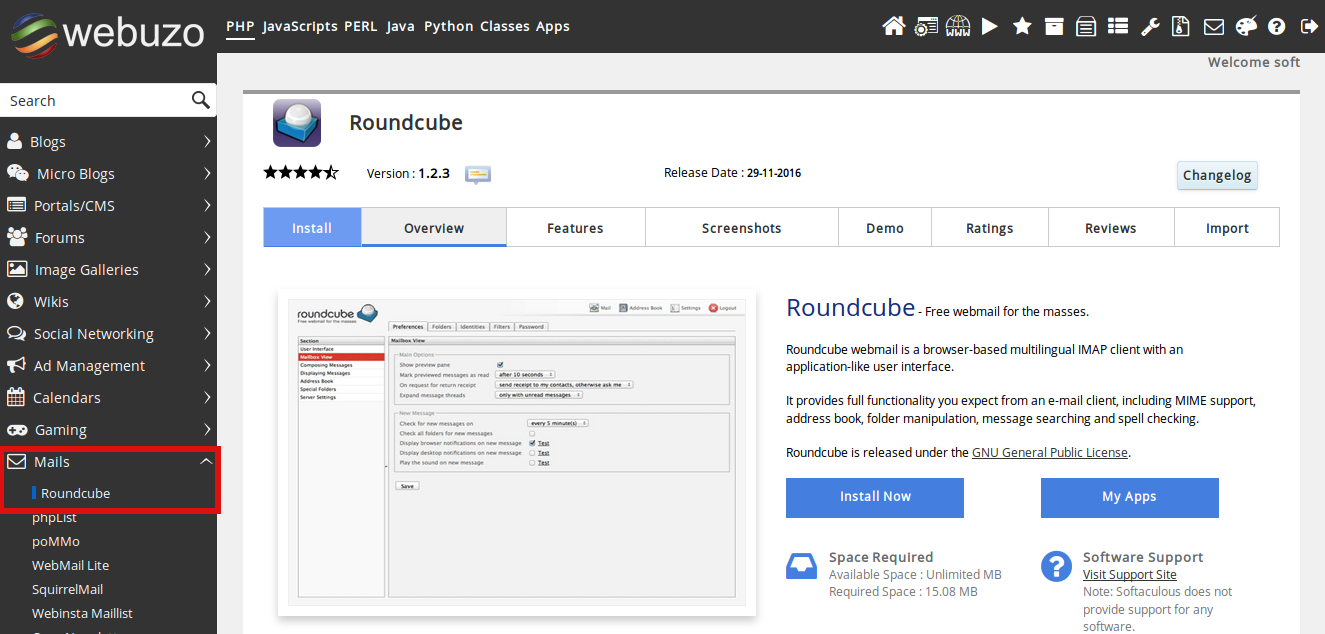
Step 3: Install Round cube.
Click on the Install Now button to install Roundcube. Fill in the necessary details in the page that appears and then Click on the Install button at the end of the page.
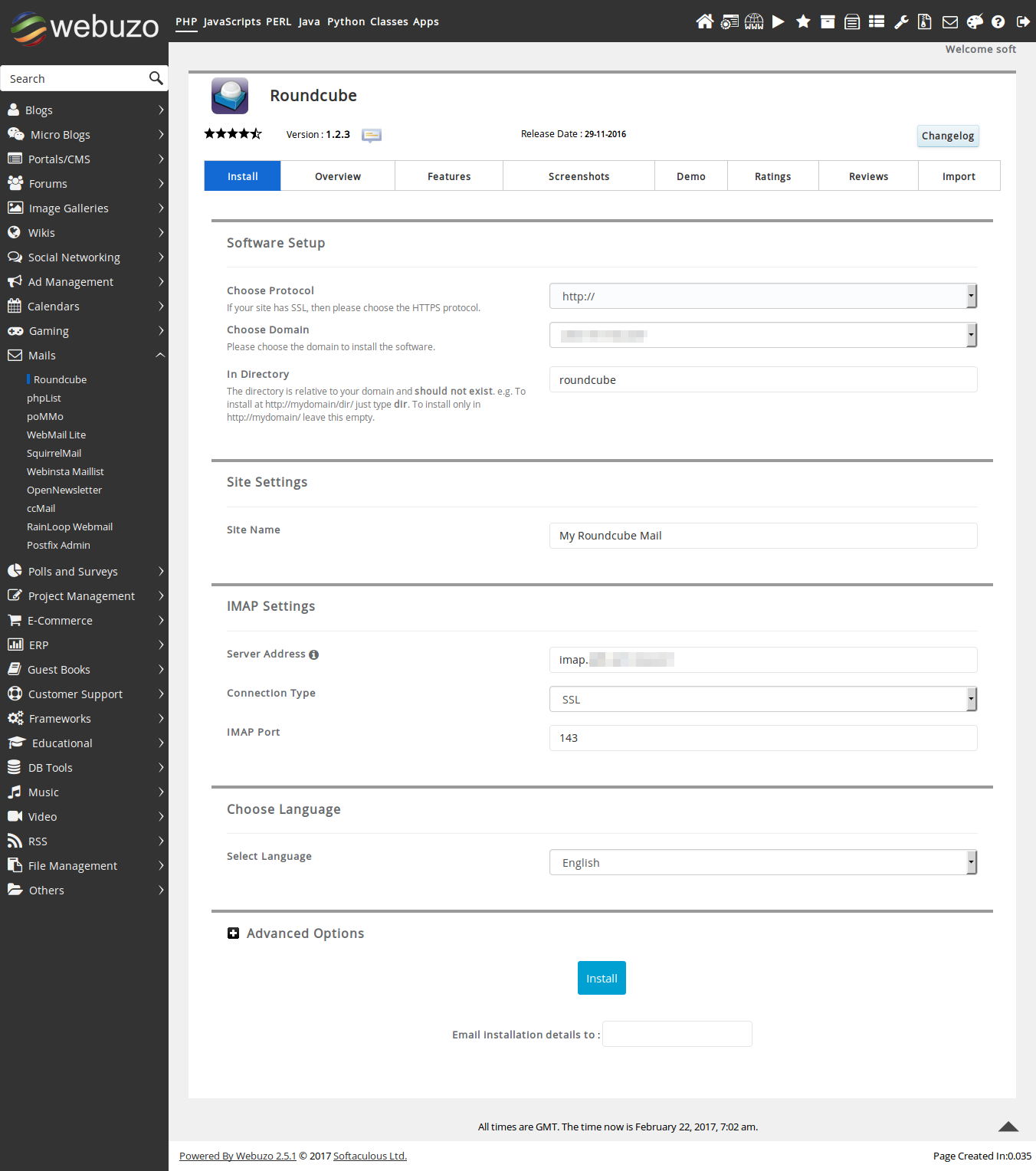
After the installation is completed you can access the Roundcube client using the username and password created earlier.
