Managed Webmin VPS With a Real Control Panel
and No Licence Fee.
Webmin is a free, open source control panel for Linux servers. We install it, or CWP if you prefer, keep it patched and run the server for you in a data centre with DDoS protection. You keep the root login.
NewFree MCP setup: manage your server from Claude, ChatGPT or Gemini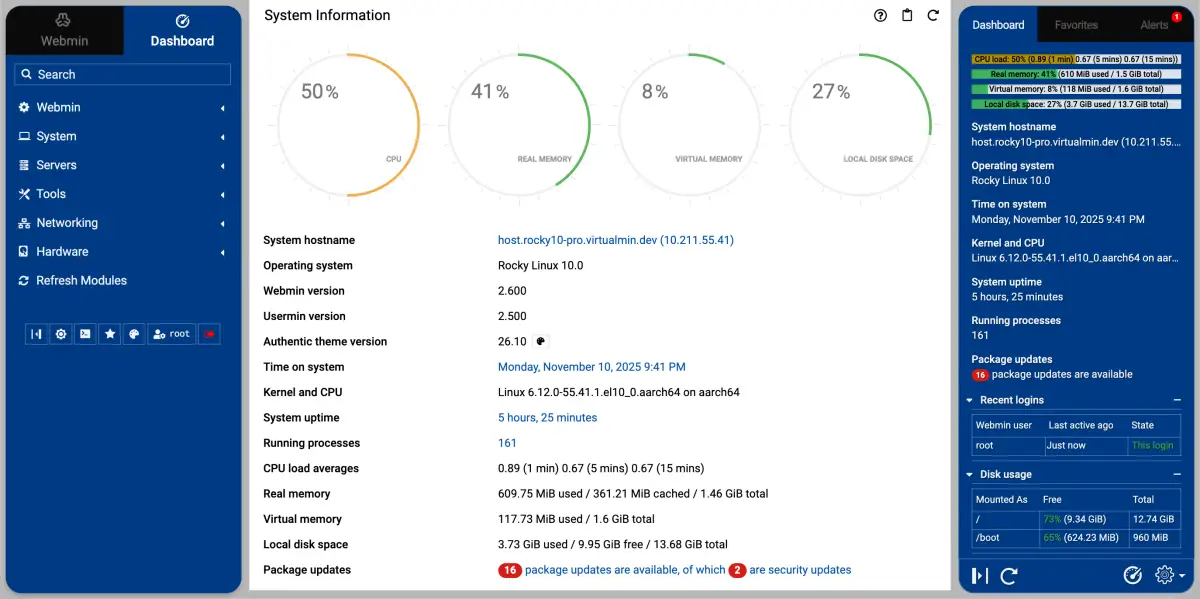
A Control Panel That
Does Not Charge Rent.
Webmin is a browser-based administration panel for Linux servers, maintained as an open source project for more than two decades. Because it is open source, there is no licence to buy and no per-account fee as you grow.
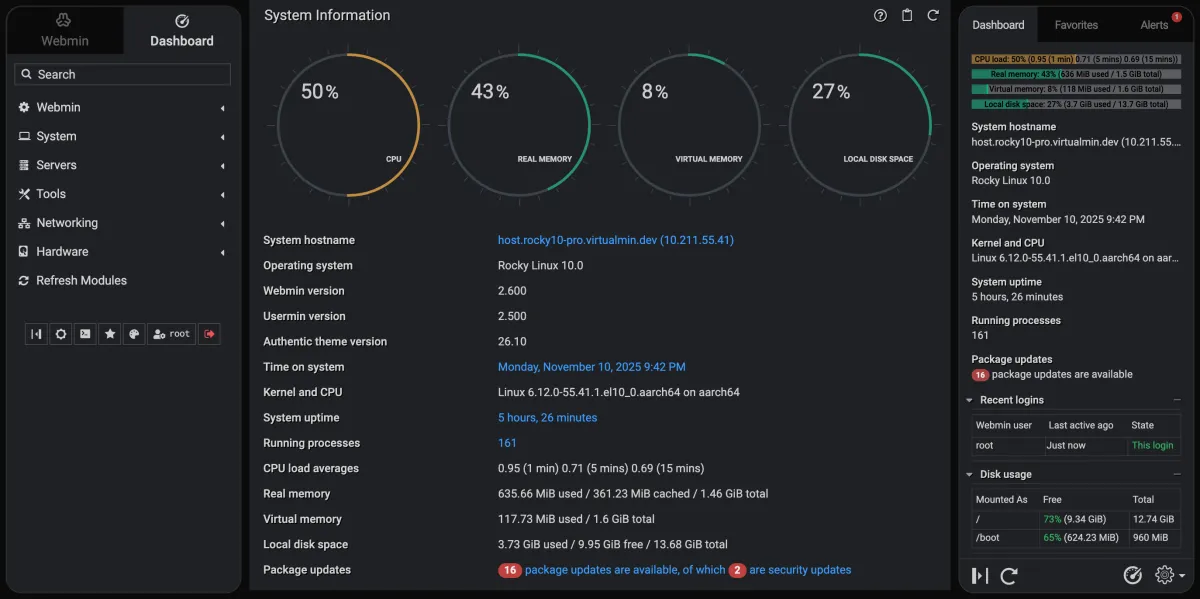
From the browser you manage users, databases, DNS records, scheduled jobs, firewall rules, package updates and SSL certificates without typing a command. Prefer CWP? Choose it at checkout instead, also at no extra charge.
-
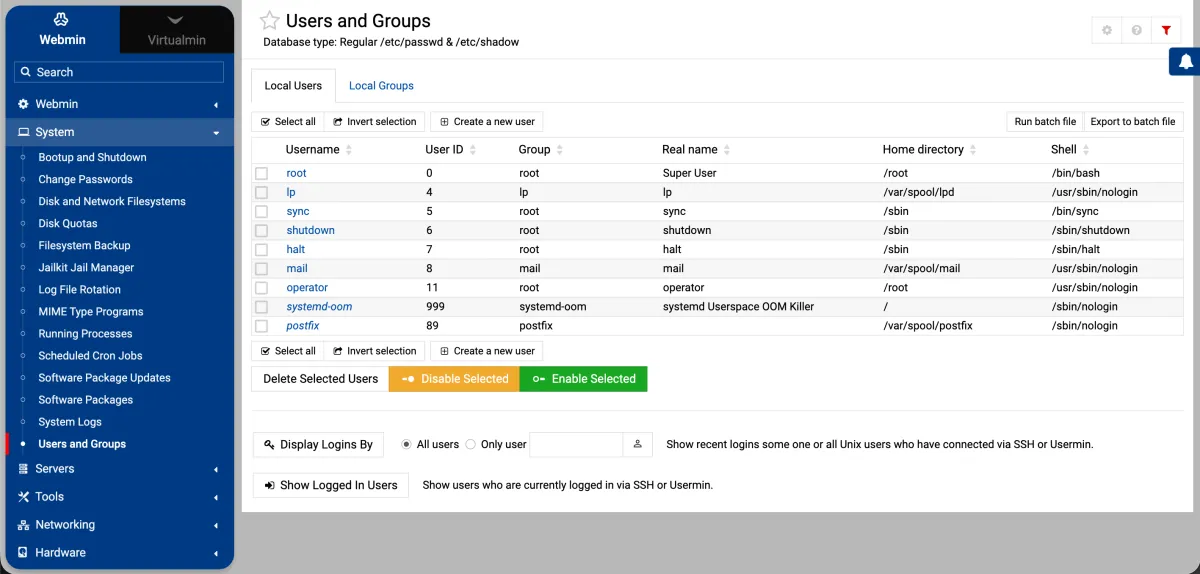
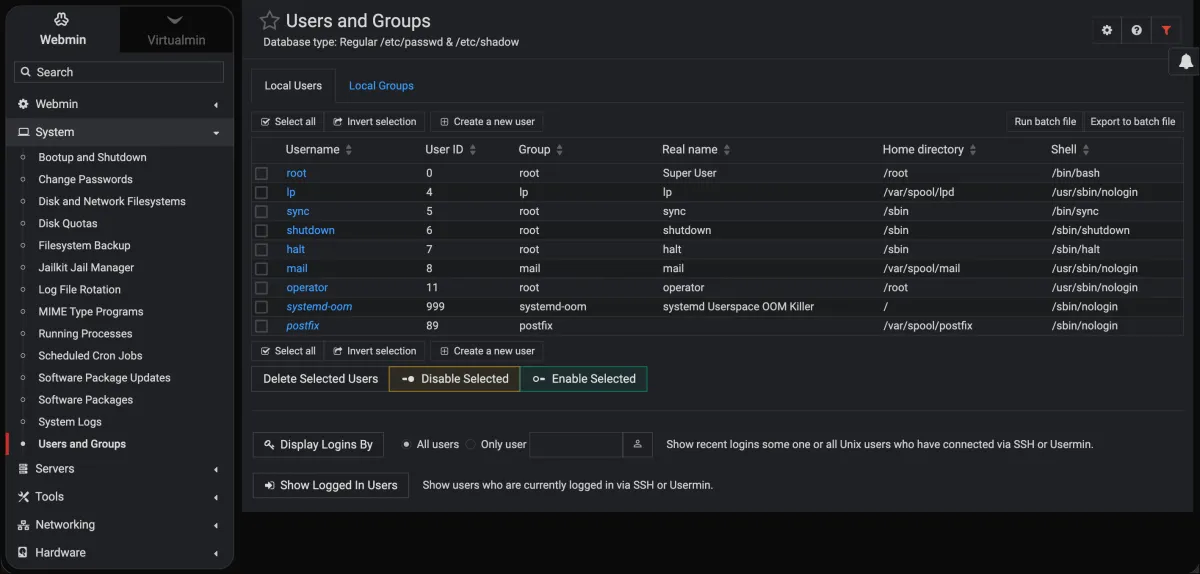
Browser-Based Management: Manage users, databases, DNS, firewall, and SSL visually
-
Webmin or CWP: your choice of panel at checkout, both with no licence fee
-
Open Source Core: Maintained project with no monthly control panel licence fee
-
No Per-Account Fees: Add sites without a per-account panel charge
Same Job, Very Different Invoice.
cPanel is a good product. It is also a licence that scales with the number of accounts you host. For a single server holding a handful of sites, that licence can cost a large share of the server price. Webmin does the same core jobs with no licence fee.
The honest trade is that cPanel is more polished and more familiar, and there are more tutorials written for it. If you are running a hosting business where customers expect to see cPanel, buy cPanel. If you are running your own sites and the panel is a tool rather than a product feature, paying a licence every month is money you do not need to spend.

cPanel / Plesk
Paid licence scaling with account count. The right choice for hosting resellers whose clients expect cPanel.

Webmin
Free and open source with no licence fee. Performs the same core administration tasks with full root control.

Managed Webmin VPS
Webmin's zero licensing cost, combined with Ucartz managing the server and control panel for you.
We Run It. You Still Have the Keys.
Our engineers install the operating system and the panel, apply security patches, configure the firewall and respond when monitoring alerts. You are never locked out: root access and the panel login stay with you.
Most customers log in now and then to add a domain or check a mailbox, and leave everything else to us.
- Panel Installed and Maintained
- Security Patching Applied
- Firewall Configured
- Monitoring and Alerting
- Free Migration In
- Root Access Retained
Why Run Webmin
on This Platform.
The panel is free everywhere. What differs is the machine underneath it and whether anybody answers when it breaks.
- Own KVM Virtual Machine
- Europe or USA
- DDoS Protection
- Free SSL Certificates
- Free Migration
- Engineer Support
Manage Your Server by Asking.
Connect an AI app to your Webmin server and run it in plain English: check disk space, restart a service, find what is slow, add a cron job. No server login, no commands to remember, no cPanel licence to pay for and no team of experts needed for everyday jobs.
- Ask, do not log in. Claude, ChatGPT, Gemini or another MCP-ready AI app talks to Webmin for you.
- Free setup by our engineers. We create the access and send you the exact settings for your server.
- 61 actions, safe by default. Risky actions are blocked until you ask us to allow them.
61 Webmin Actions, in Plain English.
Everything below is a real action in the open-source Webmin MCP server that we set up for you. Ask for it in your own words and the AI app chooses the right one.
Many servers, one chat
Ask: “Which servers are connected, and are they all answering?”
list_webmin_servers, test_server_connection, get_webmin_version
Health and system
Ask: “What is using the most memory right now?”
get_system_info, get_memory_usage, get_system_time, list_runlevels, list_processes
Services
Ask: “Is nginx running? Restart it if it is not.”
list_services, get_service_status, start_service, stop_service, restart_service, enable_service, disable_service
Users and groups
Ask: “Which users exist on this server?”
list_users, list_groups, create_user, modify_user, delete_user, change_password
Scheduled jobs
Ask: “Run my backup script every night at 3 am.”
list_cron_jobs, create_cron_job, edit_cron_job, delete_cron_job
Network
Ask: “What are the network settings of this server?”
get_network_info
Packages and updates
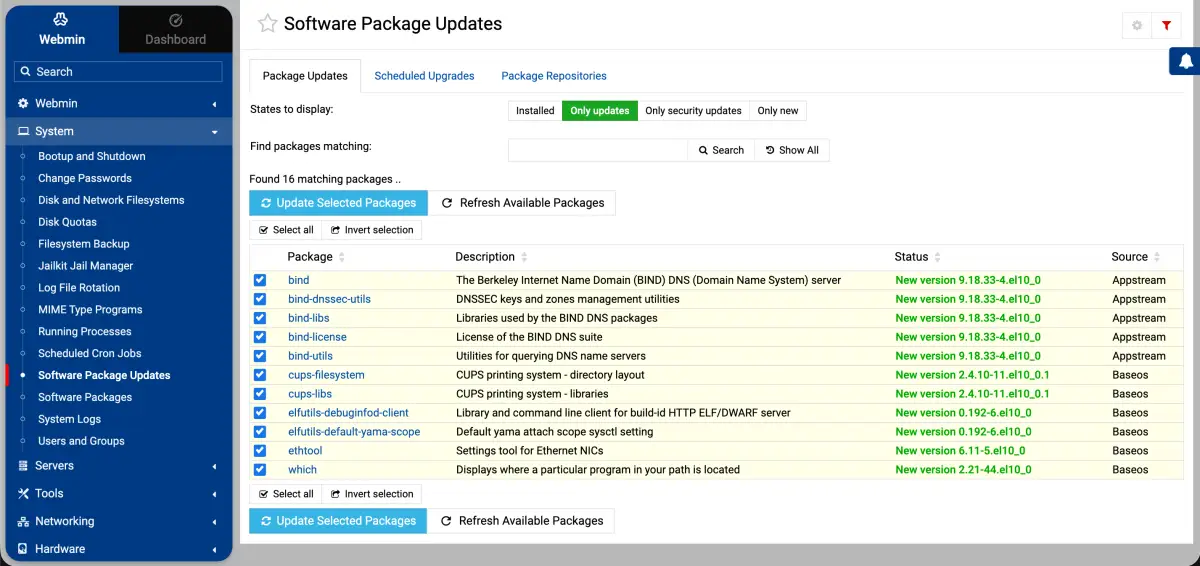
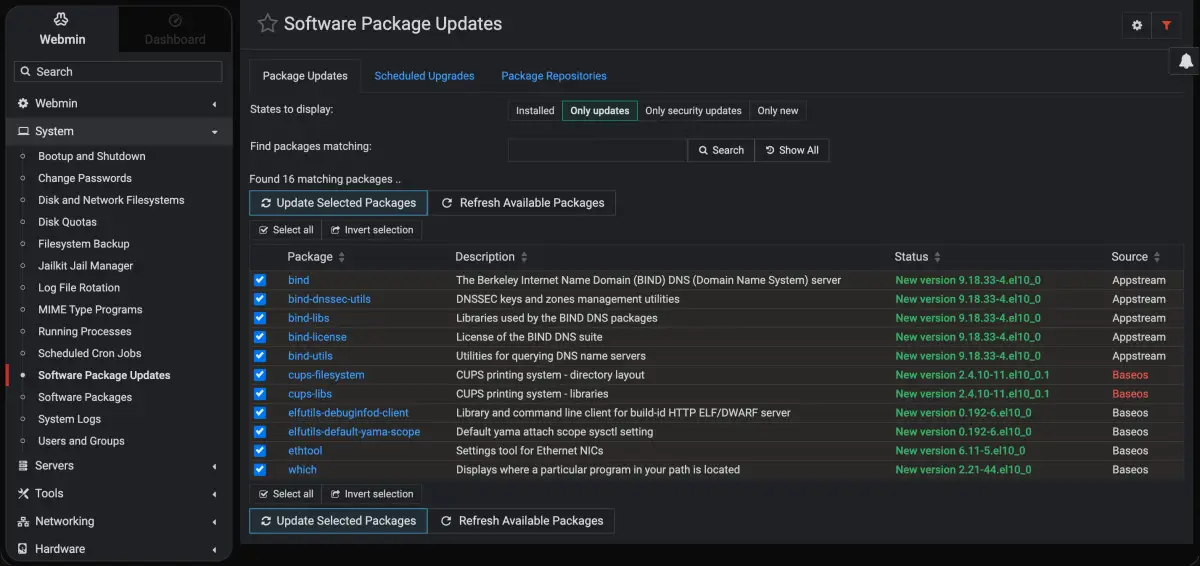
Ask: “Which updates are waiting to be installed?”
get_package_info, list_available_updates, get_package_count
Files
Ask: “Read the nginx config and copy it to a backup file.”
read_file, write_file, delete_file, copy_file, rename_file, create_directory
Disks and storage
Ask: “How full are the disks, and are they healthy?”
get_disk_usage, list_mounts, list_disks, get_disk_health, list_volume_groups, list_logical_volumes
Security
Ask: “Which IP addresses has Fail2Ban banned?”
list_fail2ban_jails, get_fail2ban_status, list_banned_ips, get_ssh_config
MySQL databases
Ask: “List the databases and who can use them.”
list_mysql_databases, list_mysql_users, get_mysql_status
Access, quotas and logs
Ask: “What changed on this server this week?”
Webmin users and modules, disk quotas, list_webmin_logs, list_backups
Safe by default
An AI app should not be able to break your server by accident. Safe mode is on from the start.
- Dangerous actions are blocked: creating or deleting users, changing passwords and deleting cron jobs.
- Critical services cannot be stopped: SSH, Webmin itself, systemd and D-Bus, so you cannot lock yourself out.
- File changes are limited to the /tmp and /var/tmp folders; reading files and checking status always works.
- Need more control? Ask us and we switch safe mode off for your server, only for the actions you want.
Four Steps to Managing Your Server by Chat.
You do not need to be a Linux expert. We do the technical part; you ask the questions.
Order a Managed Webmin VPS
Pick a plan below. Webmin is installed with no panel licence fee.
Ask for your free MCP setup
Send the ticket. We create a dedicated Webmin account for the AI app and prepare your settings.
Add it to your AI app
We send the exact settings for your server and help you add them to Claude, ChatGPT, Gemini or another MCP app.
Ask in plain English
Type what you want done. Check the answer, or open the Webmin panel to see it yourself.
Things people ask their server
| You ask | The AI uses |
|---|---|
| “How much disk space is left on my server?” | get_disk_usage |
| “Is nginx running? If it is stopped, start it.” | get_service_status, start_service |
| “Which package updates are waiting?” | list_available_updates |
| “Show me the IP addresses Fail2Ban has banned.” | list_banned_ips |
| “Create a cron job that runs my backup script at 3 am.” | create_cron_job |
| “List the MySQL databases and their users.” | list_mysql_databases, list_mysql_users |
To run the MCP connection you need an AI app that supports MCP and, on the computer that runs it, Docker or Python 3.11. We check this with you in the setup.
Included with Managed Webmin VPS. See the plans.
Everything You Would Expect
From a Panel.
The day to day tasks that would otherwise mean a terminal session.
Sites, Mailboxes and DNS
Add a domain, create mailboxes, edit DNS records and issue an SSL certificate from the browser, using the panel instead of a terminal session.
Databases and Scheduled Jobs
Create MySQL or PostgreSQL databases, manage users and permissions, and set up scheduled tasks with a form instead of cron syntax.
Users, Firewall and Updates
Manage system users and their permissions, review firewall rules, and see which packages need updating. We handle the patching, but nothing is hidden from you.
Manage installed features and servers
Configure virtual hosts and SSL
Manage tables, users and grants
Mail server routing & domains
Setup IPtables and routing
Choose the Server, the Panel Costs Nothing.
The price you see is the server and the management. Webmin or CWP is chosen at checkout with no licence fee. Pay yearly to save about 7.5%. No setup fee.
| Plan | Memory | Storage | Bandwidth | Price / mo | Order |
|---|---|---|---|---|---|
|
Managed VPS-M4
SMALL SITES
|
4 GB RAM | 80 GB NVMe | 1 TB bandwidth |
$22
/mo
|
|
|
|||||
|
Managed VPS-M6
GROWING SITES
|
8 GB RAM | 150 GB NVMe | 5 TB bandwidth |
$38
/mo
|
|
|
|||||
|
Managed VPS-M8
BUSINESS
|
16 GB RAM | 200 GB NVMe | Unlimited |
$58
/mo
|
|
|
|||||
|
Managed VPS-M16
HIGH TRAFFIC
|
24 GB RAM | 200 GB NVMe | Unlimited |
$72
/mo
|
|
|
|||||
What You Get Back.
The savings are the obvious part. The rest is what makes it worth doing.
- No Panel Licence
- No Per Account Fees
- Open Source, No Lock In
- Choice of Linux Distribution
- Full Root Access
- Managed by Engineers
Where This
Makes Sense.
Whether you're running a personal project or managing infrastructure for clients, Webmin gives you full visual control without the licensing cost.
View Our PlansA Business With a Few Sites
A company website, a landing page or two and company email. You need a panel to manage them, but you are not running a hosting business and a licence is dead weight.
Developers Who Want the Panel Optional
You work in the terminal by choice, but a graphical view of DNS, mail and certificates saves time. Webmin is there when it helps and ignorable when it does not.
Moving Off an Expensive Bundled Panel
Your current host raised prices and the panel licence is the reason. The sites are small, the licence is not.
Anyone Who Wants a Managed Server
You want the site up and somebody else responsible for the operating system. The panel is how you check things without needing a system administrator.
Yearly Billing Costs Less.
Managed VPS-M4 is $244.20 a year instead of $264 when you pay monthly. Every plan saves about 7.5% on yearly billing.
- Managed VPS-M4$244.20/yr
- Managed VPS-M6$421.80/yr
- Managed VPS-M8$643.80/yr
- Managed VPS-M16$799.20/yr
Three Steps to a Running Server.
From order to your first site, managed from day one.
Choose a Plan
Tell us how many sites and mailboxes you need, and we’ll point you toward the right tier with the features and flexibility you need.
We Build It
The operating system, Webmin or CWP, the firewall and SSL are configured before the server is handed over.
Add Your Sites
Log in to the panel and add domains yourself, or send us your current host's details and we will bring everything across.
Yes, We Can Move
Your cPanel Sites.
Yes. Sites, databases, mailboxes and DNS records move from a cPanel server onto Webmin, and migration is free on these plans when you ask within 30 days of signup.
It is not a single button, because the two panels store things differently, but it is routine work and our engineers do it for you. Send us the details of the server you are leaving and we will tell you honestly what moves cleanly and what needs attention.
Hosting that carries your brand, not ours.
Build sites for clients or run your own business: nothing your visitors or clients see points back to Ucartz.
No Ucartz branding
Our name appears nowhere your customers can see: not in cPanel, the nameservers or the hostnames.
White-label hostnames
Your services run on neutral, white-label hostnames, never on a Ucartz domain, so customers only ever see your brand.
Built for agencies
Host client websites and bill them as your own service.
Resell it freely
You can resell the hosting you buy from us under your own name.
Every Ucartz service is 100% white label. Hosting, radio and video streaming run on white-label hostnames, and anything you buy from us, Hire an Expert work included, can be resold or outsourced under your own name.
Real Feedback From the Businesses We Support
See how our engineering support and infrastructure keep real businesses online.
Fully managed Webmin VPS, with experts on call for more
Our team runs the day-to-day on your Webmin VPS: updates, security, monitoring and fixes. When you want something new built, the same engineers take it on as a one-time project, without a new contract.
Management included
Management is included: OS and panel updates, security hardening, monitoring, backups guidance and troubleshooting handled by our engineers.
What is included →Plug-and-play expert help
Migrations, performance tuning, custom stacks or extra admin hours. From $8 per 15 minutes or $28 per hour, billed only when you use it.
See on-demand support →AI, automation & custom builds
Add AI and automation to your business: private LLMs, n8n workflows, API integrations and internal tools, built on infrastructure we already manage.
Plan a project →Frequently Asked Questions
Quick answers about the plans, support and billing.
Stop Paying Rent on a Control Panel
Tell us what you are running now. Migration to a Managed Webmin VPS is free.