
Short answer: for most web design and marketing agencies, white-label cPanel reseller hosting is the simplest base. You get WHM to create one cPanel account per client, your own brand and nameservers, and a host that runs the servers for you. What makes it work long term is discipline: keep every client in a separate account, register domains in the client’s name, set up email authentication per domain, and keep a clean handover pack ready for the day a client leaves. When you need root access or a custom stack, move up to a managed VPS or a server of your own.
Your options as an agency
| Reseller hosting | Managed cPanel VPS | Self-managed VPS or dedicated | |
|---|---|---|---|
| Who runs the server | The host | The host | You |
| Your control panel | WHM with reseller rights, cPanel per client | WHM, cPanel per client | Whatever you install |
| Root access | No | Depends on the provider | Yes |
| Resources | Shared server, limits per account | Your own VPS | Your own VPS or machine |
| Best for | Most agencies with standard WordPress or PHP sites | Busier clients, or more accounts than a reseller plan allows | Agencies with in-house server skills or custom stacks |
You can mix them: most clients on reseller hosting, and the one busy shop on its own VPS.
Give every client their own account
It is tempting to put all client sites into one cPanel account as addon domains. Don’t. cPanel describes its Domains interface as a way to manage multiple domains from a single cPanel account, so the sites share one login and one set of files. If one client’s outdated plugin is exploited, the attacker can reach the files of every other site in that account, and you cannot hand one site over without untangling it from the rest.
Separate accounts fix all three problems. On CloudLinux servers each account also lives in its own CageFS environment; according to the CloudLinux documentation, users cannot see other users or their processes. In practice:
- Create packages in WHM with the disk, bandwidth, email and database limits you sell, such as “Starter” and “Business”. See how to create a package in WHM.
- Create one cPanel account per client with the right package; see creating a cPanel account in WHM. According to cPanel, the user name must be unique, 16 characters or fewer, lower-case letters and numbers only, and cannot start with a number or the string
test. - Give each client their own cPanel login if they want one, instead of sharing yours.
What white label covers
White-label hosting means your clients see your agency, not your host. Three places matter:
- Nameservers. Clients point their domains to
ns1.youragency.comandns2.youragency.com. Because those names sit inside your own domain, the registry must also hold their IP addresses as glue records. RFC 9471 describes glue as what lets resolvers find name servers that are inside the zone they serve. Our guide to setting up private nameservers covers the steps. - The control panel. cPanel’s Customization interface lets you upload your logo and favicon, set your colours and change the help links. It changes cPanel, not WHM, and your host decides whether resellers can use it.
- Billing and support. Invoices come from you, and clients contact you first. Agree with your host what they handle behind the scenes.
You can check the glue for your nameservers by asking the registry’s servers directly. For a .com domain, use a.gtld-servers.net; for other endings, find the registry’s servers with dig +short NS org (replace org with your ending). This is what the .org registry returned for wordpress.org, which runs its own nameservers (output shortened):
dig +norec @a2.org.afilias-nst.info NS wordpress.org

;; AUTHORITY SECTION:
wordpress.org.      3600  IN  NS  ns1.wordpress.org.
wordpress.org.      3600  IN  NS  ns2.wordpress.org.
...
;; ADDITIONAL SECTION:
ns1.wordpress.org.  3600  IN  A     198.181.116.10
ns1.wordpress.org.  3600  IN  AAAA  2a04:fa87:ffff::c6b5:740a
...
The ADDITIONAL SECTION holds the glue. If your nameservers are listed without addresses there, ask your domain registrar to register the child nameservers.
Keep ownership clear
- Register domains in the client’s name. The registrant is the person or company the domain belongs to. ICANN’s page on registrants’ benefits and responsibilities says the registrant must give accurate contact details and keep them up to date. You can still manage the domain for them; you just do not own it.
- Keep a record per client. Domain registrar and renewal date, DNS host, cPanel account name, email service, any paid plugins and who pays for them.
- Use named logins, not shared passwords. If your host’s cPanel licence includes it, cPanel’s Manage Team feature adds team users with their own logins to one account. cPanel notes it is available only on some licence types, so ask your host.
Email and backups, per client
Each client domain needs its own SPF and DKIM records, and a DMARC record is best practice too. Google’s sender guidelines warn that mail which does not meet them may be marked as spam or not delivered. cPanel’s Email Deliverability page shows the status per domain; see how to check and fix SPF and DKIM in cPanel. Remember that a domain may have only one SPF record: when a client adds a newsletter tool, merge it into the existing record.
For backups, the advantage of one account per client is that a full backup of that account holds exactly one client’s files, databases and email settings. It is also the cleanest handover when a client moves on. cPanel’s documentation notes that a full backup cannot be restored automatically from cPanel itself, only from WHM, so ask your host how restores work for reseller accounts. See how to download and restore a full cPanel backup.
An agency hosting checklist
- One cPanel account per client, on a package that matches what you sell.
- Private nameservers with glue records, and your branding in cPanel where your host allows it.
- Domains registered in each client’s name, with renewal dates in your calendar.
- SPF, DKIM and DMARC checked for every client domain.
- Free SSL confirmed on every domain and subdomain.
- A staging copy for big updates; see how to create a WordPress staging site.
- A handover pack ready for each client: full backup, logins, DNS records and domain transfer steps.
Reseller hosting at Ucartz
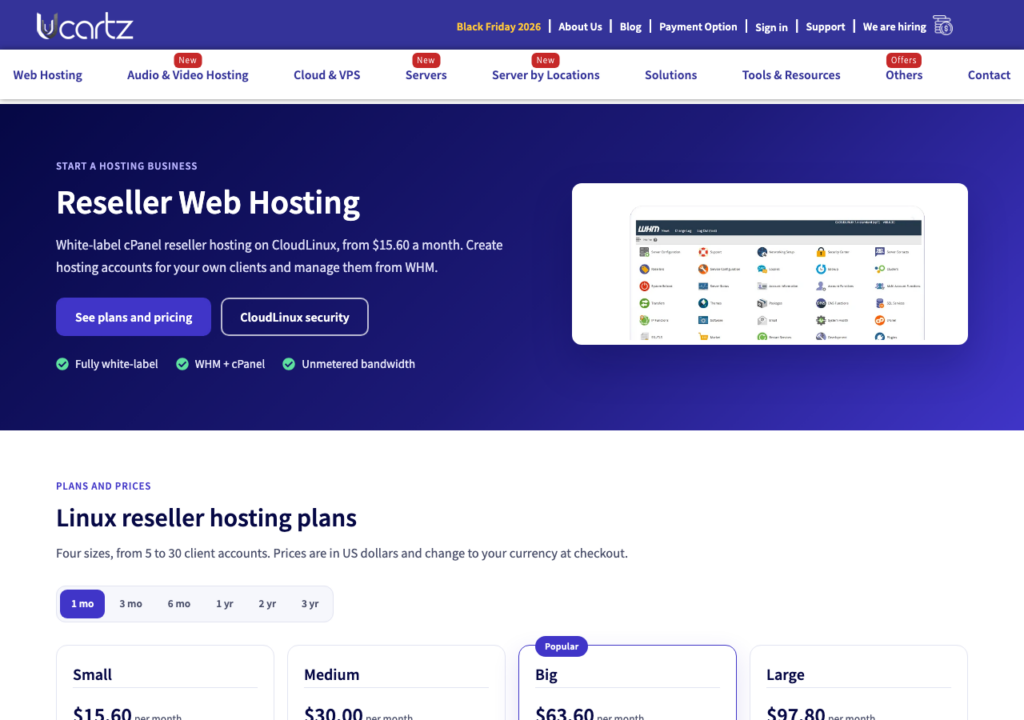
Our reseller hosting is fully white-label: your clients see your brand, not ours. You create and manage client accounts in WHM, each client gets their own cPanel, and the servers run CloudLinux with CageFS, HardenedPHP and SecureLinks to keep accounts apart. Every domain can use a free SSL certificate, clients can install WordPress and more than 300 other apps with Softaculous, and bandwidth is unmetered. Plans range from 5 to 30 cPanel accounts. Free Basic Managed Support covers quick tasks, our engineers can move client sites for you by the task or hour. Your first purchase of reseller hosting comes with a 30-day money-back guarantee (paid expert work is not covered).