
Quick Answer: You do not automatically need a dedicated server to run an online radio station. A VPS can be enough for many stations, while a dedicated server becomes more useful when your listener count, number of stations, AutoDJ workloads or resource requirements grow.
If you’re starting an online radio station, one of the first technical decisions is choosing where the radio stream will run.
You may come across terms such as shared radio hosting, VPS, dedicated server hosting, SHOUTcast, IceCast, AutoDJ and Centova Cast and wonder which one you actually need.
If you’re using Centova Cast, its current system requirements state that the control panel can run on a modern dedicated server or VPS with 512 MB or more of RAM, while the actual resource requirements depend heavily on streaming, bandwidth and AutoDJ workloads.
What Does an Online Radio Server Actually Do?
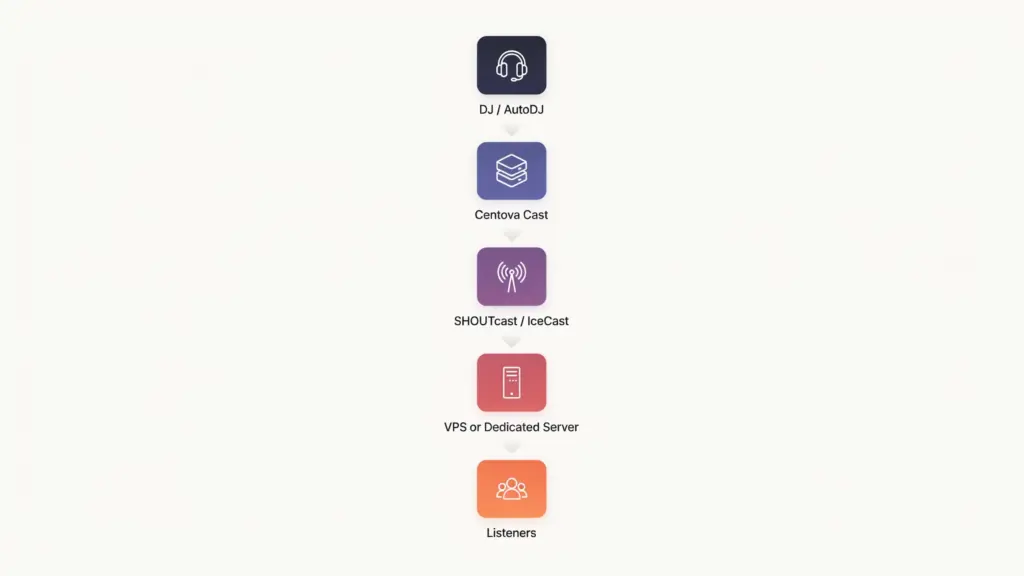
Before comparing KVM VPS hosting and dedicated servers, it’s important to understand what you’re paying for. An online radio setup can contain several different components:
Centova Cast → manages the station
SHOUTcast or IceCast → handles the audio stream
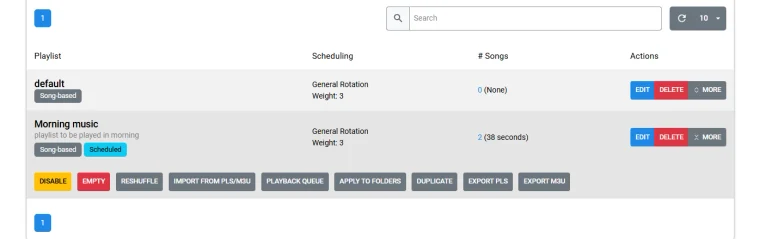
AutoDJ → plays music automatically from the server
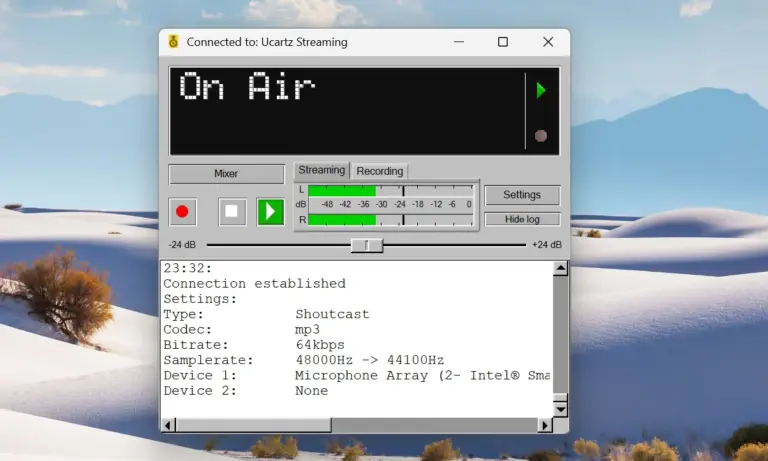
Live broadcasting software → allows a DJ to send live audio from a computer
Bandwidth → delivers the stream to listeners
Centova Cast itself is primarily a control panel. Centova’s documentation explains that the actual streaming is handled by SHOUTcast or IceCast, while source software such as an AutoDJ is responsible for feeding audio into the streaming server.
This distinction matters because your server requirement isn’t determined by Centova Cast alone.
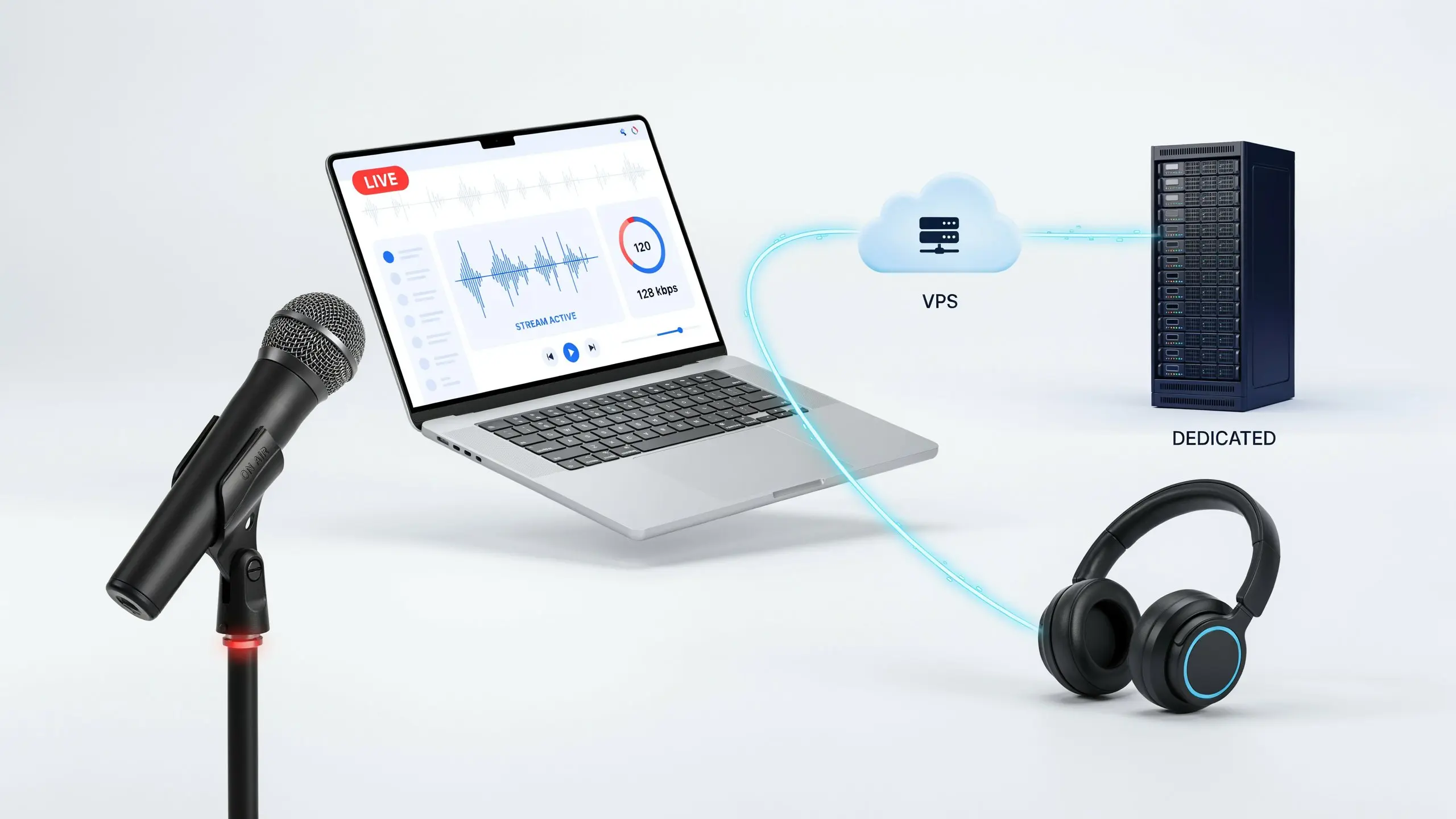
VPS vs Dedicated Server
What Is a VPS?
A Virtual Private Server (VPS) is a virtualized server environment that gives you allocated resources on a physical machine. You share the physical hardware with other VPS customers, but your VPS operates as its own server environment. For an online radio setup, a VPS can provide:
- Dedicated virtual resources
- Root/server-level access
- Linux operating system
- Configurable software
- Ability to install Centova Cast
- Ability to run SHOUTcast or IceCast
- Storage for AutoDJ media
- Network connectivity for listeners
Centova Cast specifically states that it requires a VPS or dedicated server with root access when you install and operate the software yourself.
What Is a Dedicated Server?
A dedicated server gives you the entire physical server rather than a virtual portion of one. You don’t share the physical machine’s CPU and RAM with other VPS customers. That can be useful when your radio operation has substantially higher resource requirements. For example, you might move to dedicated infrastructure when you’re running:
- Multiple radio stations
- Many AutoDJ instances
- High listener volumes
- Multiple simultaneous streams
- Resource-intensive audio processing
- Large media libraries
- Additional applications alongside the radio infrastructure
But dedicated doesn’t automatically mean better for every radio station. If your station has a small audience and modest requirements, paying for an entire physical server may simply give you resources you aren’t using.
Do You Need a VPS to Start an Online Radio Station?
Not necessarily. If you’re buying managed radio hosting, the hosting provider may already provide the server infrastructure, Centova Cast, AutoDJ, streaming software and other components as part of your radio hosting plan. In that situation, you don’t need to rent and configure your own VPS. You simply receive access to your radio station control panel. The distinction is:
Option 1 – Managed Radio Hosting
→ Radio hosting provider
→ Centova Cast
→ SHOUTcast/IceCast
→ Listeners
The provider manages the underlying infrastructure.
Option 2 – Your Own VPS
→ VPS
→ Install/configure Centova Cast
→ Install/configure SHOUTcast/IceCast
→ Configure AutoDJ
→ Manage security and updates
→ Manage bandwidth
→ Manage listeners
This gives you more control, but also more responsibility.
When Is a VPS Enough for Online Radio?
A VPS can be a sensible choice when you’re starting with a small or growing station. For example, imagine: Morning show + AutoDJ + occasional live broadcasting + a few dozen or a few hundred listeners. You may not need an entire physical server.
The streaming server itself can be relatively lightweight. Centova’s documentation notes that streaming server software such as SHOUTcast and IceCast generally uses modest CPU and memory resources, while bandwidth can become the more important constraint.
A VPS can therefore be suitable when:
- You operate one or a small number of stations
- Listener numbers are moderate
- Your AutoDJ workload is manageable
- You have sufficient bandwidth
- You don’t need the entire physical machine
- You are comfortable managing a server, or your provider manages it
When Should You Consider a Dedicated Server?
A dedicated server becomes more interesting when your radio operation has grown beyond a small setup. For example:
You operate multiple stations
Imagine you’re running:
- Malayalam Radio
- Hindi Radio
- English Radio
- Business Radio
- Music Radio
Each station may require its own stream and resources. The combined workload can become significantly larger than a single-station setup.
You have heavy AutoDJ usage
This is important. The streaming server itself may not consume huge amounts of CPU, but server-side AutoDJ can change the resource picture. Centova explains that AutoDJ software can be CPU-intensive, particularly when audio needs to be re-encoded or processed.
So if you’re running many AutoDJ-enabled stations, CPU capacity becomes much more important.
Your listener base is growing
Streaming audio consumes bandwidth based on factors including:
- Stream bitrate
- Number of listeners
- Number of streams
Centova provides a simple maximum-bandwidth calculation: Stream bitrate × maximum listeners.For example:128 kbps × 100 listeners = 12,800 kbps.That’s approximately 12.8 Mbps of stream bandwidth for that scenario. As your audience grows, bandwidth planning becomes increasingly important.
Bandwidth May Matter More Than CPU
This is one of the biggest things beginners misunderstand. Someone might look at a server and think: “I need a powerful CPU because I’m streaming.” Not necessarily. For the streaming-server component, bandwidth can become the limiting factor long before CPU or RAM.
Consider: 128 kbps stream with 500 simultaneous listeners .The theoretical stream bandwidth is:128 × 500 = 64,000 kbps or approximately: 64 Mbps. That’s before accounting for overhead and other traffic. Now imagine multiple stations. The requirement increases further.
What About AutoDJ?
AutoDJ is another reason you shouldn’t choose a server purely based on listener count. With live broadcasting, your computer can send the audio directly to the streaming server. For example: DJ microphone
→ BUTT
→ Streaming server
→ Listeners
But with AutoDJ: The server isn’t generating the music.
Music files
→ AutoDJ on server
→ SHOUTcast/IceCast
→ Listeners
The server is now responsible for processing and delivering the automated source. Centova’s documentation describes server-side AutoDJ as a source that reads media stored on the server and feeds it to the streaming server. That can increase CPU and storage requirements.
VPS vs Dedicated Server for AutoDJ
| Requirement | VPS | Dedicated Server |
|---|---|---|
| Starting one station | Usually suitable | Often unnecessary |
| Small listener base | Usually suitable | Usually excessive |
| Moderate growth | Can be suitable | Suitable |
| Multiple stations | Depends on resources | Often more suitable |
| Heavy AutoDJ workload | Depends on CPU allocation | Stronger option |
| Large media library | Depends on storage | More flexible |
| High resource isolation | Limited to VPS allocation | Full physical machine |
| Server management | Required unless managed | Required unless managed |
| Cost | Generally lower | Generally higher |
The important word in the VPS column is depends. There is no universal listener number at which everyone must move from VPS to dedicated. Your actual workload matters.
What About Centova Cast?
If you’re specifically planning to use Centova Cast, the choice becomes clearer.
Centova Cast’s current documentation states that it is designed for Linux-based servers and supports platforms including Debian Stable and AlmaLinux/Rocky Linux versions listed in its current requirements. It also supports SHOUTcast and IceCast streaming servers.
Centova also states that the control panel itself has minimal requirements and that a modern VPS or dedicated server with 512 MB+ RAM can run it.
Your complete workload may also include:
- SHOUTcast/IceCast
- AutoDJ
- Music storage
- Multiple stations
- Listener connections
- Logs
- Other services
So size the server for the complete workload, not just the control panel.
Do You Need Root Access?
If you’re installing Centova Cast yourself, yes, this is important. Centova Cast’s knowledge base says that Centova Cast requires a dedicated server or VPS with root account access. This is one reason ordinary shared web hosting isn’t the same thing as a VPS for radio infrastructure. A shared WordPress hosting account might be perfectly good for your website. It isn’t automatically suitable for installing and operating your own Centova Cast radio server.
What About Shared Radio Hosting?
For beginners, managed radio hosting can actually be the easiest option. Instead of worrying about:
- Linux
- Server configuration
- Centova installation
- SHOUTcast/IceCast configuration
- AutoDJ setup
- Firewall rules
- Server updates
- Resource monitoring
you access a ready-made radio hosting environment. You might receive:
Centova Cast
↓
AutoDJ
↓
Live broadcasting
↓
Web player
↓
Listener stream
This is often more practical if your primary goal is running the radio station, not becoming the server administrator.
When Should You Upgrade?
Monitor your actual station. Look at:
- CPU usage
- RAM usage
- Disk usage
- Bandwidth usage
- Listener count
- Number of streams
- AutoDJ workload
- Connection stability
If your VPS is handling your workload comfortably, there may be no reason to move. If you consistently encounter resource constraints, then investigate what is actually causing the bottleneck.
CPU problem- Your AutoDJ workloads may need more processing capacity.
Bandwidth problem- Your listener base or stream bitrate may be consuming more network capacity.
Storage problem- Your AutoDJ media library may be growing.
RAM problem- Your combination of services may require more memory.
Simple Decision Framework
Use this as a starting point.
Choose managed radio hosting if: You want to launch quickly and don’t want to manage server infrastructure.
Choose a VPS if: You want more control, are running a small-to-growing station, and have enough allocated CPU, RAM, storage and bandwidth.
Consider a dedicated server if: You’re operating a larger radio infrastructure with multiple streams, heavier AutoDJ workloads or resource requirements that justify an entire physical server.
Example: Three Radio Stations
Station A
50 listeners
One stream
One AutoDJ
A VPS could be perfectly reasonable.
Six months later:
Station A: 300 listeners
Station B: 200 listeners
Station C: 500 listeners
Now you’re managing:
- Multiple streams
- Multiple AutoDJ instances
- More listener traffic
- More media
- More monitoring
At that point, you should evaluate whether your existing VPS has enough resources or whether moving to a larger VPS or dedicated server makes financial and technical sense.
The important point is that growth not the label “professional radio station” should drive the upgrade decision.
VPS or Dedicated Server
The best server is one that provides enough CPU, RAM, Storage, Bandwidth, Network capacity for your actual workload at a reasonable cost.
For a new station, starting with a manageable VPS or managed radio hosting plan can reduce unnecessary infrastructure costs.
As your audience and station portfolio grow, you can monitor your resource usage and scale accordingly.
Final Checklist Before Choosing Your Radio Hosting
Before purchasing, ask the hosting provider:
- Does the plan support Centova Cast?
- Is root access available if I need to install it myself?
- Is SHOUTcast or IceCast supported?
- Is AutoDJ included?
- How much storage is available?
- How much bandwidth is included?
- Is there a listener limit?
- What maximum bitrate is supported?
- Can I host multiple streams?
- Is server management included?
- What happens if I exceed my resources?
- Can I upgrade the VPS later?
- Is migration assistance available?
Conclusion
You don’t need a dedicated server simply because you’re starting an online radio station. For many small and growing stations, a properly sized VPS or managed radio hosting service can provide enough infrastructure for Centova Cast, SHOUTcast/IceCast, AutoDJ and live broadcasting.
A dedicated server becomes more relevant when your workload grows: multiple stations, heavier AutoDJ processing, larger media libraries, higher listener volumes or resource requirements that justify having an entire physical machine.
The most important thing is to understand what is actually consuming your resources. Centova Cast itself is relatively lightweight. The streaming servers, AutoDJ workloads and especially bandwidth requirements can have a much bigger impact on the infrastructure you need.
Start with what your station needs, monitor it, and scale when the numbers justify it. Start your online radio station with Ucartz Radio Hosting and focus on broadcasting.
FAQ
1. Do I need a VPS to start an online radio station?
No. If you use managed radio hosting, the provider can handle the underlying server infrastructure. A VPS becomes relevant when you want more control over your radio server and software.
2. Is a VPS or dedicated server better for online radio?
Neither is automatically better. A VPS can be suitable for a small or growing station, while a dedicated server can make more sense for larger workloads, multiple stations, higher listener volumes or heavier AutoDJ processing.
3. How many listeners can a VPS support?
There is no universal listener limit. It depends on the stream bitrate, available bandwidth, number of streams and server resources. For example, a 128 kbps stream with 100 simultaneous listeners requires approximately 12.8 Mbps of stream bandwidth before overhead.
4. Does Centova Cast require a VPS or dedicated server?
If you’re installing Centova Cast yourself, Centova’s requirements specify a VPS or dedicated server with root access. Managed radio hosting can remove the need for you to manage the underlying server yourself.
5. Does AutoDJ require more server resources?
It can. AutoDJ processes and plays media from the server, and workloads such as audio re-encoding can increase CPU usage. Multiple AutoDJ stations may therefore require more resources.
6. Is a VPS enough for Centova Cast and AutoDJ?
It can be, depending on the number of stations, listeners, AutoDJ workload, storage and bandwidth requirements. The VPS should be sized for the complete workload rather than Centova Cast alone.