
When you connect Google Sheets, Gmail, or any Google service inside n8n, the OAuth flow redirects back to your n8n instance using a callback URL. If that URL uses a raw IP address or plain HTTP, Google blocks it; no fallback, no partial access.
The rejected URL looks like this: http://<vps-ip>/rest/oauth2-credential/callback
Google enforces three strict rules on callback URLs:
- The URL must use a public registered domain not a raw IP address.
- The URL must use HTTPS not plain HTTP.
- The domain must be publicly reachable with a valid SSL certificate.
A raw IP like <vps-ip> fails all three. Google treats it as an untrusted endpoint and blocks the redirect. The correct callback URL for a properly configured instance is:
To make that URL work, you need four things aligned: DNS pointing to your VPS, port 5678 open, correct n8n environment variables, and an Nginx reverse proxy handling HTTPS.
Diagnose Where Traffic Stops Before You Fix Anything
Most failures come from one of three layers: the server (n8n not running), the network (firewall or DNS), or configuration (wrong environment variables). Test in this order to pinpoint the issue.
Test 1 – Does n8n respond on IP?
Open this in your browser: http://<vps-ip>:5678
If the n8n login screen loads, the container is running and the server is reachable. The problem is in DNS, Nginx, or config. If you get a timeout or connection refused, the container is down or port 5678 is blocked.
Test 2 – Does DNS resolve to your VPS?
Run from your local terminal.I did like this:
ping binila.n8n.ucartz.comThe response must show <vps-ip>. If it shows a different IP or fails, your DNS A record is missing or wrong. Add this record in your DNS panel:
| Field | Value |
|---|---|
| Type | A |
| Name | binila.n8n |
| Value | <vps-ip> |
| TTL | Auto or 300 |
Wait 5–10 minutes, then run the ping again.
Test 3 – Is port 5678 open?
ufw statusIf 5678 is not listed as ALLOW, open it:
ufw allow 5678
ufw reload
Cloud providers like Ucartz have their own firewall layer separate from UFW. Log into your VPS dashboard and add an inbound TCP rule for port 5678 from 0.0.0.0/0. UFW alone is not enough.
Test 4 – Does the domain reach n8n with port?
http://binila.n8n.ucartz.com:5678If this loads n8n, DNS and firewall are correct. The only remaining step is Nginx + SSL to handle standard HTTPS traffic.
Set Correct n8n Environment Variables
n8n workflow automation uses environment variables to generate webhook URLs and OAuth callback addresses. If these are wrong, every external integration Google, Stripe, Slack gets incorrect URLs.
SSH into your server and go to your n8n directory:
ssh root@<vps-ip>
cd /opt/n8n
Edit your docker-compose.yml and update the environment section:
environment:
-N8N_HOST=binila.n8n.ucartz.com
-N8N_PROTOCOL=https
-WEBHOOK_URL=https://binila.n8n.ucartz.com/
-N8N_SECURE_COOKIE=true
The trailing slash on WEBHOOK_URL is required. n8n appends webhook/id directly to this value. Without it, webhook URLs are malformed.
Apply the changes:
docker-compose down
docker-compose up -d
Testing without HTTPS yet? Use N8N_PROTOCOL=http, WEBHOOK_URL=http://binila.n8n.ucartz.com:5678/, and N8N_SECURE_COOKIE=false. This lets you access n8n via the domain temporarily. Google OAuth will still fail until HTTPS is live but it helps confirm DNS and proxy are working.
Install Nginx Reverse Proxy with SSL
Nginx handles HTTPS termination and forwards traffic from port 443 to n8n on port 5678. Without this, your domain cannot serve HTTPS, and Google OAuth never works.
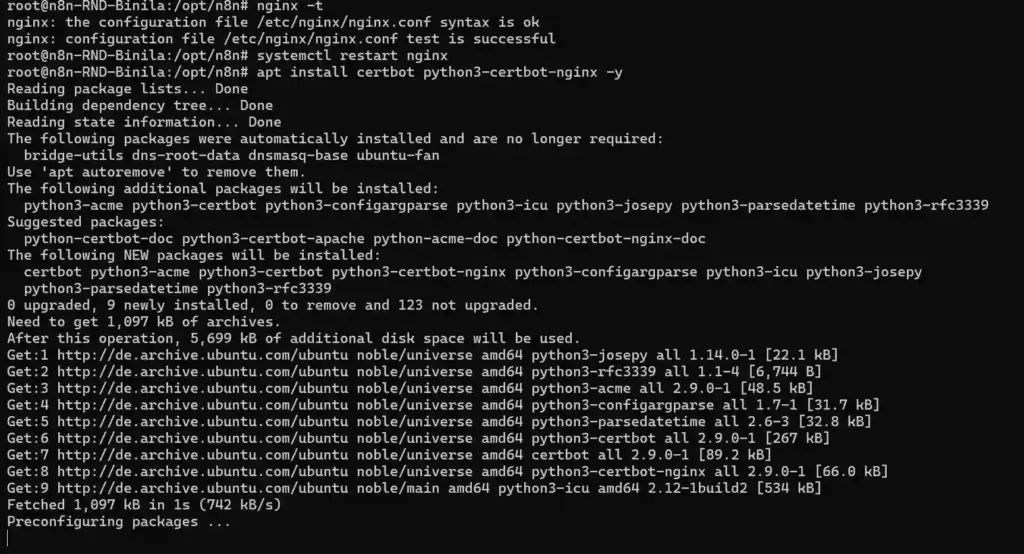
Install Nginx and Certbot
apt update
apt install nginx certbot python3-certbot-nginx -y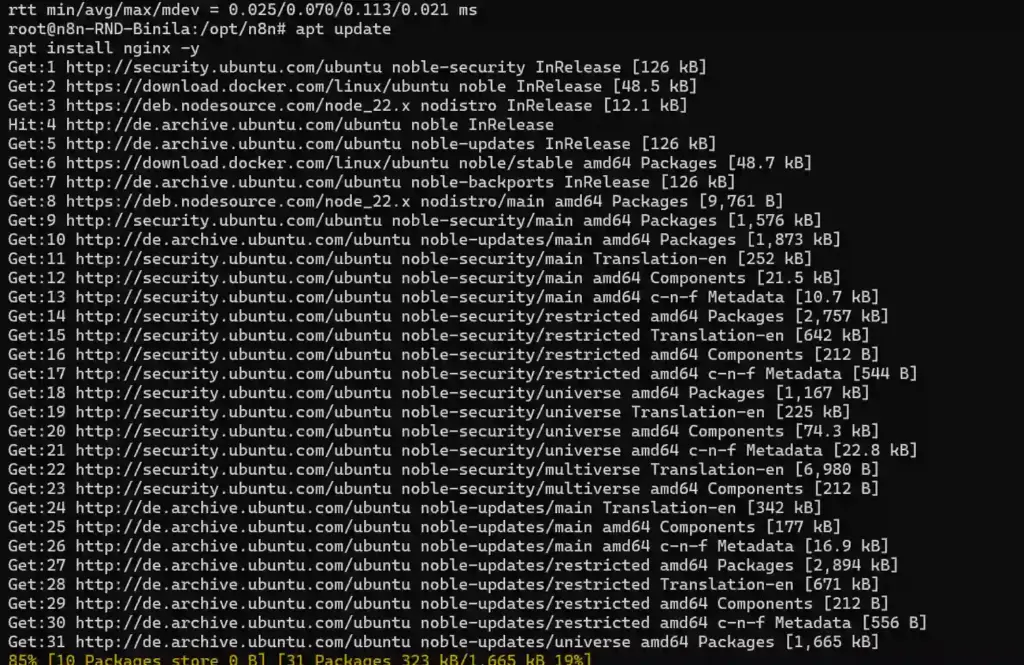
Create Nginx Config
nano /etc/nginx/sites-available/n8nAdd this configuration:
server {
listen 80;
server_name binila.n8n.ucartz.com;
location / {
    proxy_pass http://localhost:5678;
    proxy_http_version 1.1;

    proxy_set_header Upgrade $http_upgrade;
    proxy_set_header Connection 'upgrade';

    proxy_set_header Host $host;
    proxy_cache_bypass $http_upgrade;

    proxy_set_header X-Real-IP $remote_addr;
    proxy_set_header X-Forwarded-For $proxy_add_x_forwarded_for;
}}
Enable and Test Config
ln -s /etc/nginx/sites-available/n8n /etc/nginx/sites-enabled/
nginx -t
systemctl restart nginx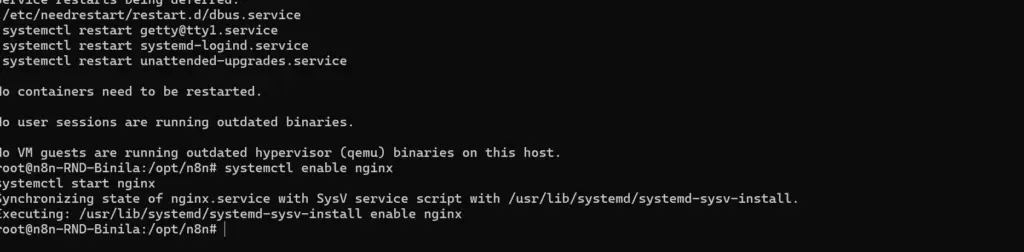
Issue SSL Certificate
certbot --nginx -d binila.n8n.ucartz.comCertbot prompts for your email and installs the certificate automatically. After it finishes, open your browser and go to:
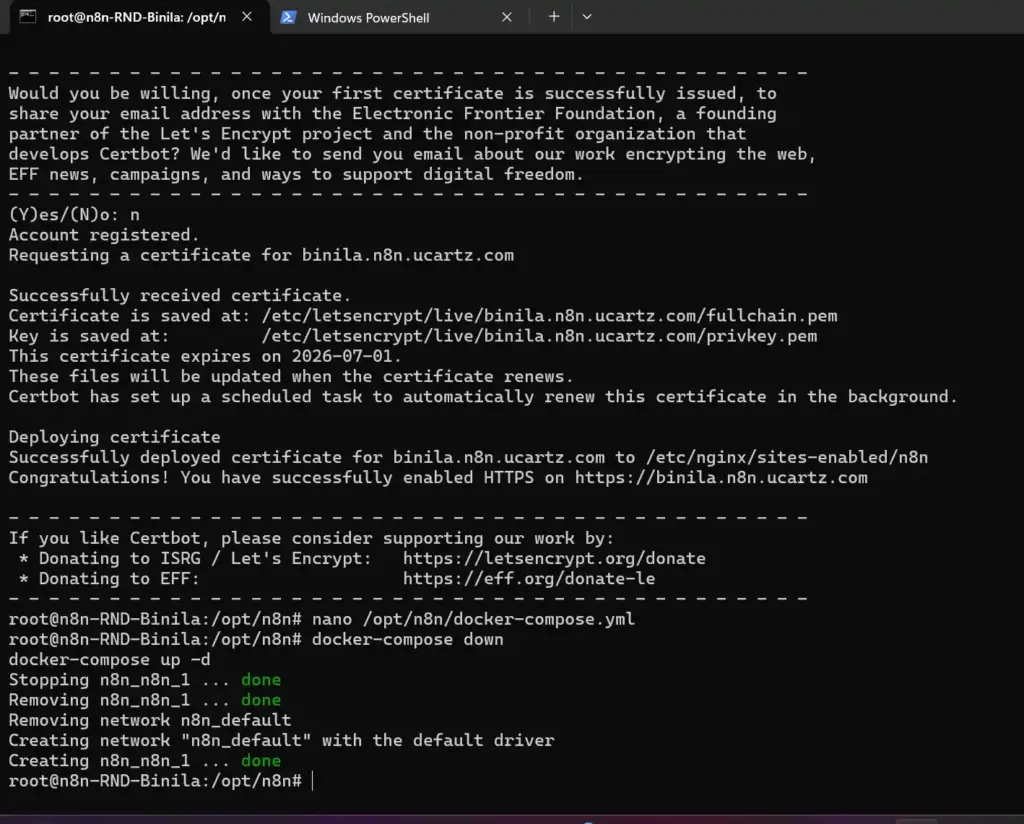
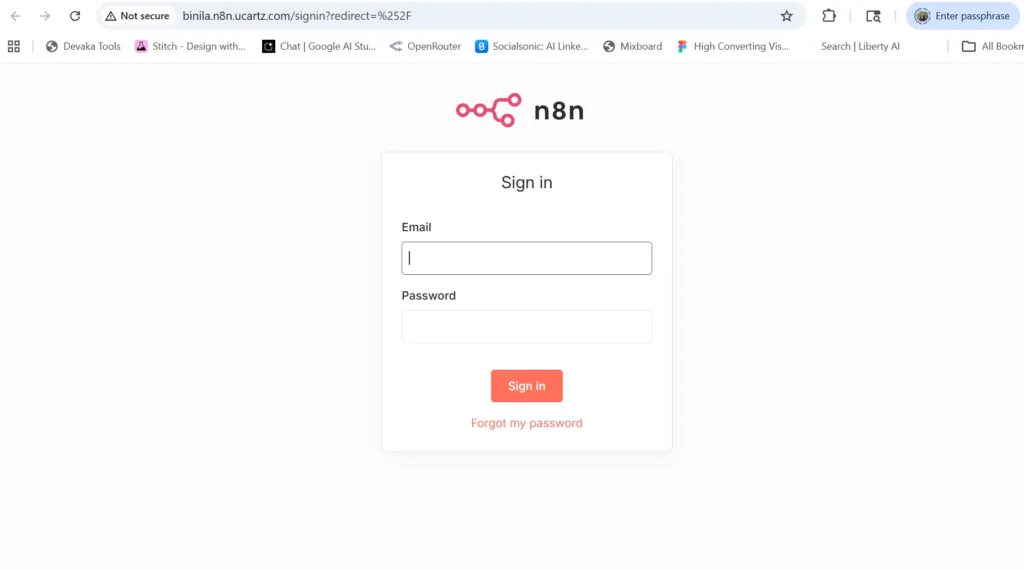
You should see the n8n login screen with a valid SSL padlock. If you do, Nginx and HTTPS are working.
Register the Callback URL in Google Cloud Console
Google blocks any redirect URI that isn’t explicitly registered in your OAuth client settings. Even after HTTPS is live, the OAuth flow fails if the callback URL is not added.
Go to console.cloud.google.com → APIs & Services → Credentials. Open your OAuth 2.0 Client ID and under Authorized redirect URIs add:
Save, then go back to n8n and reconnect the Google credential. The OAuth consent screen should appear and complete without errors.
Final Verification Steps
Step 1 Confirm n8n container is running
docker psThe n8n container should show status Up. If missing, start it:
cd /opt/n8n && docker-compose up -dStep 2 Check logs for startup errors
docker logs n8n --tail=50Look for errors related to SSL, environment variables, or port conflicts. Fix those before testing OAuth.
Step 3 Test the full OAuth flow
Open https://binila.n8n.ucartz.com, log in, go to Credentials, and connect a Google service. The Google consent screen should appear. After you authorize, n8n saves the credential without errors.
Setup Comparison: What Works and What Does Not
| Setup | Result |
|---|---|
| Raw IP + HTTP http://<vps-ip> | Google blocks OAuth. Webhooks unreliable. Not for production. |
| Domain + HTTP + port http://domain:5678 | Google still blocks OAuth. Use only for temporary testing. |
| Domain + HTTPS + Nginx https://domain.com | Google OAuth works. Webhooks work. Production-ready. |
Only the third setup domain with HTTPS and Nginx works for Google OAuth and production webhooks. Do not run a live n8n instance on a raw IP.
Pre-Checklist Before Testing OAuth
- http://<vps-ip>:5678 loads n8n
- DNS A record for binila.n8n.ucartz.com points to <vps-ip>
- Port 5678 open in UFW and VPS dashboard firewall
- N8N_HOST, N8N_PROTOCOL, and WEBHOOK_URL set correctly in docker-compose.yml
- Nginx installed, configured, and active
- SSL certificate issued by Certbot for the domain
- https://binila.n8n.ucartz.com opens with a valid padlock
- Callback URL registered in Google Cloud Console
Keep n8n Running After Server Reboots
Add restart: always to your docker-compose.yml so n8n starts automatically after every VPS reboot:
services:
 n8n:
     image: n8nio/n8n
     restart: always
With this in place, you never need to SSH in after a reboot. n8n comes back up on its own. If you ever restart manually, the two commands you need are:
cd /opt/n8n
docker-compose up -d
Google OAuth fails when you use a raw IP or plain HTTP. Fix it by setting the correct WEBHOOK_URL in n8n, pointing your domain DNS to your KVM VPS hosting , installing Nginx with an SSL certificate, and registering the HTTPS callback URL in Google Cloud Console.
Conclusion
You’ve now moved beyond a basic n8n setup into a system that actually works in real-world conditions.
By setting up a domain, configuring Nginx, and enabling HTTPS, you’ve unlocked the parts of n8n that matter in production working OAuth integrations, reliable webhooks, and secure external access. Your workflows are no longer limited to local testing. They can now interact with APIs, trigger from external apps, and run as part of a live system.
More importantly, you’ve built the foundation most automation setups depend on. This isn’t just about fixing a Google OAuth error. It’s about making your automation stack stable, predictable, and usable at scale.
Start using this foundation to:
- Connect real services like Google Sheets, Slack, and CRMs
- Build end-to-end workflows (form → processing → notification)
- Add monitoring so failures don’t go unnoticed
- Move toward production readiness with PostgreSQL and queue mode
At this stage, you’re no longer experimenting with n8n. You’re in a position to use it for actual systems whether that’s internal automation, client projects, or infrastructure-level workflows.
FAQ
1. Why do I need Nginx for n8n?
Nginx acts as a reverse proxy that allows you to access n8n via a domain without using a port. It also enables HTTPS, which is required for secure cookies, OAuth, and production use.
2. Can I run n8n without SSL?
Yes, but only for local testing. Without HTTPS, features like Google OAuth, webhooks, and login sessions may not work properly.
3. Why is my n8n domain not working without port 5678?
Because n8n runs on port 5678 by default. Without Nginx, your domain cannot route traffic to that port. A reverse proxy fixes this by forwarding requests internally.
4. What does Let’s Encrypt do in n8n setup?
Let’s Encrypt provides free SSL certificates. It enables HTTPS, which is required for secure communication and integration with external services.
5. Why is Google OAuth giving redirect URI errors in n8n?
Google does not accept IP-based URLs. You must use a valid domain with HTTPS. After setting up Nginx and SSL, OAuth will work correctly.