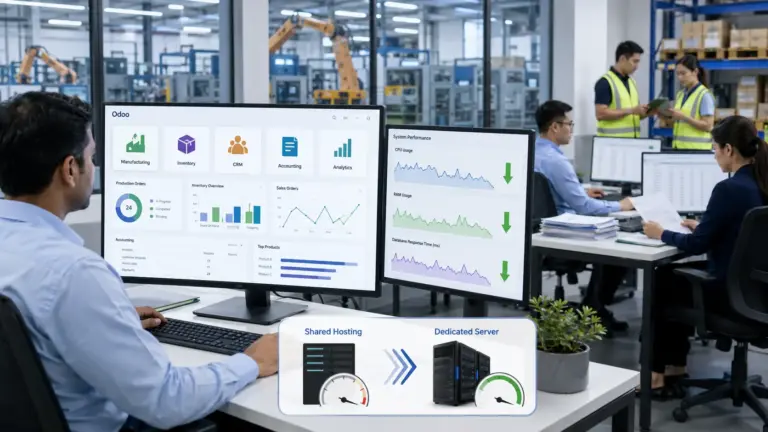
Dedicated hosting gives your business full hardware control. You get exclusive CPU, RAM, storage, network, and security resources. This prevents noisy-neighbor problems and delivers predictable performance for high-traffic workloads. But pricing varies widely. Hidden fees, licensing costs, hardware shortages, and renewal rate increases often add 20-50% to your actual bill. This guide explains how providers price dedicated hosting. You get cost models, TCO insights, hardware planning rules, and buying criteria.
Understanding Dedicated Server Pricing
Dedicated server costs vary by hardware tier and management level. Here’s what businesses actually pay.
Base Monthly Pricing Tiers
| Tier | Monthly Cost | Hardware Specs | Best For |
| Budget/Entry | $9.99-$100 | 4-8 cores, 16 GB RAM, 100-250 GB SSD | Startups, small sites, low-traffic apps |
| Professional | $100-$250 | 8-16 cores, 32-64 GB RAM, 500 GB NVMe | Growing businesses, mid-traffic sites |
| Enterprise | $250-$500+ | 16+ cores, 64-128+ GB RAM, 1+ TB NVMe | High-traffic platforms, databases, AI |
Hardware & Configuration
When Does Custom-Built Dedicated Outweigh Cloud?
For an 18-month commitment, dedicated servers win on TCO when:
- Predictable baseline load: Consistent 24/7 usage patterns
- High-performance requirements: AI/ML, video transcoding, database clustering
- Long-term deployment: 12-36 month horizon justifies upfront costs
- Regulatory isolation: Compliance requirements (HIPAA, PCI-DSS, GDPR) demand private hardware
Real TCO comparison (18-month horizon):
| Cost Category | Self-Hosted/On-Premises | Hosted Dedicated (Unmanaged) | Cloud (Reserved Instance) |
| Hardware (18 months) | $3,000-$8,000 | $144-$2,700 ($8-150/mo × 18) | $2,000-$5,000 |
| Software/OS licensing | $0-$1,800 | $0-$900 | $0-$1,200 |
| Power/cooling/facility | $800-$2,000 | $0 | $0 |
| Staff/administration | $40,000-$80,000 | $5,000-$15,000 | $3,000-$8,000 |
| Total 18-month | $43,800-$91,800 | $14,000-$26,000 | $5,000-$14,200 |
Dedicated servers cost 2-3x less than self-hosted when you factor in staff and facilities. Cloud costs less per unit but scales with usage.
How can a higher CPU core count actually reduce my total monthly software licensing costs (e.g., in Windows Server or MSSQL environments)?
Major software vendors like Microsoft license Windows Server and SQL Server based on the number of physical or virtual CPU cores available, often requiring a minimum core purchase per license. By consolidating your workload onto a single, high-core-count processor (e.g., 32-core AMD EPYC) rather than two lower-core processors, you can efficiently meet the vendor’s minimum core requirements while reducing the total number of expensive Client Access Licenses (CALs) or the number of full server licenses needed across your entire deployment, leading to significant monthly savings.
Specialized Dedicated Server Pricing
Beyond general-purpose servers, specialized configurations target specific workloads with optimized hardware and pre-configured software.
Gaming Dedicated Servers
Gaming servers require high clock-speed CPUs, low-latency networking, and DDoS protection against gaming-specific attacks.
Pricing range: $80-300/month
UCartz gaming servers start at $80/month, bundling high-speed CPUs, RAM, SSDs with low-latency networking and free unlimited DDoS protection. These servers optimize for gaming workloads where consistent tick rates and minimal lag determine player experience.
Typical specifications:
- CPU: 8-16 cores at 3.5GHz+ boost clocks
- RAM: 32-64GB DDR4
- Storage: 500GB-1TB NVMe SSD
- DDoS protection: Always-on with game-aware filtering
- Bandwidth: 20TB+ on 1Gbps port
Streaming Server Configurations
Video streaming servers prioritize upload bandwidth, transcoding performance, and storage throughput.
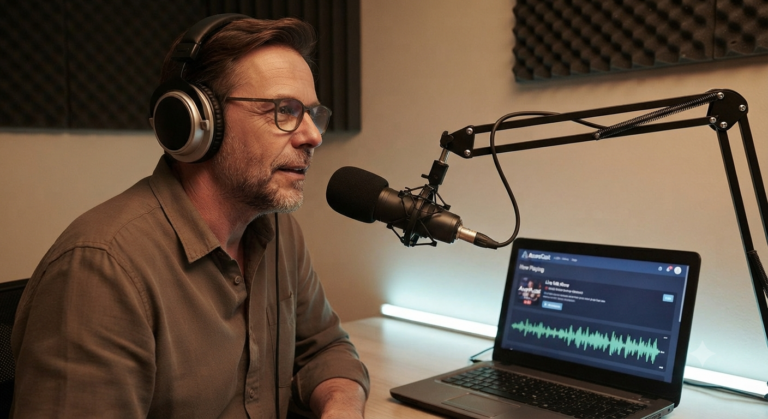
SHOUTcast Dedicated Servers: Starting at $79/month (UCartz), these servers come preinstalled with SHOUTcast streaming server and Icecast supporting control panels like Centova Cast, WHMSonic, and AzuraCast eliminating setup complexity for audio streaming platforms.
Flussonic Video Streaming Servers: Starting at $189/month (UCartz), these specialized servers arrive configured with Flussonic software for mass storage, transcoding, and live/on-demand video delivery purpose-built for professional streaming operations.
Red5 Video Streaming Servers: Starting at $114/month (UCartz), including free setup and licensed Red5 streaming servers software for Flash-based video streaming applications.
Typical streaming server specs:
- CPU: 16-32 cores or GPU acceleration
- RAM: 64-128GB
- Storage: 2-8TB NVMe + large HDD arrays for media libraries
- Bandwidth: 10Gbps uplink with high upload capacity
- CDN integration capabilities
Application-Specific Servers
Siberian CMS Dedicated Servers: Starting at $42/month (UCartz), these servers provide affordable, scalable platforms specifically designed for mobile application development using a Siberian CMS dedicated server optimized for global performance.
Pre-configured servers with licensed software eliminate hours of setup time, configuration errors, and software licensing complexity. The premium of $20-50/month over generic servers saves 8-12 hours of technical work valued at $100-150/hour.

Hidden Costs That Inflate Dedicated Server Pricing
Base monthly fees rarely reflect true costs. Providers employ various additional charges that can increase actual expenditure by 30-60%.
Five Common Hidden Fees
1. KVM-over-IP / IPMI Access: $5-15/month
Remote console access allowing you to control servers as if physically present should be standard but many budget providers charge extra. This feature is essential for troubleshooting boot issues, BIOS configuration, and OS reinstallation.
UCartz approach: KVM over IP included, allowing direct keyboard/screen/mouse connection and ISO file booting without additional fees.
2. OS Reinstallation Charges: $10-50 per reinstall
Some providers charge each time you reinstall operating systems or switch between OS options. Over a server’s lifetime, multiple reinstalls during testing or configuration changes add $50-200 annually.
Cost avoidance: Choose providers offering unlimited OS reinstalls or leverage snapshot/backup features for quick restoration.
3. Backup Storage: $10-50/month per 100GB
Server-side backups are critical but often excluded from base pricing. Providers charge premium rates for backup storage sometimes 3-5x standard storage costs.
Example calculation:
- 500GB server requiring backups
- Backup storage: $25/month (500GB at $5/100GB)
- Backup software license: $15/month
- Total backup cost: $40/month (28% of a $142 server)
Alternative approach: Use external backup services like Backblaze B2 or AWS S3 Glacier at $5-10/month for 500GB with better geographic redundancy.
4. Additional IP Addresses: $2-5 per IP monthly
Most servers include 1-5 IP addresses, but applications requiring more IPs face per-IP fees. SSL certificates, virtual hosts, or specific application architectures may need 10-20 IPs, adding $20-100/month.
IPv6 solution: UCartz provides /64 IPv6 blocks at no charge with each dedicated server 16 quintillion addresses eliminating IPv4 shortage concerns for compatible applications.
5. Bandwidth Overage Charges: $0.05-0.15 per GB
Servers advertised with “20TB bandwidth” often include expensive overage fees if exceeded. A traffic spike consuming an extra 5TB costs $250-750 in overages potentially exceeding the entire monthly server cost.
Protection strategy: Select unmetered bandwidth plans or providers with reasonable overage rates. Calculate 95th percentile billing models for high-traffic sites where bursting occurs.
Hidden cost example:
- Base server: $80/month
- KVM access: $10/month
- Monthly backups: $30/month
- 5 additional IPs: $15/month
- Average monthly overage: $50/month
- Actual monthly cost: $185/month (131% above advertised price)
Network Redundancy and SLA Pricing
Network uptime guarantees directly influence pricing. Understanding SLA differences helps evaluate whether premium pricing delivers proportional value.
SLA tier comparison:
| SLA Level | Allowed Monthly Downtime | Typical Price Premium | Use Cases |
| 99.9% | 43.8 minutes | Baseline | Development, testing |
| 99.95% | 21.9 minutes | +10-15% | Small business production |
| 99.99% | 4.4 minutes | +25-35% | E-commerce, SaaS |
| 99.999% | 26 seconds | +50-100% | Financial, healthcare |
99.99% uptime SLA with service credits if delivery fails providing enterprise-grade reliability at mid-tier pricing.
A $150/month server with 99.99% SLA costs $187-203/month for equivalent specifications. For businesses where downtime costs $500-2,000 hourly, the $37-53 premium delivers ROI if it prevents even one outage annually.
Network redundancy features affecting price:
- Single uplink: Baseline pricing
- Dual uplinks to same switch: +$10-20/month
- Dual uplinks to separate switches: +$20-40/month
- Dual uplinks to separate routers: +$40-60/month
- Multi-homed BGP to different providers: +$100-200/month
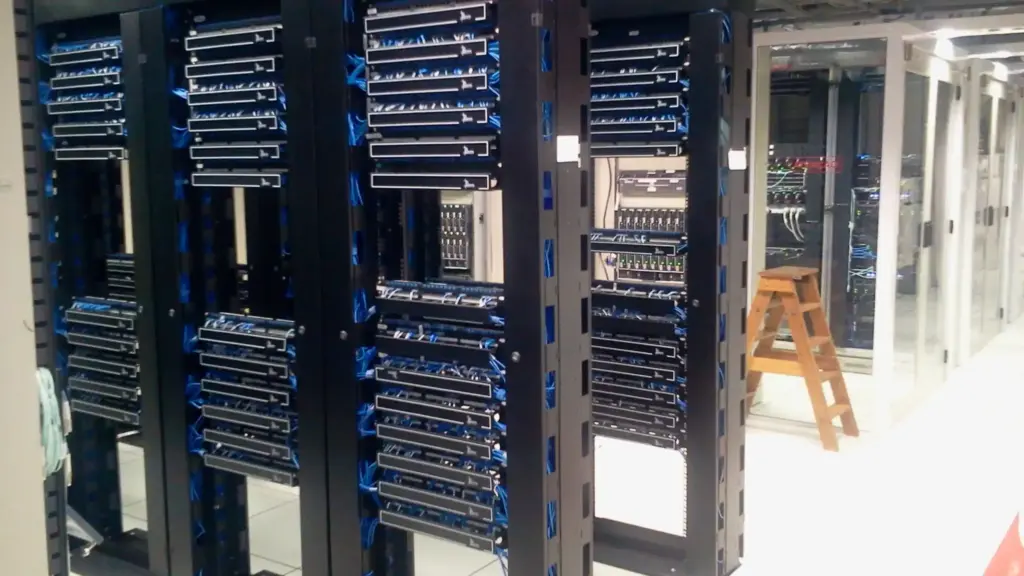
Global data centers with connectivity and redundancy ensuring uptime without hidden network upgrade fees.
Global Data Center Locations
• Proximity to users improves page load times and SEO ranking.
• Confirm data centers in regions where you operate.
• Choose providers offering multiple zones for failover.
• Ask for latency stats for your target countries before ordering.
How much risk and budget should I allocate for DDR5/NVMe replacement costs, given the global memory component shortage trends in late 2025?
Allocate a contingency budget of 5% to 10% of the annual server lease cost to mitigate this risk. In late 2025, the increased demand for High-Bandwidth Memory (HBM) for AI accelerators is drawing capacity away from standard DDR5 and NVMe manufacturing. This means future upgrade or out of warranty replacement costs for these components will likely be higher and lead times longer. Prioritize providers that guarantee enterprise-grade component buffer stock and include a 99.99% Uptime SLA in their contract to ensure rapid replacement without downtime penalties.
Management, Licensing, and Scaling
Unmanaged vs. Managed
When should you hire a sysadmin vs. paying for managed hosting?
Cost comparison:
| Factor | Unmanaged | Part-Time Sysadmin | Fully Managed Hosting |
| Base server cost | $50-100/mo | $50-100/mo | $200-400/mo |
| Staff salary (annual) | $0 | $20,000-40,000 | $0 |
| Staff overhead (taxes, benefits) | $0 | +30% | $0 |
| Tools (monitoring, backup, security) | $50-150/mo | $50-150/mo | Included |
| On-call support | Your time | Sysadmin availability | 24/7 included |
| Annual total | $600-1,200 | $36,000-60,000 | $2,400-4,800 |
Breakpoint analysis: Hire a part-time sysadmin when you have 4+ unmanaged dedicated servers. For 1-3 servers, fully managed hosting saves money and reduces risk.
Recommendation: Single mission-critical server = managed hosting.
Multiple servers with internal IT staff = unmanaged with in-house management.
For businesses migrating from cloud, what is the fair price range for a provider-managed P2V (Physical-to-Virtual) migration service to a dedicated server?
A fair price range for a provider-managed P2V (Physical-to-Virtual) or V2P (Virtual-to-Physical) migration service typically falls between $250 and $750 per server. This covers the technician’s time, specialized tools, and the critical no-downtime cutover plan. Complexity factors (e.g., large database size, proprietary application dependencies) can push the cost toward the higher end.
Unmanaged Server: Third-Party Software License Costs
If you choose unmanaged to save money, you must purchase control panel, backup, monitoring, and security licenses separately.
Monthly software costs :
| Software | Monthly Cost | Purpose |
| cPanel + WHM | $15-50 | Server control panel, site management |
| Plesk | $10-35 | Alternative control panel (Linux/Windows) |
| Backup Exec / Acronis | $20-100 | Automated backups and recovery |
| Nagios / Zabbix / Datadog | $30-200 | Infrastructure monitoring and alerts |
| Cloudflare/Akamai WAF | $20-200 | Web application firewall and DDoS |
| Malware/AV scanning | $10-50 | Server security scanning |
| VPN/Secure access | $10-30 | Secure remote administration |
| Total unmanaged stack | $115-665/month |
Example unmanaged cost calculation:
- Base server: $80/month
- cPanel: $20/month
- Backups: $40/month
- Monitoring: $50/month
- Security: $30/month
- Total: $220/month (175% markup on base price)
Compare to managed server at $200/month with all included often cheaper dedicated servers and includes expert support.
10 Gbps Dedicated Uplink vs. Cloud Data Transfer Egress
High-bandwidth workloads favor dedicated servers over cloud.
Cost comparison for 10 Gbps sustained usage (1 month):
| Scenario | Dedicated 10Gbps | AWS EC2 Egress | Google Cloud Egress | Azure Egress |
| 10 Gbps × 24 hrs × 30 days = 10.8 PB | Flat $200-300/mo | ~$1,944,000/month | ~$1,620,000/month | ~$1,944,000/month |
| 1 Gbps sustained usage (1 PB/month) | Flat $200-300/mo | ~$180,000/month | ~$150,000/month | ~$180,000/month |
| 100 Mbps sustained (100 TB/month) | Flat $200-300/mo | $18,000/month | $15,000/month | $18,000/month |
Cloud egress becomes prohibitively expensive above 5-10 TB/month. Dedicated unmetered uplinks are 100x cheaper for high-bandwidth workloads.
Netflix streaming service transmits petabytes monthly. Cloud provider egress fees would exceed $1 million/month. Dedicated servers with peering agreements cost fraction of that.
Ucartz Dedicated Server Plans:
| Plan | Monthly Cost | Hardware | Best For | Inclusions |
| Low-Cost Entry | From $9.99 | Entry specs | Startups, testing | Enterprise hardware, free DDoS |
| Self-Managed | From $68 | Mid-range | Developers needing control | Full root access, KVM |
| Managed Standard | From $142 | 32 GB+ RAM | Growing businesses | 24/7 support, monitoring, DDoS |
| Gaming Server | From $80 | GPU-optimized, low-latency | Game hosting, streaming | Free DDoS, unlimited bandwidth |
| SHOUTcast/Flussonic | From $79-189 | Streaming-optimized | Live streaming, IPTV | Pre-configured streaming software |
No Hidden Costs:
- KVM-over-IP included
- IPv6 block free (/64)
- DDoS protection free on most plans
- OS reinstall (reasonable limits)
- Transparent invoicing
Cost Optimization Strategies
Strategy 1: Initial vs. Long-Term Planning
- Year 1: Choose managed hosting, test workload patterns
- Year 2+: Move to unmanaged if team capacity exists; budget 25% price increase for renewals
- Year 3+: Evaluate multi-server cluster for load balancing; negotiate enterprise discounts
Strategy 2: Right-Size Hardware
Overprovisioning costs 30-50% extra monthly with no performance gain. Underprovisioning causes downtime far more costly.
- Start small (16 GB RAM, 8 cores) and monitor real usage
- Scale up if sustained >70% utilization
- Never prepay for unused capacity
Strategy 3: Leverage Specialist Providers
Ucartz and similar providers offer pre-configured servers (gaming, streaming, CMS) at entry-level prices. Generic providers charge more for same specs.
Strategy 4: Negotiate Multi-Server Contracts
Bulk purchasing 3+ servers often yields 10-20% discount. Fixed commitment contracts lock rates for 36 months.
Simple Decision Framework for Dedicated Servers
• You run business critical services. Pick managed support with a strong SLA. You avoid downtime from configuration mistakes.
• You need fast global delivery. Select a provider with data centers near users. Check latency before buying.
• You plan growth in the next year. Start with headroom in CPU and RAM. Avoid over buying storage.
• You run workloads that move large data volumes. Pick unmetered bandwidth and a 10 Gbps uplink.
• You already have in house IT skills. Unmanaged works for one expert handling multiple servers.
• You want quick deployment. Pick pre configured servers for gaming, streaming, or CMS. This cuts setup time.
• You expect price stability. Lock pricing for 12 to 36 months. This avoids renewal jumps.
• You want control in scaling. Verify upgrade paths for CPU, RAM, and storage without migration.
Conclusion
Dedicated server pricing in 2025 spans large range from $9.99 entry-level servers to $1,000+ enterprise configurations. Smart buyers look beyond base monthly fees to evaluate total cost of ownership including hidden charges, management labor, software licensing, bandwidth costs.
Key takeaways for cost-effective dedicated server selection:
Evaluate true total costs: Base pricing plus management fees, backup storage, additional IPs, bandwidth overages, and software licenses determines actual expenditure often 30-60% above advertised rates.
Consider management value: Managed services costing $50-100 monthly save $300-2,000 in labor costs for businesses without dedicated system administrators. UCartz managed servers at $142/month deliver comprehensive administration at competitive rates.
Match hardware to workload: Avoid overspending on excessive specifications while ensuring adequate resources for performance and growth. Specialized servers optimize price performance ratios.
Account for hidden fees: Transparent providers like UCartz eliminate surprise charges for essential features like KVM access, DDoS protection, IPv6 addressing, and hardware support features others monetize separately.
Calculate cloud vs dedicated TCO: For steady-state workloads exceeding 3-6 months with significant bandwidth needs, dedicated servers typically deliver 3-10x cost savings over public cloud alternatives.
Negotiate renewals upfront: Lock in pricing for multi-year terms or secure guarantees limiting renewal increases to reasonable percentages.
Include migration costs: Budget $200-5,000 for professional migration services ensuring smooth transitions without extended downtime.
UCartz delivers enterprise-grade dedicated servers at transparent, competitive pricing starting at $9.99 for entry-level configurations and scaling to specialized solutions for gaming, streaming, and business applications. With 99.99% uptime SLA, free DDoS protection, global data centers, and no hidden fees, UCartz combines quality hardware with fair pricing and expert support, positioning your infrastructure for success without budget surprises. So why are you waiting for? Contact Ucartz for best pricing of dedicated servers.
FAQ
1. How much does a dedicated server cost for a business website?
Entry servers start around 10 dollars per month. Production grade servers cost 100 to 300 dollars per month.
2. Do managed dedicated servers improve uptime and performance
Yes. Managed support reduces human error and maintains server availability and speed.
3. Why choose root access and full control
You modify firewall rules, install custom apps, and tune performance without limits.
4. What affects dedicated hosting pricing most
CPU generation, RAM size, NVMe capacity, and SLA uptime tier.
5. Is dedicated hosting cheaper than cloud for high traffic
Yes for workloads running 24 by 7 with consistent usage.
6. What is the best plan for gaming hosting
Choose high frequency CPU and 10 Gbps network.