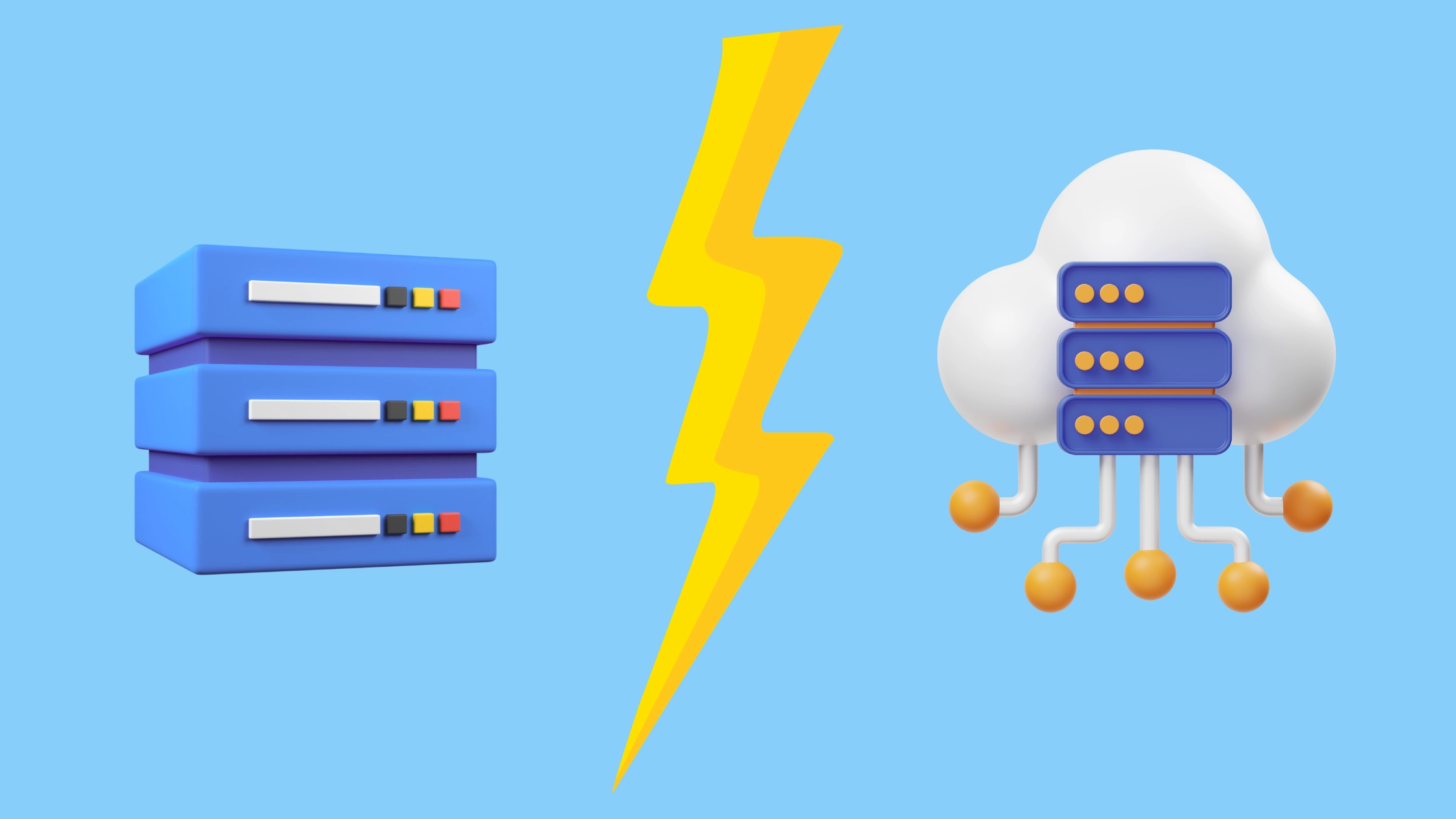

Businesses want faster websites, stable applications, and secure hosting. When companies compare plans, the debate often comes down to VPS vs Cloud servers.
But they work differently. They suit different needs. Choosing between a VPS and a Cloud Server depends on your need for cost-predictability versus on-demand scalability. VPS offers fixed resources for a set price while a cloud server provides flexible, pay-as-you-go resources from a distributed network.
This guide compares VPS and cloud servers. You’ll learn which one suits your website, application, and budget. We examine performance, scalability, cost, and reliability. By the end, you’ll know exactly which hosting type to choose.
What Is VPS Hosting
VPS stands for Virtual Private Server. A physical server gets divided into multiple virtual servers. Each virtual server acts like an independent machine. You get dedicated resources that other users can’t touch.
It is like an apartment building. One physical building (the server) contains multiple separate apartments (virtual servers). Each apartment has its own space, utilities, and privacy. What happens in apartment 3B doesn’t affect apartment 5C.
How does VPS work
- A hypervisor splits a physical server into virtual machines.
- Each VM receives its own RAM, CPU, storage, and OS.
- Users manage the server independently.
- Other users on the same physical machine do not affect your settings.
KVM VPS hosting is popular for small businesses and growing applications because it provides more control than shared hosting without the high cost of dedicated servers.

Key Features of VPS Hosting
- Full root access
- Fixed resources
- Strong isolation
- Customizable configuration
- Lower cost
- Supports medium traffic
VPS Use Cases
VPS works best for:
Medium-traffic websites – Sites receiving 10,000 to 100,000 monthly visitors that need consistent performance.
Web applications – Custom apps that require specific server configurations and root access.
Development and testing – Staging environments where developers test code before production deployment.
Small to medium e-commerce – Online stores with predictable traffic patterns and moderate transaction volumes.
Email servers – Dedicated email hosting with custom configurations and privacy requirements.
What Cloud Hosting Means
Cloud hosting runs your website or application on a cluster of connected servers, not a single machine. If one server fails, another one takes over.
How Cloud Servers Work
- Your website runs on a virtual server built on top of a cloud cluster.
- Resources come from multiple physical machines.
- The system scales automatically based on load.
- Failover prevents downtime.
Cloud hosting is designed for high availability, fast scaling, and global performance.
Key Features of Cloud Hosting
- On-demand scaling
- High uptime
- Automated resource allocation
- Load balancing
- Pay-for-usage pricing
- Better for growing businesses
Cloud Vendor Examples
Cloud hosting is powered by major platforms such as AWS EC2, Azure Virtual Machine, and Google Compute Engine.
• AWS EC2 supports global scaling with autoscaling groups and availability zones.
• Azure Virtual Machine integrates with enterprise tools and Active Directory environments.
• Google Compute Engine delivers strong performance for high-intensity workloads with sustained-use pricing.
These services run on a distributed architecture across multiple data centers to reduce downtime risk and improve reliability.
Cloud Server Use Cases
Cloud servers excel at:
High-traffic websites – Sites with unpredictable traffic spikes that need instant scaling.
SaaS applications – Software services that must maintain 99.9% uptime regardless of user load.
Large e-commerce platforms – Online stores handling thousands of simultaneous transactions during sales events.
Content delivery – Websites serving media files to global audiences with minimal latency.
Enterprise applications – Business-critical systems requiring maximum reliability and zero single points of failure.

Difference Between VPS and Cloud
Below are the critical differences that influence business decisions.
| Feature | VPS Hosting | Cloud Hosting |
| Server Type | Virtual on one machine | Virtual across multiple machines |
| Scalability | Limited | Unlimited |
| Uptime | Moderate | High |
| Cost | Medium | Medium to high |
| Performance | Good | Excellent |
| Best For | Growing sites | High-traffic or global apps |
Performance and Speed
VPS Speed
VPS performance depends on a single physical server. If the machine has hardware limits, your speed also has limits.
However, if the physical server runs low on resources, all VPS instances on that server may experience slowdowns. This is called the “noisy neighbor” effect. Other users’ high traffic can impact your performance, even though you have dedicated resources.
Cloud Speed
Cloud servers distribute workloads across multiple nodes. When traffic increases, the cloud adds more resources instantly.
Cloud systems use multiple layers of optimization. Content delivery networks cache content globally. Load balancers route traffic efficiently. Auto-scaling adds resources automatically.
Cloud wins during traffic spikes. VPS wins under steady, predictable workloads.
Performance Summary
| Metric | VPS | Cloud |
| Consistent load performance | Excellent | Excellent |
| Traffic spike handling | Limited | Superior |
| Average response time | 0.5-2 seconds | 0.1-0.5 seconds |
| Load time under high traffic | Degrades | Stable |
Reliability and Uptime Guarantee
Downtime costs money and damages trust. Your hosting choice impacts how reliably your site stays online.
VPS Reliability
Your VPS runs on a single physical server. If that hardware fails, your server goes offline. Unless you configure backups manually, data loss is possible.
VPS providers offer standard uptime guarantees of 99.5-99.9%. Some reach 99.95%. However, this assumes the physical hardware stays healthy.
If the hosting provider’s data center experiences issues, your site is affected. Disaster recovery depends on manual backup configuration.
Cloud Reliability
Cloud infrastructure uses redundancy across multiple servers and locations. If one server fails, another immediately takes over. This happens automatically without your involvement.
Cloud providers offer higher uptime guarantees typically 99.9% to 99.99% or higher. Some offer 99.999% uptime (5 nines).
Automatic failover means your site stays online even when individual servers fail. Disaster recovery is built into the system.
Cloud hosting offers superior fault tolerance and uptime.
| Reliability Metric | VPS | Cloud |
| Single server dependency | Yes | No |
| Automatic failover | No | Yes |
| Typical uptime guarantee | 99.5-99.95% | 99.9-99.99% |
| Data redundancy | Manual setup | Automatic |
| Disaster recovery | Manual | Automatic |
Resource Scalability
VPS Scaling
Scaling requires manual upgrades. Providers often need server reboots.You choose a plan size when you sign up. As your site grows, you upgrade to a larger plan. This upgrade often involves migration to a new physical server.
VPS scalability is vertical. You upgrade CPU, RAM, and storage on the same server. You cannot add resources dynamically or instantly.
Cloud Scaling
Cloud hosting scales instantly and automatically. As traffic increases, the system allocates more resources automatically. You don’t manually configure anything.
Scaling happens in real time. Your website handles traffic spikes without any action from you. Resources shrink during low-traffic periods, reducing costs automatically.
Cloud scalability is horizontal. The system adds or removes servers from your resource pool as needed. This is more flexible than VPS’s vertical scaling.
| Feature | VPS | Cloud |
| Resource allocation | Manual upgrades | Instant auto-scaling |
| Upgrade downtime | Possible | None |
| Growth handling | Requires planning | Automatic |
| Cost during growth | Higher plan cost | Scales with demand |
Migration Path: Start VPS, Move to Cloud
Many businesses start with VPS. As they grow, they move to cloud.
Year 1: Start with VPS. Low cost, predictable billing. Simple infrastructure.
Year 2-3: Traffic grows. VPS becomes tight. Cloud auto-scaling becomes valuable.
Year 3+: Move to cloud. Handle growth seamlessly. Pay for flexibility.
This path makes financial sense. Start lean with VPS. Scale to cloud when necessary.
Cost
VPS Cost
VPS hosting uses fixed monthly billing. You select a plan (basic, standard, advanced) and pay a set price each month.
Monthly costs range from $15 to $200 depending on resources. Entry-level VPS starts around $20-30 per month. Advanced plans cost $100-200 monthly.
You pay for allocated resources whether you use them fully or not. During low-traffic months, you may overpay for capacity.
When traffic varies seasonally, VPS can waste money.
Cloud Cost
Cloud hosting uses pay-as-you-go billing. You pay only for resources consumed. A light-traffic day costs less than a high-traffic day.
Monthly costs can range from $10 to $500+, depending on usage. Predictable workloads may cost $50-150 monthly. High-traffic sites may cost $200-500+.
Cloud pricing offers flexibility. Scale down during quiet periods. Scale up during peaks. Pay accordingly.
During traffic spikes, cloud costs rise but performance improves.
Predictable traffic: VPS
Fluctuating traffic: Cloud
| Cost Factor | VPS | Cloud |
| Billing model | Fixed monthly | Pay-as-you-go |
| Entry cost | $20-30/month | $10-20/month |
| Advanced plans | $100-200/month | $200-500+/month |
| Unused capacity cost | Yes (wasted) | No |
| Traffic spike cost | Fixed | Increased bill |
Security
VPS Security
You manage server security personally. Install firewalls, configure access controls, apply updates.
Isolation from other users provides inherent security. VPS environments do not interact with each other.
Cloud Security
Cloud providers include built-in security layers. DDoS protection, firewalls, and intrusion detection are standard.
Managed security services reduce your workload. However, you trust the provider with security responsibility.
Some concerns exist about shared infrastructure and data isolation. However, major cloud providers maintain strict isolation.
Both are secure when properly configured. Cloud is simpler. VPS gives more control.
Shared Responsibility Model
Cloud platforms follow a shared responsibility model. The provider secures the physical infrastructure, storage hardware, power, cooling, and the core network. You secure your applications, access control, firewalls, databases, and user permissions. With VPS hosting, nearly the entire security stack falls under your control, including patching, OS hardening, server updates, and intrusion monitoring. Cloud reduces your workload, but you must still manage access risks and data protection.
Control and Customization
Server control matters if you run custom applications or need deep configuration.
VPS Control
VPS gives you full root or administrator access. You control the entire server environment.
Install any software. Modify kernel settings. Configure security rules. Customize everything to your exact specifications.
This control is powerful but requires technical knowledge. Misconfiguration can break your server.
Cloud Control
Most cloud platforms offer root access on their managed services. However, some limitations exist on shared infrastructure.
You can customize applications and configurations. However, underlying infrastructure changes are limited.
Some managed cloud services abstract infrastructure complexity. This reduces control but simplifies management.
VPS offers more direct server control. Cloud offers more managed simplicity.
How to Decide between VPS or Cloud?
Use this simple checklist to decide whether VPS, Cloud, or a hybrid setup fits your needs:
- If 80% or more of your traffic is predictable, choose VPS for stable performance and cost.
- If your traffic regularly spikes 3× or more, choose Cloud for on-demand scalability.
- If one hour of downtime costs you over US$5,000, lean toward Cloud with multi-region failover to protect revenue.
- If data residency or compliance is critical, choose a region-appropriate Cloud or a single-tenant dedicated server.
Do you need deep server control?
- Yes → VPS
- No (prefer simplicity) → Cloud
What’s your technical expertise?
- Advanced/Expert → VPS
- Beginner/Intermediate → Cloud (managed)
Is your traffic seasonal?
- Yes → Cloud
- No → VPS
If you answer mostly VPS, choose VPS.
If you answer mostly Cloud, choose Cloud.
Mixed answers? Cloud offers more flexibility but costs more. VPS offers lower cost but less flexibility.
Real World Scenario
Scenario 1: Medium Traffic Business Site
Traffic: 20k to 80k users per month
Best choice: VPS
Scenario 2: High Traffic App
Traffic: unpredictable
Best choice: Cloud server
Scenario 3: Online Store During Offers
Traffic jumps 3x to 7x
Best choice: Cloud
Scenario 4: Developer or Agency Setup
Need low cost and isolation
Best choice: VPS
Scenario 5: E-Commerce Site
An online store experiences seasonal traffic spikes during holidays. Regular months see moderate traffic.
With VPS: You upgrade to a larger plan before the holiday season. After holidays end, you pay for unused capacity. Then you downgrade manually.
With Cloud: Resources scale automatically during the holiday rush. After holidays, resources shrink, costs drop. You never pay for unused capacity.
Cloud saves money for e-commerce. VPS creates wasted capacity and manual overhead.
Why Cloud Reliability Matters
Recent high-profile outages highlight the risk of relying on a single cloud provider. On October 20, 2025, Amazon Web Services suffered a large outage that disrupted numerous websites and applications across its ecosystem (Reuters). A week later, Microsoft Azure experienced downtime too, affecting global services (Reuters). These incidents underline the concentration risk that comes with cloud hosting.
At the same time, cloud pricing and cost control remain top concerns for businesses. Analysts at CloudZero,cloud cost optimization recently reported that unexpected egress, scaling, and multi-region traffic are the clearest drivers of inflated cloud bills.
Finally, global HTTPS adoption keeps growing. Let’s Encrypt now secures a significant share of new domains, helping more sites go secure without high certificate fees (W3Techs). This widespread trust in SSL makes reliable, scalable cloud hosting all the more critical.
Conclusion
Choose VPS if you have:
- Steady, predictable traffic
- Limited budget
- Single application or website
- Technical expertise available
- Seasonal patterns manageable with manual upgrades
Choose Cloud if you have:
- Variable or growing traffic
- Multiple applications
- High uptime requirements
- Less technical staff
- Seasonal traffic requiring instant scaling
Consider hybrid approach if:
- Some services need high availability (cloud)
- Others have steady usage (VPS)
- You want cost optimization across different workloads
- You’re comfortable managing multiple platforms
Example hybrid setup:
- Database and application servers on cloud (requires high availability)
- Development and staging environments on VPS (cost-effective, doesn’t need cloud features)
Neither choice is wrong. The right choice matches your specific situation.
VPS excels at simplicity and cost. Managed Cloud hosting excels at flexibility and reliability.
Evaluate your actual traffic patterns. Calculate your real costs. Test scalability needs. Then choose the hosting that best supports your business goals.
Most importantly, revisit this decision annually. Your business needs change. Your hosting should evolve with your needs. Talk to the Ucartz support team to pick the right hosting for your growth.
FAQ
Are VPS Free?
Most VPS servers are not free because they require hardware, licensing, and data center maintenance. Some providers offer trial versions, but they often include strict limitations.
Are virtual servers cloud-based?
Not always. Traditional VPS runs on a single server and isn’t inherently cloud-based. However, “cloud VPS” variants use cloud infrastructure for added scalability and redundancy, blending both technologies.
Which one is better for beginners?
VPS is easier for new users who want fixed pricing and dedicated resources.
Does VPS help with performance?
Yes. VPS gives you isolated CPU, RAM, and storage. Other users do not affect your performance.
Is cloud hosting reliable?
Yes. Cloud hosting uses multiple servers, so hardware failure does not stop your site.
Can I migrate from VPS to Cloud later?
Yes. You can spin up a cloud instance, copy your data, and switch DNS. Many providers support live migrations or snapshot-based moves.
Will I pay egress (data transfer) fees on the cloud?
It depends. Many cloud providers charge for outbound data transfer, especially between regions. Estimate your data transfer needs when modeling costs.
What happens if the provider fails their SLA?
SLAs vary. Some cloud providers offer credit or refund if uptime drops below guarantees. Check the SLA terms carefully and use monitoring to claim service credits if needed.