
tl;dr
Build AI agents with n8n by connecting AI models, APIs, and business applications into automated workflows that can understand, decide, and perform tasks with minimal human intervention.
Artificial intelligence has evolved far beyond simple chatbots. Modern AI systems can analyze data, make decisions, interact with external applications, and complete complex workflows with minimal human intervention. These intelligent systems are commonly known as AI agents.
As businesses continue to adopt AI, there is growing demand for tools that make building AI agents easier without requiring extensive programming knowledge. This is where n8n stands out. As an open source workflow automation platform, n8n enables developers, businesses, and automation enthusiasts to create powerful AI-driven workflows using a visual interface.
If you want to automate customer support, build an AI research assistant, generate reports, or connect AI models with business applications, n8n provides the flexibility to build custom AI agents that fit your requirements.
In this guide, you will learn what AI agents are, why n8n is an excellent platform for creating them, and how to build your first AI agent step by step.
What Is an AI Agent?
An AI agent is a software system that can perform tasks autonomously by combining artificial intelligence with external tools and data sources. Unlike a traditional chatbot that simply responds to user prompts, an AI agent can make decisions, retrieve information, interact with APIs, and complete multiple actions before producing a final result.
For example, imagine asking an AI agent to prepare a weekly sales report. Instead of only generating text, the agent could retrieve sales data from a database, analyze trends, create a summary, generate charts, and email the completed report to your team. This ability to perform multiple connected tasks makes AI agents valuable across industries. Common capabilities of AI agents include:
- Understanding natural language
- Accessing external APIs
- Reading and writing data
- Executing workflows
- Using memory for conversations
- Making decisions based on predefined logic
- Interacting with business applications
These capabilities allow organizations to automate repetitive work while improving efficiency and reducing manual effort.
What Is n8n?
n8n is an open source workflow automation platform that connects applications, APIs, databases, and AI models through a visual workflow builder.
Unlike traditional automation platforms that focus mainly on connecting applications, n8n provides much greater flexibility through JavaScript support, custom API requests, advanced logic, and self-hosting capabilities.
Some of its key features include:
- Visual drag-and-drop workflow editor
- Support for hundreds of integrations
- HTTP Request node for connecting any API
- JavaScript Code node for custom logic
- AI integrations with OpenAI-compatible models
- Webhooks for receiving external requests
- Scheduling and automation
- Self-hosted deployment
These features make n8n suitable for everything from simple automation tasks to enterprise-grade AI agents.
Why Use n8n for Building AI Agents?
There are many workflow automation tools available today, but n8n offers several advantages that make it particularly well suited for AI applications.
Open Source and Self Hosted
Unlike many cloud automation platforms, n8n can be installed on your own server. This gives you complete control over your workflows, data, and security.
Organizations working with sensitive information often prefer self-hosted solutions because they reduce dependency on third-party platforms.
Supports Multiple AI Models
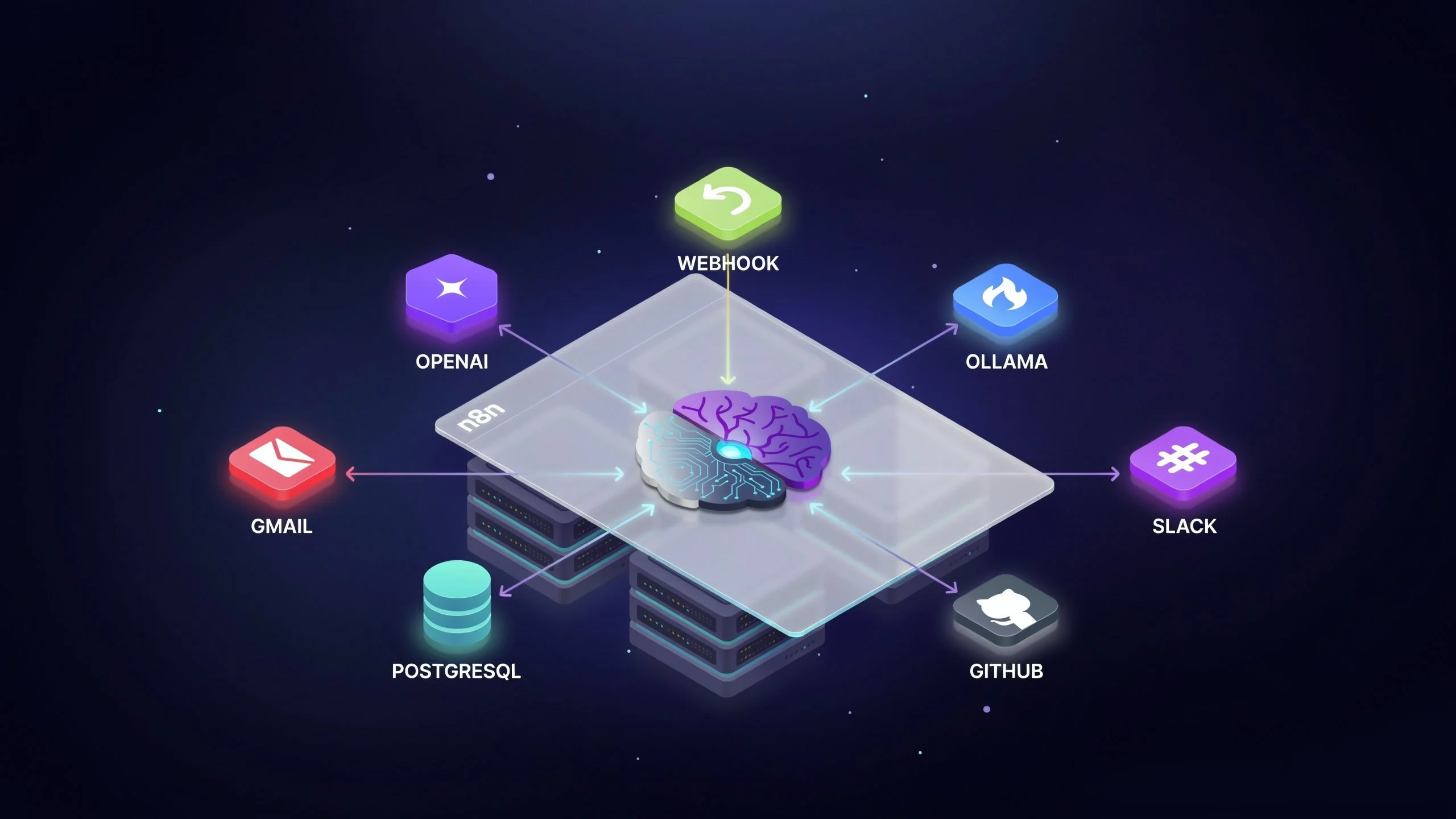
n8n works with various AI providers including:
- OpenAI
- Ollama
- Anthropic Claude
- Google Gemini
- DeepSeek
- Mistral
- OpenAI-compatible APIs
This flexibility allows businesses to choose the AI model that best fits their requirements.
Extensive Integrations
n8n integrates with hundreds of popular services, including:
- Gmail
- Slack
- Discord
- Notion
- GitHub
- PostgreSQL
- MySQL
- Airtable
- Google Sheets
- Google Drive
- Jira
- Trello
Your AI agent can communicate with these services without requiring extensive coding.
Visual Workflow Builder
The drag-and-drop interface makes it easy to design complex workflows while still allowing advanced users to customize logic when needed.
Prerequisites
Before creating your first AI agent, you should have the following:
- A running n8n installation
- Access to an AI model such as OpenAI or Ollama
- A Linux VPS or cloud server for hosting n8n
- Basic understanding of APIs
- Internet access for external integrations
Although n8n can run locally during development, hosting it on a VPS ensures better uptime, security, and accessibility for production environments.
Understanding the Workflow of an AI Agent
Every AI agent follows a logical sequence of actions. A typical workflow looks like this:
Trigger
↓
Receive User Input
↓
AI Model
↓
Decision
↓
Call External Tool
↓
Collect Results
↓
Generate Response
For example, if a customer asks for the latest order status, the AI agent could:
- Understand the request.
- Search the order database.
- Retrieve shipping information.
- Generate a friendly response.
- Send the reply automatically.
This multi-step execution is what distinguishes AI agents from basic chatbots.
Step 1: Install n8n
The first step is installing n8n. Many users deploy n8n using Docker because it simplifies installation and updates. For production environments, consider hosting n8n on a VPS or Linux VPS with:
- Ubuntu Server
- Docker
- Nginx Reverse Proxy
- SSL Certificate
- Firewall protection
A VPS provides dedicated resources, better reliability, and greater control compared to shared hosting.
Step 2: Connect an AI Model
Once n8n is running, connect your preferred AI model. Popular choices include OpenAI for cloud-based AI or Ollama if you want to run open source models locally. Most AI integrations require:
- API endpoint
- API key
- Model name
After configuring these settings, n8n can send prompts to the AI model and receive responses during workflow execution. This becomes the reasoning engine behind your AI agent.
Step 3: Create Your First AI Agent
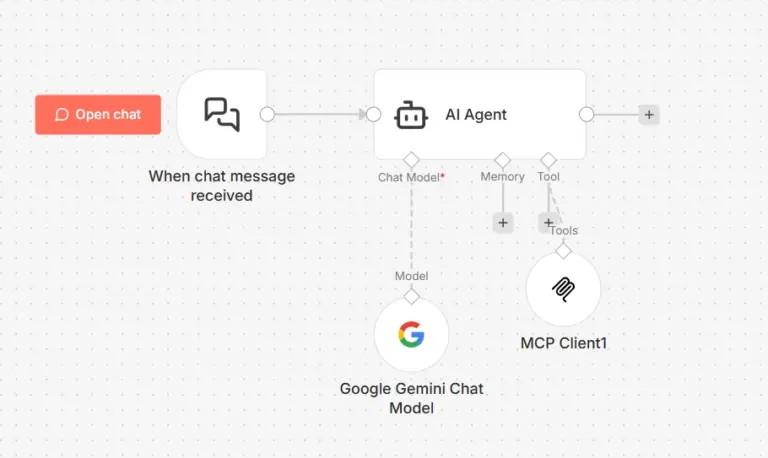
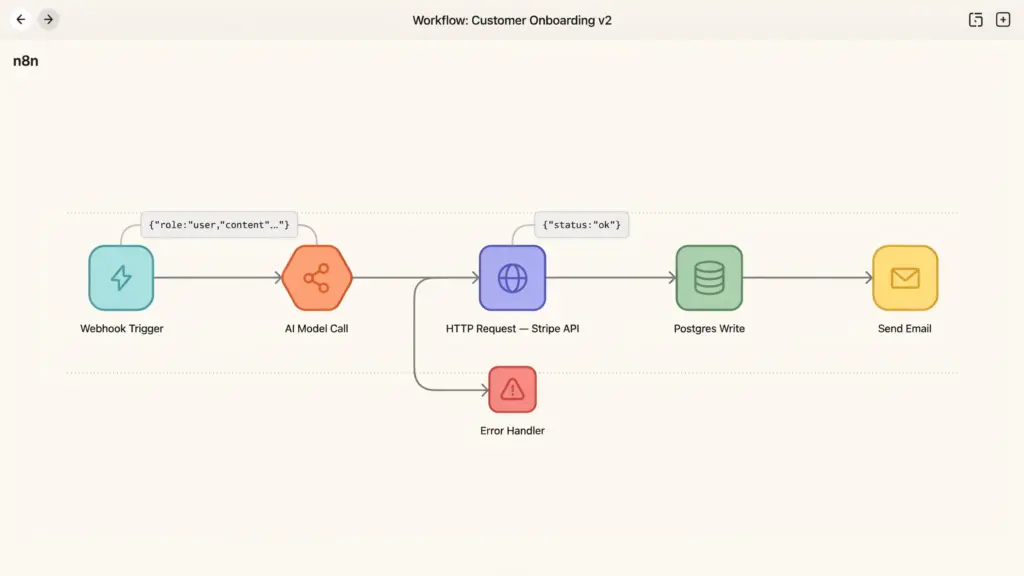
Let’s build a simple AI research assistant. The workflow begins with a webhook that accepts user input. The prompt is then sent to the AI model. If additional information is required, the workflow calls an external search API. After collecting relevant information, the AI generates a concise summary and returns it to the user. The complete workflow consists of:
- Webhook Trigger
- AI Model
- HTTP Request
- AI Summary
- Response Node
Even this basic workflow demonstrates how AI agents can combine reasoning with external tools.
Adding Memory to Your AI Agent
One limitation of basic AI workflows is that they forget previous conversations. Adding memory allows your AI agent to remember context across multiple interactions. Several storage options are commonly used:
- PostgreSQL
- Redis
- SQLite
- Vector databases
Memory enables more natural conversations because the AI can reference previous messages instead of treating every interaction as completely new.For customer support, this creates a much better user experience.
Connecting External Tools
The real power of AI agents comes from their ability to use external tools. Instead of only generating text, they can perform real actions.
Examples include:
- Reading emails
- Sending notifications
- Creating calendar events
- Updating CRM records
- Managing GitHub repositories
- Querying databases
- Generating invoices
- Uploading files
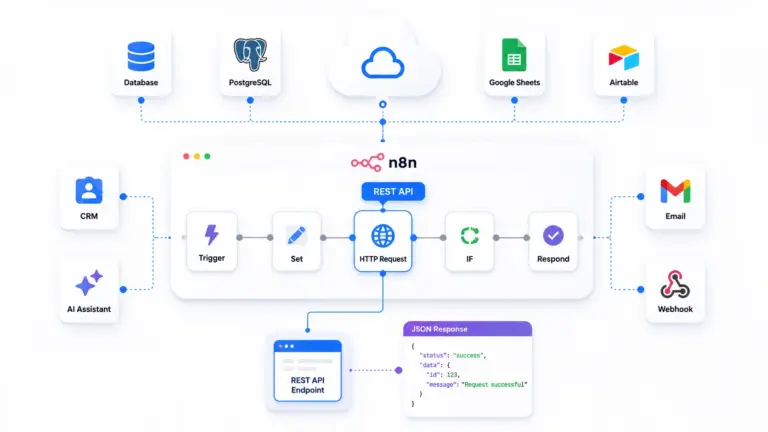
n8n includes dedicated nodes for many popular services.If a service is not available, the HTTP Request node allows direct API integration.This flexibility means your AI agent can interact with almost any online application.
Building Multi-Step AI Workflows
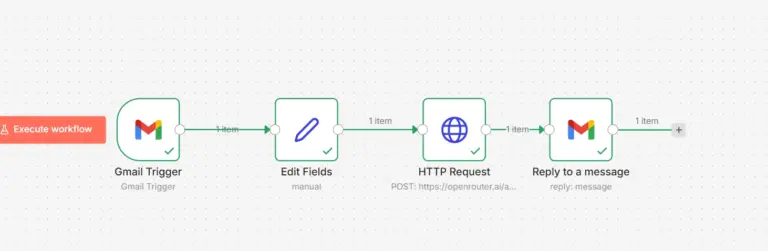
Real business processes rarely involve a single action.Instead, they consist of several connected steps. Consider an AI-powered customer support workflow. A customer submits a request through a website.The AI analyzes the message.If it identifies a billing issue, it retrieves account information. Next, it prepares an appropriate response. Finally, it sends the response through email while logging the interaction in a CRM system. Each stage of the process is handled automatically within n8n. This modular approach makes workflows easier to maintain and expand over time.
Practical AI Agent Use Cases
Businesses across many industries are already using AI agents to automate routine work.
Customer Support
AI agents can answer frequently asked questions, retrieve customer information, and create support tickets.
Sales Automation
Agents can qualify leads, schedule meetings, send follow-up emails, and update CRM systems automatically.
Content Generation
Marketing teams can use AI agents to generate blog outlines, social media posts, product descriptions, and email campaigns.
Research Assistant
AI agents can search multiple sources, summarize information, and generate comprehensive reports.
Document Processing
Organizations can automate invoice extraction, contract analysis, and document classification.
IT Operations
AI agents can monitor servers, detect issues, generate alerts, and create incident reports.
HR Automation
Human resources teams can automate interview scheduling, resume screening, and employee onboarding tasks.
These examples demonstrate how AI agents can improve productivity across departments.
Best Practices for Building AI Agents
A well-designed AI workflow is easier to maintain and produces better results. Follow these recommendations when building AI agents in n8n.
Keep Workflows Modular
Break large workflows into smaller reusable components. This makes debugging and updates much easier.
Validate User Input
Never assume incoming data is correct. Validate required fields before processing requests.
Secure API Keys
Store API credentials using environment variables or credential management rather than hardcoding them.
Handle Errors Gracefully
External services occasionally fail. Configure retries, fallback responses, and error notifications to improve reliability.
Monitor Workflow Performance
Track execution times, failed workflows, and resource usage to identify bottlenecks.
Use Logging
Detailed logs simplify troubleshooting and provide valuable insights into workflow behavior.
Common Challenges
Although AI agents are powerful, developers often encounter several common issues.
Hallucinations
AI models sometimes generate incorrect information. Whenever possible, verify responses using trusted data sources.
API Rate Limits
External APIs often limit the number of requests. Implement retry logic and request throttling where appropriate.
Long Running Workflows
Complex workflows may require asynchronous execution to avoid timeouts.
Security
Protect sensitive data by encrypting communications, restricting permissions, and implementing authentication.
Scalability
As workflow volume grows, ensure your server has sufficient CPU, memory, and storage resources. Proper infrastructure planning becomes increasingly important as your automation expands.
Why Self Host n8n?
Many organizations choose self-hosted n8n because it offers significant advantages over managed automation services.Self-hosting provides complete ownership of your data, allowing you to meet internal compliance requirements and maintain greater privacy.It also removes many usage restrictions that exist on hosted automation platforms. Businesses can customize workflows, install additional integrations, optimize server resources, and scale deployments according to their needs. Running n8n on a VPS also provides consistent performance and makes it easier to integrate local AI models such as Ollama without exposing sensitive information to external services. For growing organizations, a dedicated VPS or cloud server offers the flexibility required for production-grade AI automation.
The Future of AI Agents
AI agents are evolving rapidly.
Future agents will become more autonomous, capable of collaborating with other agents, accessing larger knowledge bases, and making increasingly sophisticated decisions.
Workflow automation platforms like n8n are expected to play a central role in this evolution because they provide the infrastructure needed to connect AI models with business systems.
As organizations continue adopting AI, demand for customizable and self-hosted automation platforms will continue to grow.
Developers who understand how to build AI agents today will be well positioned to create the next generation of intelligent business applications.
Conclusion
Building AI agents no longer requires extensive machine learning expertise or complex programming frameworks. With n8n, developers and businesses can create intelligent workflows using a visual interface while still having the flexibility to customize every aspect of the automation.
By combining AI models with APIs, databases, business applications, and workflow logic, n8n makes it possible to automate tasks that once required significant manual effort. Whether you are creating a research assistant, automating customer support, generating content, or streamlining internal operations, AI agents built with n8n can deliver measurable improvements in efficiency and productivity.
For production deployments, self-hosting n8n on a reliable VPS or cloud server provides the performance, scalability, and security needed to run AI-powered workflows with confidence. As AI continues to reshape the way organizations work, learning how to build intelligent agents with n8n is a valuable skill that can help you stay ahead in the rapidly evolving world of automation.
FAQ
1. What are the best use cases for AI agents in n8n?
Common use cases include customer support, lead generation, content creation, email automation, document processing, research assistants, and CRM automation.
2. Which AI models work with n8n?
n8n supports OpenAI, Ollama, Anthropic Claude, Google Gemini, Mistral, DeepSeek, and other OpenAI-compatible models.
3. How do AI agents in n8n interact with external applications?
AI agents use built-in nodes or HTTP requests to connect with services like Gmail, Slack, Google Sheets, CRMs, databases, and other APIs to perform real-world actions.