Let's check how to Get Free DNS Hosting and set up A name entries using the Ucartz Domain control panel. You can do this in two sections:
- Setting up NameServers
- DNS Management
First, let's start by Setting up NameServers using Ucartz Domain Control Panel.
Steps:
- Login to your account Ucartz.
- Go to the section My Domain and choose the preferred domain, which you want to get free DNS Hosting.
- Once the domain is selected, pick the option Nameservers from the option listed on the left side.
- Under the section Nameservers, you can see two options as mentioned in the below image:
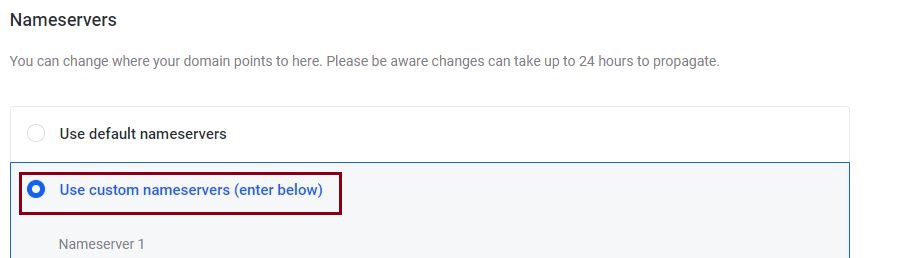
- Now choose the custom nameservers option, enter the following in the fields,
Name Server1 domains-ucartz.mercury.orderbox-dns.com
Name Server2 domains-ucartz.venus.orderbox-dns.com
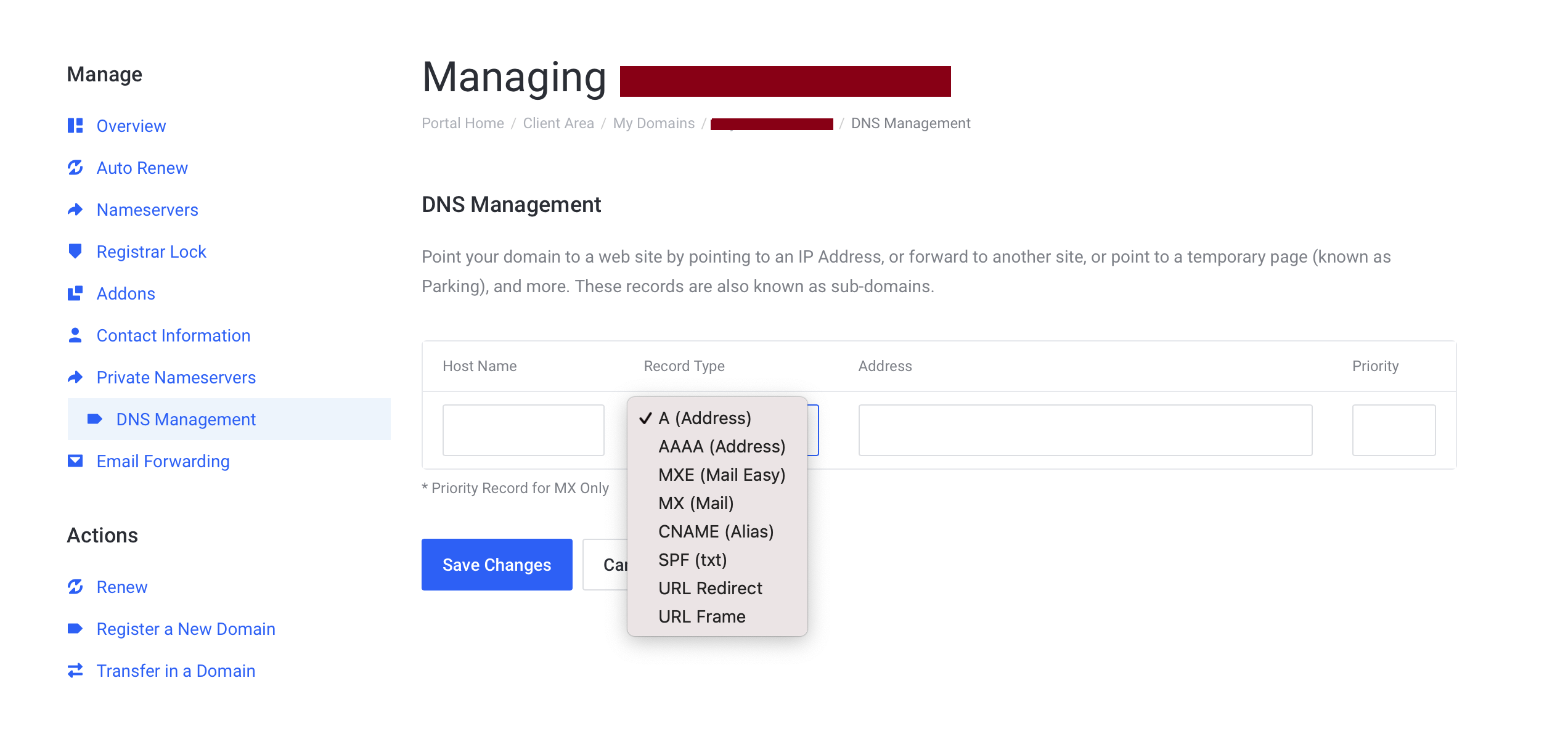
Once done, go to the DNS Management section.
From here, you can point your domain to a website, and this can be done by pointing the domain to an IP Address. To set up an A name entry, you need to add our free DNS nameservers as your domain name servers.
That's it!!
